Struggling to find important information buried in emails, documents, and chat logs? AI-powered search solutions help you instantly access the files, conversations, and data you need, making information retrieval faster and more efficient. In 2026, the sheer volume of our digital data has become a productivity bottleneck. Gemini solves this by acting as an “intelligent layer” over your entire device, turning a chaotic digital workspace into a searchable, actionable conversation.
App Overview & Market Position
Gemini is the flagship generative AI application developed by Google. By 2026, it has transitioned from a simple chatbot into a multimodal powerhouse capable of processing text, images, video, and live audio simultaneously. It is deeply integrated into the Android ecosystem and Google Workspace, allowing it to “see” and “hear” context across your apps to provide personalized assistance.
What distinguishes Gemini from competitors like ChatGPT or Microsoft Copilot is its ecosystem depth. While other AI apps are “destinations” you visit to perform a task, Gemini is an integrated assistant that can summarize a YouTube video, draft a Gmail response based on your Drive files, and plan a Google Maps route—all in one thread. Its unique selling point is “Living Context,” where the AI understands your personal schedule and preferences across all Google services to act as a true digital twin.
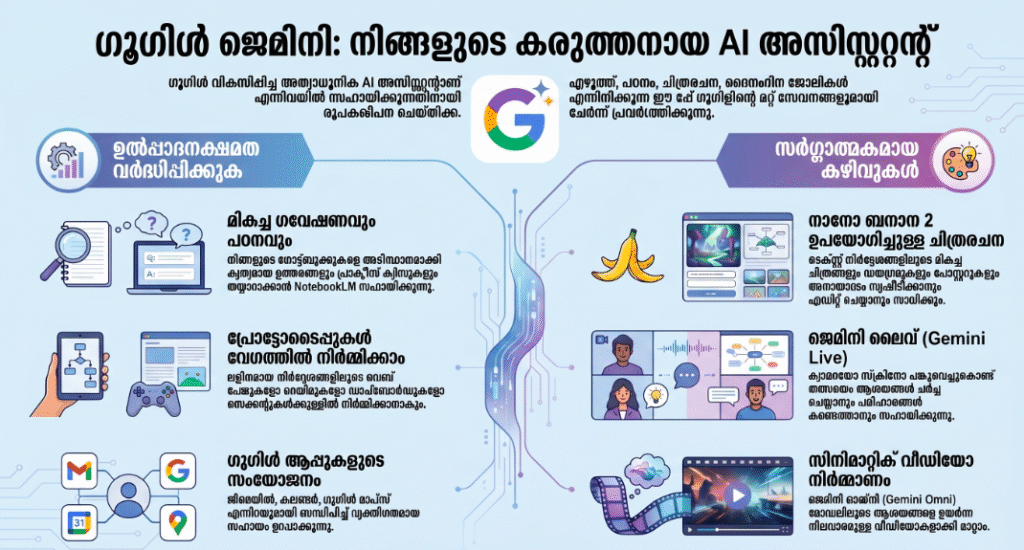
Key Features at a Glance
- Multimodal Live Interaction: Talk to your AI in real-time about what your camera sees or what is happening on your screen.
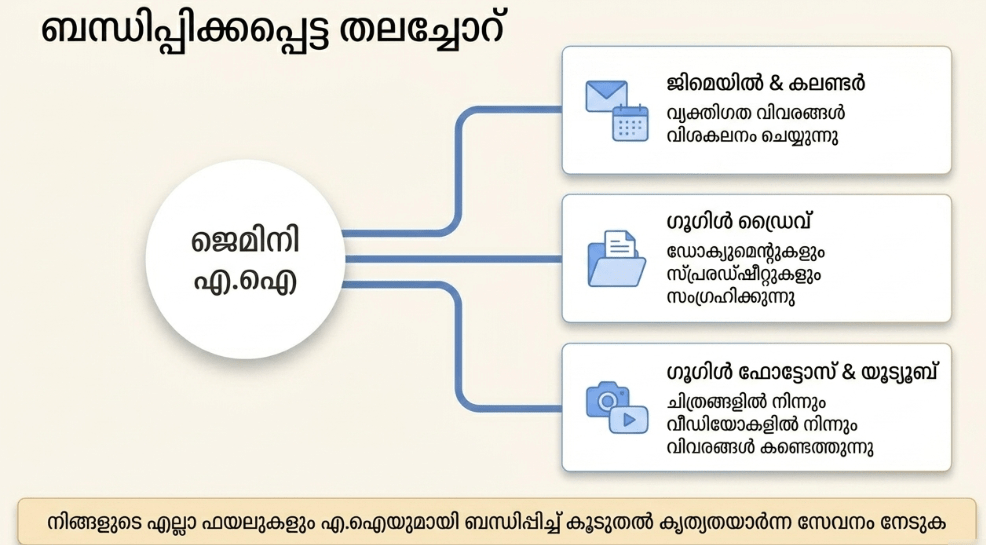
- Google Workspace Extensions: Search through your private Gmail and Drive data to find specific facts or summarize long documents instantly.
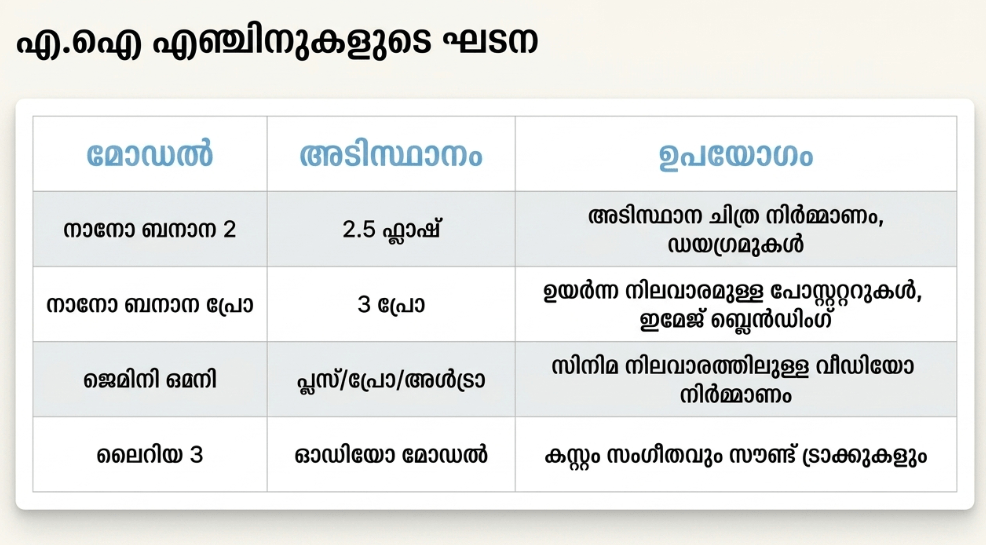
- Advanced Creative Suite: Generate high-fidelity images, edit videos with text prompts, and even compose 30-second music tracks via integrated Lyria models.
- On-Device Processing: Handle sensitive tasks like text summarization locally on the device to ensure maximum privacy and speed.
- Predictive Scheduling: Automatically identify tasks in your conversations and add them to your Calendar with relevant reminders.
User Data & Market Reach (2026 Estimates)
| Platform | Star Rating | Total Reviews | Downloads |
| iOS App Store | 4.6/5 | 1.2M+ | 250M+ |
| Google Play | 4.8/5 | 5.5M+ | 1.5B+ |
Technical Performance Review
- Storage: The app itself is around 120MB, but it relies heavily on cloud processing, meaning it won’t clog your local storage with data.
- Data Usage: Significant; because it streams high-quality multimodal data (video and voice), it is best used on 5G or Wi-Fi connections.
- Battery/Efficiency: Moderate; 2026 updates have optimized background processes, but intensive “Live” voice sessions will still drain battery faster than standard apps.
Aklakstudio Advice: Go to “Gemini Settings” and enable “On-Device Processing” for basic text tasks; this will save data and battery while significantly speeding up simple responses.
Head-to-Head Comparison
| Attribute | Gemini | ChatGPT |
| Ecosystem Link | Google (Mail, Drive, Maps) | Independent / Microsoft |
| Video Processing | Native (Veo Engine) | External (Sora/Third-party) |
| On-Device Mode | Extensive (via Gemini Nano) | Limited |
Best Practices & Safety
- Use Extensions Wisely: Only enable the “@Gmail” or “@Drive” extensions when you need to search personal info to maintain a “need-to-know” privacy boundary.
- Fact-Check the AI: While 2026 models are highly accurate, always use the “Double-Check” icon for legal, medical, or highly technical information.
- Privacy Guard: Use the “Activity” settings to set your data to auto-delete every 3 months if you don’t want a permanent history of your prompts.
Setup Guide
- Download: Install Gemini from the Google Play Store or access it via the Google app on iOS.
- Permissions: Grant access to Microphone and Camera to enable the “Live” conversational features.
- Link Accounts: Go to “Extensions” and toggle on Google Workspace to allow the AI to help with your emails and files.
- Set as Default: On Android, set Gemini as your primary digital assistant to replace legacy “Google Assistant” functionality.
Common Questions (FAQ)
Does Gemini read my private emails for ads?
No, Google has stated that personal data from Workspace extensions is not used to train models or target advertisements.
Is Gemini 2026 available for free?
There is a highly capable free version, but “Gemini Advanced” requires a subscription for the most powerful 1.5 Pro models and 2TB of storage.
Can it work without the internet?
Basic tasks like setting alarms or summarizing text can work offline on newer devices, but creative and search-based tasks require a connection.
Download the Official Version
- Android: Download from Google Play Store
The Aklakstudio Final Verdict
Gemini in 2026 is perfect for busy students, creators, and professionals who live within the Google ecosystem. It has successfully moved past the “chatbot” phase to become a genuine operating system for your life. While the most advanced creative features require a paid tier, the free version remains the most versatile AI tool available for a general audience.
Rating Scorecard
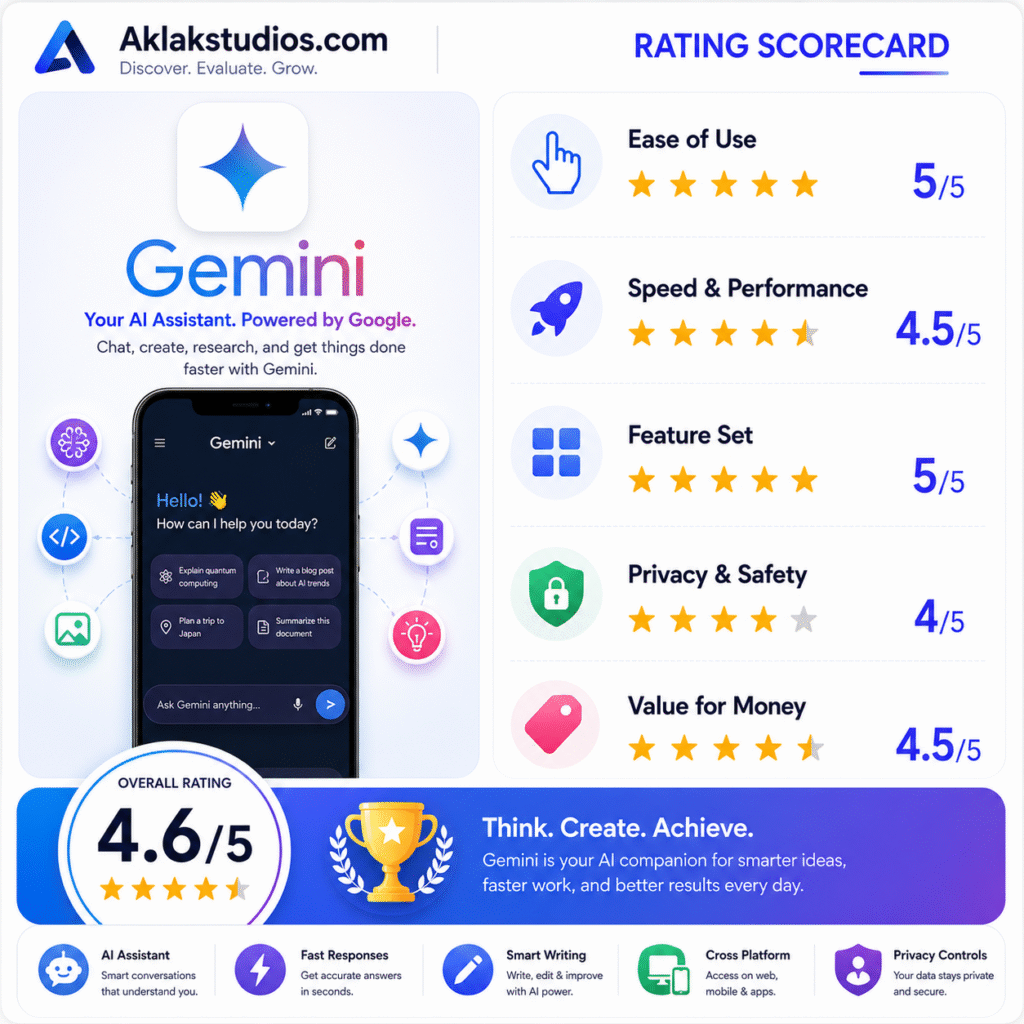
- Ease of Use: 5/5
- Speed & Performance: 4.5/5
- Feature Set: 5/5
- Privacy & Safety: 4/5
- Value for Money: 4.5/5
Overall Aklakstudio Score: 4.6 / 5