Many learners spend hours watching online lectures but find it difficult to put new concepts into practice. Effective learning tools and AI-powered education platforms can bridge the gap between theory and real-world application. In the world of online education, “passive learning” is a massive hurdle that prevents students from truly mastering complex subjects like coding or mathematics. Stepik solves this by turning every lesson into an interactive experience, forcing you to solve problems as you go.
App Overview & Market Position
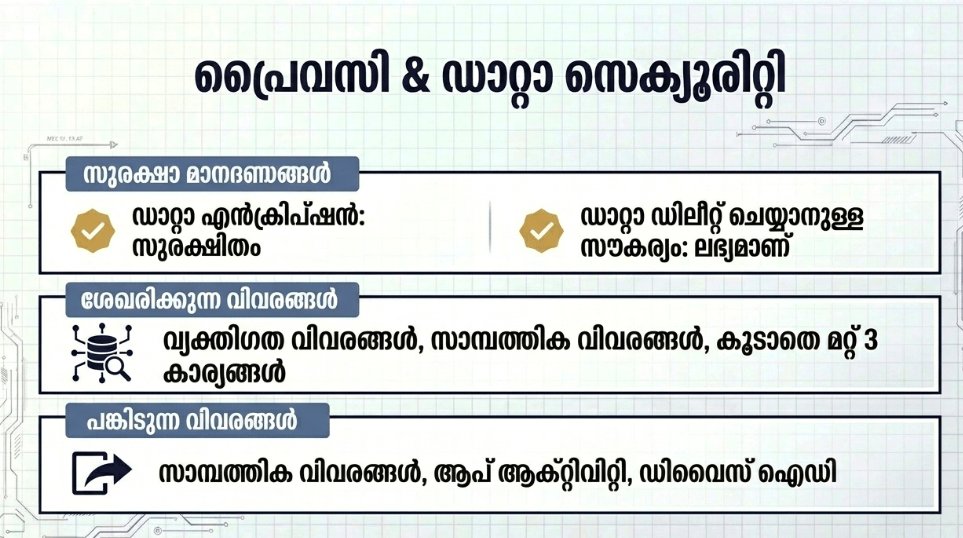
Stepik is a cloud-based Learning Management System (LMS) and Massive Open Online Course (MOOC) platform developed by the Stepik Team. While it hosts a wide variety of subjects, it has gained a massive following in the STEM community, particularly for computer science, data analysis, and bioinformatics. The platform allows organizations and individuals to create structured courses with a heavy emphasis on automated testing.
What distinguishes Stepik from giants like Coursera or Udemy is its integrated coding environment. Its unique selling point is its “sandbox” feature, which allows you to write and run code directly within the app’s interface across multiple programming languages. Instead of just watching a video, you are immediately prompted to pass an automated challenge, ensuring you’ve grasped the logic before moving to the next “step.”
Key Features at a Glance
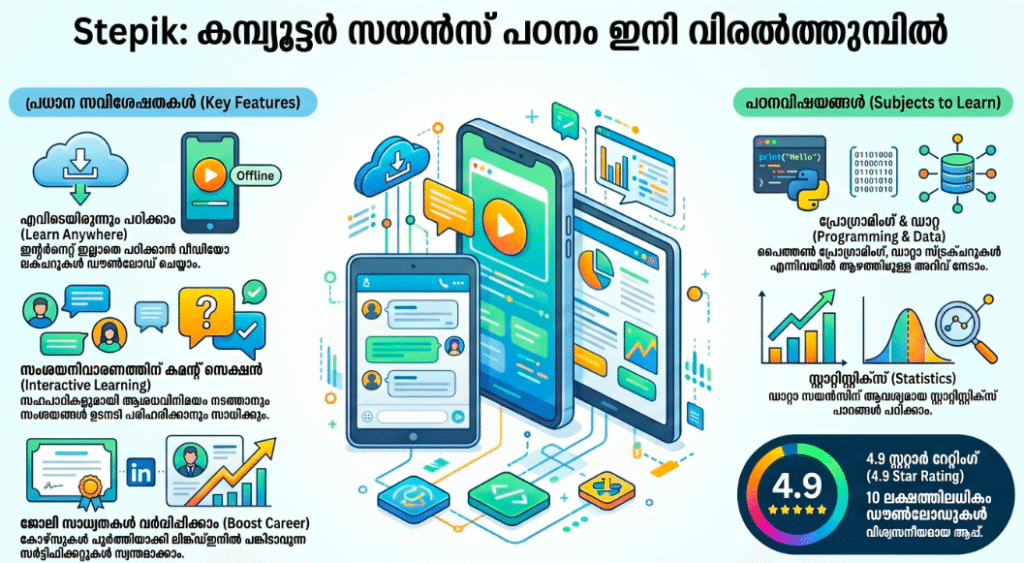
- Built-in Code Editor: Write and execute code for Python, C++, Java, and more directly on your mobile device.
- Adaptive Learning: Engage with personalized problem sets that adjust their difficulty based on your previous performance.
- Offline Access: Download video lectures and text materials to continue your education without an internet connection.
- Discussion Forums: Peer-to-peer support is integrated into every lesson, allowing you to see how others solved the same challenge.
- Certificate Tracking: View and manage your earned certificates directly within the app for easy sharing with employers.
User Data & Market Reach
| Platform | Star Rating | Total Reviews | Downloads |
| iOS App Store | 4.7/5 | 5K+ | 500K+ |
| Google Play | 4.6/5 | 60K+ | 1M+ |
Technical Performance Review
- Storage: The app is lean, taking up about 40MB–60MB, though local storage will increase as you download courses for offline use.
- Data Usage: Highly efficient; text-based lessons and coding challenges use negligible data, while video quality can be toggled to save bandwidth.
- Battery/Efficiency: Exceptionally stable; however, running complex code simulations can cause a moderate increase in battery consumption during long sessions.
Aklakstudio Advice: Use the “Sync” feature in settings to ensure your progress on mobile is immediately available on the web version, allowing you to switch to a physical keyboard for more complex coding assignments.
Head-to-Head Comparison
| Attribute | Stepik | Udemy |
| Primary Methodology | Interactive Practice | Video-Based Lectures |
| Code Execution | In-App (Integrated) | External Environment Required |
| Course Access | Many High-Quality Free Courses | Primarily Paid / Individual Purchase |
Best Practices & Safety
- Focus Mode: Enable “Do Not Disturb” on your phone before starting a coding module to ensure you can maintain the concentration needed for logic puzzles.
- Engage with Comments: If you get stuck, check the “Solutions” or “Comments” section; Stepik has one of the most active student communities for troubleshooting.
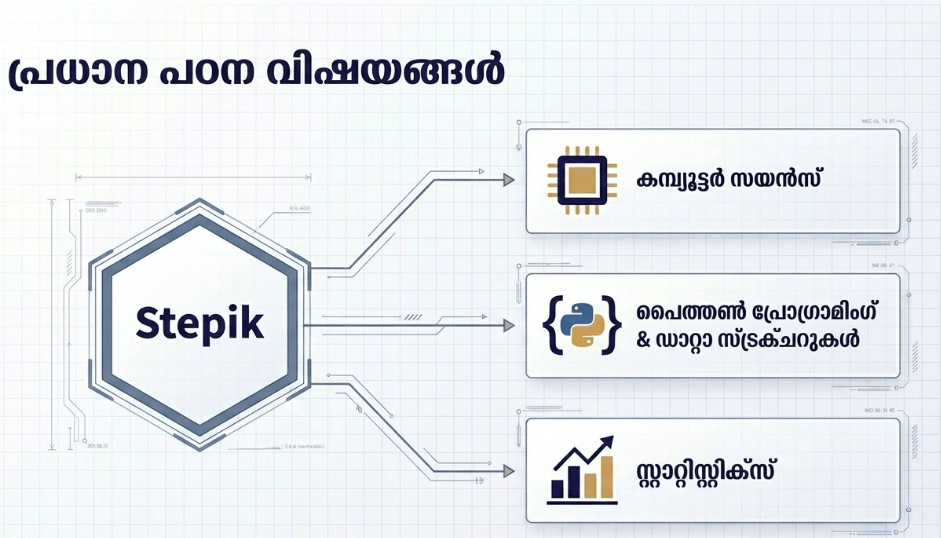
- Password Security: Since your account may store certificates and professional progress, use a strong, unique password and keep your email verified.
Setup Guide
- Download: Install Stepik from the Google Play Store or Apple App Store and sign in using Google, GitHub, or Email.
- Explore: Browse the “Catalog” and use the filter to find “Free” courses in your area of interest (e.g., Python Basics).
- Enroll: Tap “Join this course” to add it to your personal dashboard and start the first module.
- Configure Environment: Allow the app access to your storage if you plan to download materials for offline study.
Common Questions (FAQ)
Are certificates on Stepik free?
Many courses offer free certificates of completion, though some specialized “PRO” or university-linked courses may require a fee.
Does it support dark mode?
Yes, Stepik has a native dark mode that is particularly helpful for long-night coding sessions to reduce eye strain.
What languages are the courses in?
Stepik has a global presence, with a vast library of courses available in English, Russian, and several other regional languages.
Download the Official Version
- Android: Download from Google Play Store
The Aklakstudio Final Verdict
Stepik is perfect for the aspiring developer or data scientist who learns best by doing rather than just watching. It is arguably the most powerful mobile learning tool for anyone needing an integrated coding environment on the go. While the catalog is more specialized toward STEM than broader platforms, its interactive approach makes it far more effective for skill-building than traditional video-only apps.
Rating Scorecard
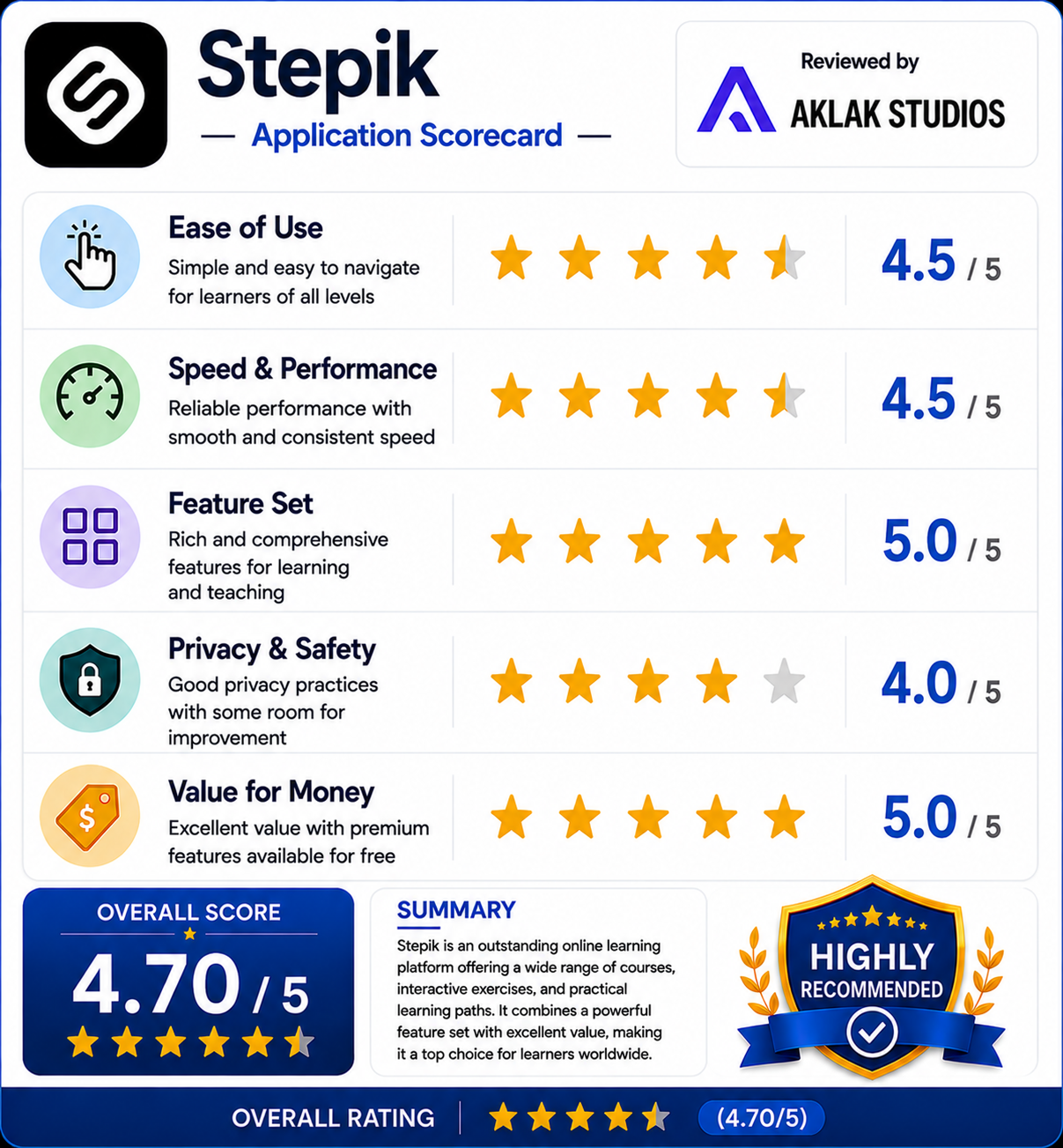
- Ease of Use: 4.5/5
- Speed & Performance: 4.5/5
- Feature Set: 5/5
- Privacy & Safety: 4/5
- Value for Money: 5/5
Overall Aklakstudio Score: 4.7 / 5