The Problem & Solution
Have you ever needed to push out a striking, professional social media graphic, promotional flyer, or YouTube thumbnail on short notice, only to realize you don’t have the time to learn complex desktop design layers? For small business owners, freelancers, and content creators, the continuous pressure to build fresh visual media usually means dealing with an expensive overhead or clunky, ad-riddled mobile utilities. VistaCreate resolves this everyday creative barrier by condensing an expansive, enterprise-grade design workspace into a fast, fluid drag-and-drop Android application.
App Overview & Market Position
VistaCreate is a premium, mobile-optimized graphic design and visual editing software platform. Developed by Crello Ltd. (and later integrated into the Cimpress / Vista global print and digital ecosystem), the application functions as a comprehensive, portable design studio. The client app allows users to easily build everything from responsive multi-layer Instagram Stories and trending TikTok video covers to tangible print marketing products like business cards, brochures, and event posters directly from their mobile screen.
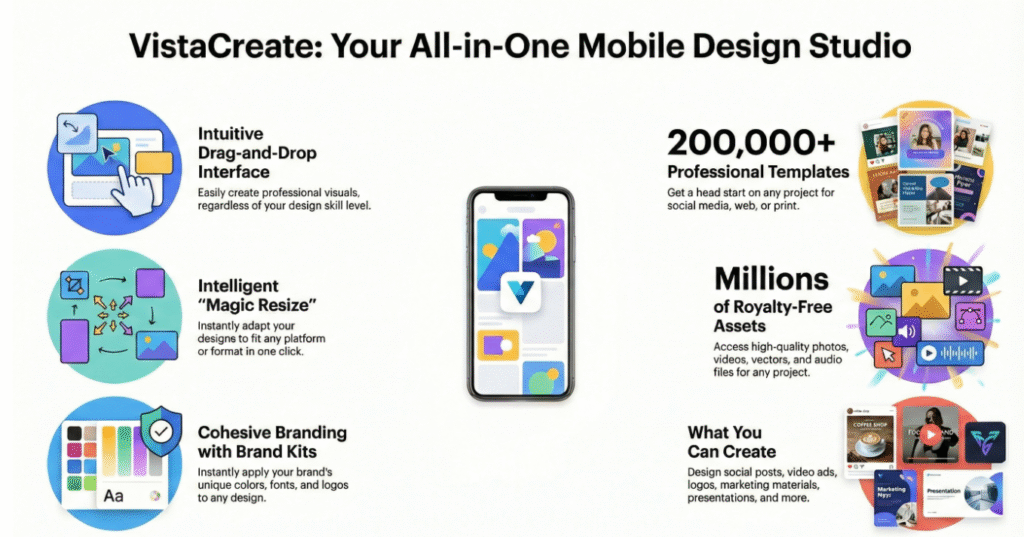
What secures VistaCreate’s strong market position is its deep relationship with established professional assets and physical distribution pipelines. While many simple graphic generators lock your finished files entirely inside isolated digital formats, VistaCreate bridges the gap between screen aesthetics and physical products. Its definitive unique selling point is its Native VistaPrint Integration and Creative Asset Layer. Boasting a massive warehouse of over 200,000 professionally curated design templates, millions of premium royalty-free images, and automated AI generation tools, the platform allows you to design an enterprise-grade brand layout on your smartphone and send it to your doorstep via physical printing networks with a single tap.
Key Features at a Glance
- Intelligent AI Object & Background Remover: Isolate foreground subjects or completely erase complex background elements from your product images with a single tap.
- Unified Brand Kit Management: Upload and save your specific brand color hex codes, custom logos, and preferred font styling vectors to apply them across new templates instantly.
- Advanced Motion & Animation Suite: Convert static image layers into dynamic social media ads by overlaying animated text paths, object transitions, and custom background music.
- Direct-to-Door Print Fullfillment: Finalize localized physical designs inside the editor and export them directly to the VistaPrint network for premium doorstep delivery.
User Data & Market Reach
| Platform | Star Rating | Total Reviews | Downloads |
| iOS App Store | 4.7 / 5 | ~253 | 1 Million+ Cumulative |
| Google Play Store | 4.3 / 5 | ~47,200 | 5 Million+ Active Installs |
Technical Performance Review
- Storage: Demands roughly 131MB of physical storage upon initial installation, steadily caching graphic vectors and fonts as you build out your workspace folders.
- Data Usage: Moderate during basic template editing, but rendering multi-layer video animations or frequently importing high-res source imagery will increase your mobile data footprint.
- Battery/Efficiency: Exceptionally responsive on modern Android operating systems, utilizing cloud-side calculations for its background removal processes to prevent heavy processing lag or sudden battery drop.
Aklakstudio Advice: If you are manipulating tiny design assets or dense text paragraphs using a finger touch interface, utilize the app’s native layout zoom lock tool to temporarily steady your background canvas and prevent accidental layer dragging.
Head-to-Head Comparison
| Attribute | VistaCreate Android App | Canva Mobile Client |
| Asset Pedigree | Deep integration with DepositPhotos and direct commercial print networks | Traditional digital templates backed by broad cloud sharing links |
| Team Seating | Highly generous free tier support (Invite up to 10 team members to collaborate simultaneously) | Strict seat monetization constraints on the base free version |
| Layout Feel | Pure tool-focused design canvas free from cluttered internal social feeds | Heavy template-discovery hub mixed with continuous premium up-selling prompts |
Best Practices & Safety
- Lock Underlapping Design Layers: When working on a complex graphic design set with overlapping text and images, use the “Layer Lock” tool to keep your background anchored safely while modifying foreground components.
- Verify Print Margins Prior to Export: If you are designing an asset intended for physical production, turn on the “Print Bleed” guidelines toggle to check that critical text elements don’t get sliced off during manufacturing.
- Manage Personal Account Syncing: Ensure you log into the mobile app using the exact same login protocol (such as continuous Google Sign-In) as your desktop workspace to prevent accidental creation of disjointed duplicate project histories.
Setup Guide
1.Install the Official Application:Takes 1 min.
Open the Google Play Store, search for “VistaCreate: Graphic Design” developed by Crello Ltd., and tap install to secure the official software client.
2.Authenticate and Synchronize Your Account:Takes 2 min.
Launch the editor app and sign up or log in using your Google, Apple, or email profile to sync your saved project cloud libraries cleanly across devices.
3.Establish Your Custom Brand Kit:Takes 2 min.
Navigate directly to the “Brand Kit” tab within your main profile menu to upload your company’s logo transparent vectors, color grids, and primary typefaces.
4.Launch Your Initial Graphic Canvas:Instant.
Tap the prominent circular “+” creation icon on the home screen, select your target platform dimensions (e.g., YouTube Thumbnail), and pick an initial template to edit.
Common Questions (FAQ)
Q: Am I legally allowed to sell the designs I make inside VistaCreate to commercial clients?
A: Absolutely. Your subscription unlocks complete commercial distribution clearance for the royalty-free photos, animations, and graphic vectors hosted inside their database, making them safe to use for business ads and marketing.
Q: Can I use custom fonts that aren’t listed inside the app’s standard library?
A: Yes. If you upgrade to the Pro tier, you can seamlessly upload your personal branded .OTF or .TTF font files directly through the app interface to maintain brand cohesion.
Q: Does the background removal tool work smoothly on complex elements like hair or fur?
A: The advanced AI engine does a highly commendable job isolating clear subject outlines, though very chaotic backgrounds or blurry lighting elements may require a quick touch-up with manual brush adjustments.
Download the Official Version
- Android Users: Download on the Google Play Store
- iOS Users: Download on the Apple App Store
The Aklakstudio Final Verdict
The VistaCreate Android application is an outstanding, enterprise-grade utility that does an exceptional job of bringing professional graphic production into a fast, manageable smartphone layout. By removing the traditional friction of asset hunting and layer building through its massive library of un-recycled, premium templates and direct print hooks, it serves as the ultimate creative life raft for busy entrepreneurs. It is an ideal, high-ROI design companion for social media managers, local business operators, and creators who need polished marketing materials fast. However, elite fine artists requiring advanced multi-point vector drawing brushes or deep manual gradient tuning will still want to keep their high-end desktop illustration programs close by.
Rating Scorecard
- Ease of Use: 4.8 / 5
- Speed & Performance: 4.6 / 5
- Feature Set: 4.7 / 5
- Privacy & Safety: 4.5 / 5
- Value for Money: 4.8 / 5