As a professional tech journalist at aklakstudios.com, I am constantly evaluating tools that empower the next generation of digital storytellers. For creators who need to balance high-end production with a fast-paced mobile workflow, VN Video Editor (VlogNow) has emerged as a definitive favorite in the mobile editing space.
The Problem & Solution (Intro)
Have you ever captured the perfect cinematic shot on your phone, only to find that basic editing apps ruin the quality or slap a giant, ugly watermark across your work? Transitioning from raw footage to a professional-looking reel shouldn’t require a desktop computer or an expensive subscription. VN Video Editor is the solution for creators who need “Pro” features without the “Pro” price tag or complexity.
App Overview & Market Position
VN Video Editor, developed by VlogNow, is a multi-track mobile video editing suite designed for both beginners and seasoned influencers. It provides a non-linear timeline that allows users to layer videos, photos, music, and subtitles with precision. Whether you are cutting a quick social media story or a long-form travel vlog, the app provides a desktop-class experience on a handheld device.
What truly distinguishes VN from competitors like CapCut or InShot is its clean, “no-watermark” policy and its focus on creative freedom. Its unique selling point is the combination of advanced features—like curve shifting, keyframe animation, and LUT filter support—with an interface that remains uncluttered and free of forced advertisements. It bridges the gap between casual editing and professional post-production perfectly.
Key Features at a Glance
- Multi-Track Timeline: Manage multiple layers of video and audio with a zoomable interface for frame-accurate cuts.
- Keyframe Animation: Create custom motions and transitions for text or images using intuitive plotting points.
- Curve Shifting: Control video speed dynamically to create professional-grade “speed ramp” effects.
- Custom LUT Support: Import your own color grading filters to give your videos a unique, cinematic aesthetic.
- Direct Social Export: Save videos in specific aspect ratios (9:16, 1:1, 16:9) and export in 4K at 60fps for maximum clarity.
User Data & Market Reach
| Platform | Star Rating | Total Reviews | Downloads |
| iOS App Store | 4.8/5 | 500K+ | 50M+ |
| Google Play | 4.5/5 | 2.5M+ | 100M+ |
Technical Performance Review
- Storage: The app itself is around 150MB, but be prepared for high storage usage as your video project files and cached media grow.
- Data Usage: Entirely offline for the editing process; data is only used for downloading optional assets like music, fonts, or stickers.
- Battery/Efficiency: High performance; editing 4K footage is resource-intensive and will drain the battery faster than standard apps.
Aklakstudio Advice: To prevent lag during complex edits, go to settings and enable “Hardware Acceleration” and clear your “Cache” regularly to keep the timeline scrubbing smooth.
Head-to-Head Comparison
| Attribute | VN Video Editor | CapCut |
| Watermark | Removable (Free) | Automatic at End |
| PC/Desktop Version | Yes (Mac/Windows) | Yes |
| Ease of Customization | High (Manual Control) | High (Template Focused) |
Best Practices & Safety
- Remove the Ending: By default, VN adds a “Directed by” credit at the end of the timeline; simply tap and delete it to keep your video watermark-free.
- Use Project Folders: Organize your media into folders within the app to avoid searching through a cluttered gallery during a long edit.
- Privacy Check: VN does not require an account to use the core features, making it a safer choice for those who prefer not to share personal data.
Setup Guide
- Download: Install VN from your official app store and grant access to your media gallery.
- Start New Project: Tap the “+” icon and select “New Project” to pick the videos you want to edit.
- Choose Ratio: Tap the “Original” button at the top to select your target platform (e.g., 9:16 for Reels/TikTok).
- Export: Once finished, hit the blue arrow icon, choose your resolution (1080p or 4K), and save the file to your device.
Common Questions (FAQ)
Is VN Video Editor really free?
Yes, the core features are free, and unlike many other apps, it allows you to export without a watermark.
Can I add my own music?
Absolutely. You can import music from your device, via a link, or even extract audio directly from another video file.
Does it support 4K editing?
Yes, VN supports 4K export at 60fps, provided your smartphone’s hardware is capable of processing it.
Download the Official Version
- Android: Download VN AI Video Editor
- iOS: Download VN AI Video Editor
The Aklakstudio Final Verdict
VN Video Editor is perfect for aspiring content creators and vloggers who want professional results without a steep learning curve. It offers a sophisticated feature set that rivals paid desktop software while remaining accessible enough for a quick edit on the go. While it may be slightly more complex than basic “one-tap” apps, the creative control it provides makes it the best choice for anyone serious about their digital presence.
Rating Scorecard
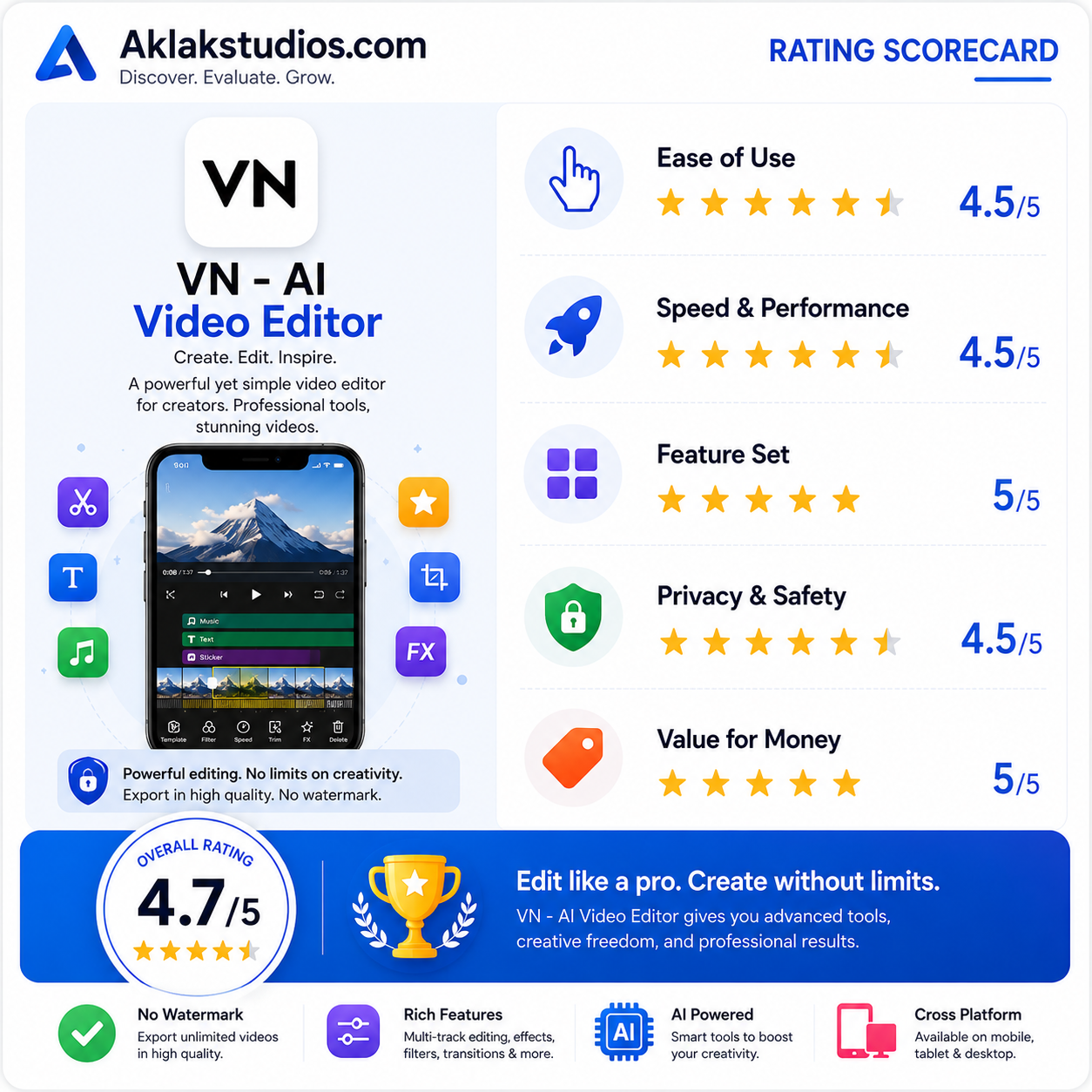
- Ease of Use: 4.5/5
- Speed & Performance: 4.5/5
- Feature Set: 5/5
- Privacy & Safety: 4.5/5
- Value for Money: 5/5
Overall Aklakstudio Score: 4.7 / 5