As a professional tech journalist for aklakstudios.com, I’ve tested hundreds of media players, but few have maintained the legendary status of the “traffic cone.” In an era where mobile devices are our primary movie screens, having a reliable player that doesn’t stutter or demand a subscription is essential.
The Problem & Solution (Intro)
Have you ever downloaded an important video for a class or a movie for a long flight, only to see the dreaded “Format Not Supported” error message? It is incredibly frustrating when your device’s default gallery can’t read the files you need most. VLC for Android is the “Swiss Army Knife” of media players, designed to play absolutely any file type you throw at it without a single complaint.
App Overview & Market Position
VLC for Android is a free and open-source cross-platform multimedia player developed by VideoLAN, a non-profit organization. Much like its iconic desktop counterpart, the mobile version is a full-featured audio and video player that includes a complete database, an equalizer, and filters, allowing it to play all weird and wonderful media formats.
What truly sets VLC apart from popular competitors like MX Player or BSPlayer is its total lack of monetization. While most mobile players are now cluttered with intrusive video ads, pop-ups, and “Pro” subscriptions, VLC remains 100% free, ad-free, and spyware-free. Its unique selling point is its “Universal Codec” library; because the app includes all the necessary drivers internally, it doesn’t need to use your phone’s internet to download extra plugins to play high-definition MKV or FLAC files.
Key Features at a Glance
- Universal Format Support: Play everything from standard MP4s to advanced MKV, AVI, MOV, and Ogg files right out of the box.
- Gesture Controls: Adjust brightness, volume, and seeking by simply sliding your finger across the screen during playback.
- Network Streaming: Connect to your home server or NAS via SMB, FTP, or SFTP to watch movies without taking up space on your phone.
- Picture-in-Picture (PiP): Keep your video playing in a small floating window so you can multitask or chat while watching.
- Advanced Audio Suite: Use the built-in 10-band equalizer and support for multi-track audio and subtitles (including SRT) for a customized experience.
User Data & Market Reach
| Platform | Star Rating | Total Reviews | Downloads |
| iOS App Store | 3.5/5 | 10K+ | 10M+ |
| Google Play | 4.3/5 | 1.6M+ | 100M+ |
Technical Performance Review
- Storage: The app is very efficient, typically taking up about 35MB–50MB, though it creates a local database to organize your media.
- Data Usage: Since it is a local player, it uses zero data unless you are intentionally streaming from a network drive or downloading subtitles.
- Battery/Efficiency: It utilizes hardware decoding whenever possible, which is highly battery-efficient and prevents your phone from heating up during long movies.
Aklakstudio Advice: If you are playing very high-resolution 4K files and experience lag, go to Settings > Video > Hardware Acceleration and ensure it is set to “Full Acceleration” to offload the work from your CPU to your phone’s graphics chip.
Head-to-Head Comparison
| Attribute | VLC for Android | MX Player |
| Advertising | 100% Ad-Free | Heavy Ads (Free version) |
| Price | Free (Open Source) | Subscription for “Pro” |
| Privacy | No User Tracking | Data Collection for Ads |
Best Practices & Safety
- Lock the Screen: Use the “Lock” icon in the bottom corner during playback to prevent accidental touches from skipping your video.
- Auto-Download Subtitles: Use the built-in “Download Subtitles” feature within the playback menu to automatically find the right text for your movie via OpenSubtitles.
- Night Mode: Enable the “Black” theme in settings to save battery life on phones with AMOLED screens and reduce eye strain.
Setup Guide
- Download: Install VLC from the Google Play Store and open it for the first time.
- Permission: Grant the app permission to access your “Files and Media” so it can build your library.
- Scan: Wait a few seconds while VLC automatically categorizes your videos and music into easy-to-navigate tabs.
- Customize: Go to Settings > Video to set your preferred brightness and volume gesture sensitivities.
Common Questions (FAQ)
Is VLC really free?
Yes, it is developed by a non-profit and will never charge you for features or show you ads.
Can it play 4K videos?
Yes, provided your phone’s processor is powerful enough to handle 4K, VLC is one of the best apps for high-bitrate playback.
Can I play music with VLC?
Absolutely. It includes a dedicated audio player with playlist support, a widget, and cover art display.
Download the Official Version
- Android: Download from Google Play Store
- iOS: Download from Apple App Store
The Aklakstudio Final Verdict
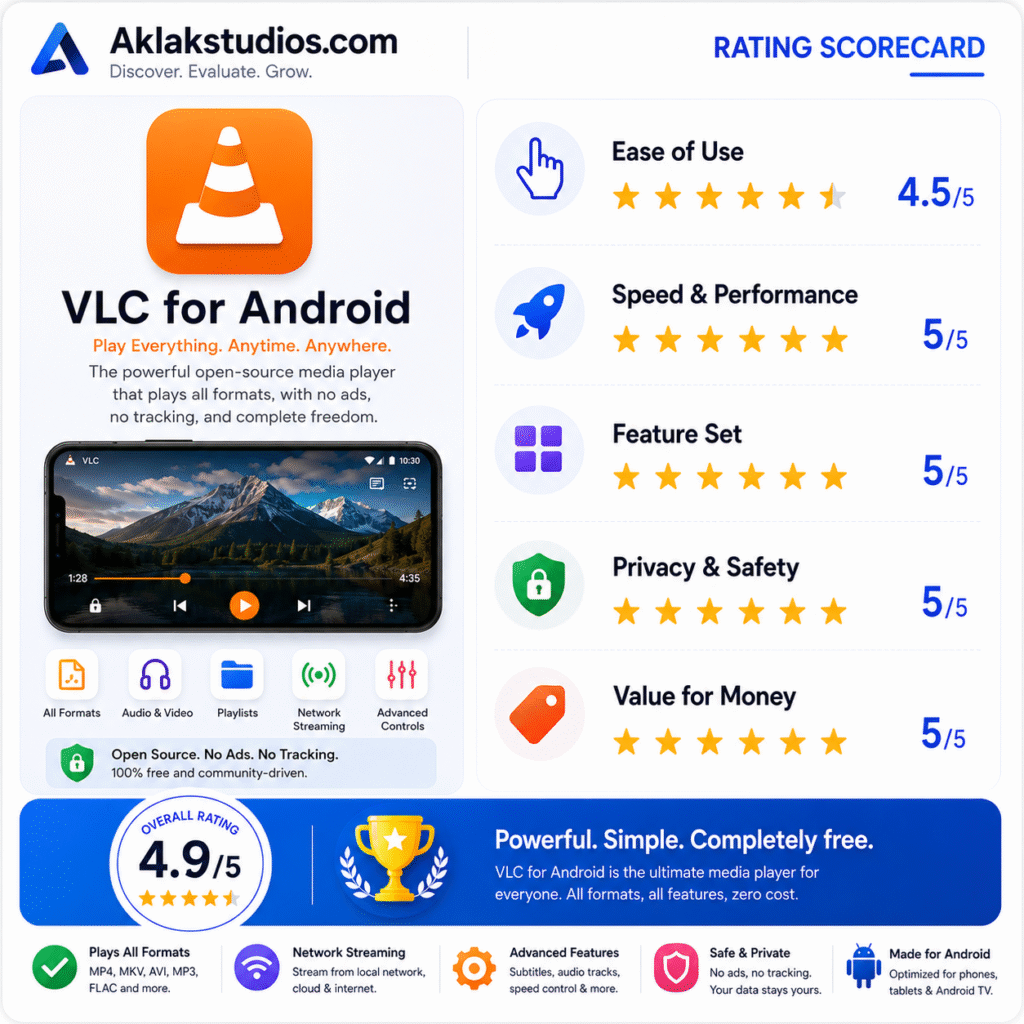
VLC for Android is perfect for the no-nonsense user who wants their technology to “just work.” Whether you are a student watching recorded lectures or a movie buff with a massive personal collection, VLC is the most reliable, private, and versatile tool in the category. While the interface is functional rather than flashy, its performance and commitment to being ad-free make it a mandatory install for every new Android device.
Rating Scorecard
- Ease of Use: 4.5/5
- Speed & Performance: 5/5
- Feature Set: 5/5
- Privacy & Safety: 5/5
- Value for Money: 5/5
Overall Aklakstudio Score: 4.9 / 5