The Problem & Solution
Have you ever captured a gorgeous sunset, a clean product shot, or a hilarious meme background, only to find yourself struggling to overlay a scannable caption or a stylized quote without ruining the image layout entirely? For content creators, small business owners, and social media enthusiasts, the task of adding typography to mobile imagery usually presents a frustrating bottleneck—generic photo editors often warp your text wrapping, limit your typography styling, or slap a low-resolution watermark directly over your graphic asset. Text Over Photo beautifully resolves this creative friction by packing a dedicated typographic desk directly into your mobile canvas, transforming flat smartphone snapshots into presentation-ready marketing banners, watermarked portraits, or viral memes with a few intuitive gestures.
App Overview & Market Position
Text Over Photo is a mobile-first graphic asset utility engineered explicitly for multi-layer typography composition. Developed by independent utility houses like Dexati and PSMA across major mobile platforms, this specialized application bridges the massive functional gap between overly simplistic gallery cropping tools and heavy, intimidating desktop publishing suites like Adobe Photoshop. It serves as a portable design canvas where users can import their personal photographs, layer distinct text strings, manipulate character spacing metrics, and apply advanced gradient shaders on the move.
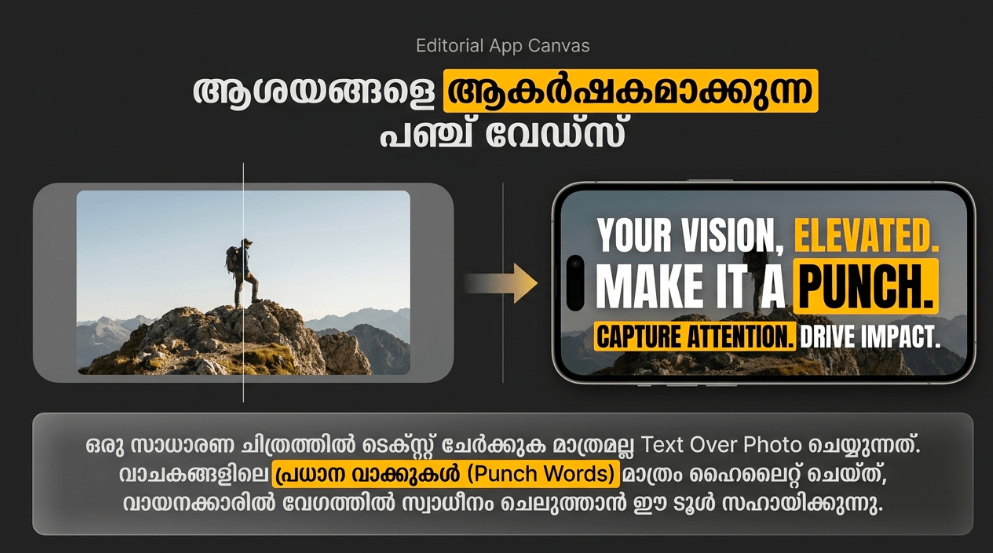
What secures Text Over Photo’s unique market position is its uncompromised focus on micro-typographic manipulation. While mainstream image editors or social media platforms restrict you to a handful of generic fonts and static text boxes that crowd out your image, Text Over Photo opens up total spatial freedom. Its definitive unique selling point is its Granular Word-Isolation Mapping paired with 3D Perspective Distortions. This advanced formatting engine gives you the flexibility to isolate individual words within a single sentence to highlight key concepts with distinct textures, bend text paths across curved custom vector lines with a simple finger glide, or tilt your text boxes in multi-dimensional space to seamlessly mirror the physical perspective of the underlying photograph.
Key Features at a Glance
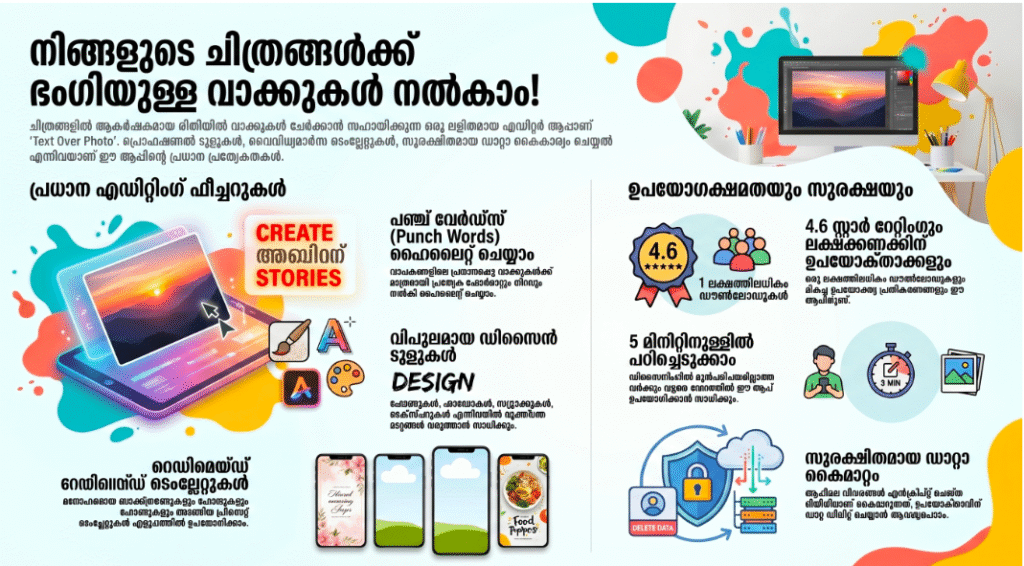
- Granular Punch-Word Highlighting: Isolate individual words within a single sentence to apply independent colors, unique textures, or specialized shaders for immediate emphasis.
- Curved & 3D Perspective Tweak: Bend your text strings along fluid circular arcs or distort them across three dimensions to flawlessly mirror the spatial surfaces of your physical image.
- Integrated Royalty-Free Catalog: Access a rich built-in library of high-resolution stock backgrounds, decorative vector stamps, and seasonal stickers directly from the main editing console.
- Non-Destructive Template Presets: Save your custom text formatting layups, color hex configurations, and opacity gradients as reusable templates to brand future social assets instantly.
User Data & Market Reach
| Platform | Star Rating | Total Reviews | Downloads |
| iOS App Store | 4.7 / 5 | ~65,000 | 10 Million+ Cumulative Ecosystem Scale |
| Google Play Store | 4.4 / 5 | ~22,100 | 1 Million+ Active Mobile Installs |
Technical Performance Review
- Storage: Remarkably compact and economic on device memory, demanding an ultra-lean installation footprint of under 35MB on Android and roughly 105MB on iOS, ensuring it won’t crowd out your local files.
- Data Usage: Highly data-friendly; because all typeface rendering pipelines, layer blending tools, and cryptographic matrix shifts run completely locally on your device hardware, the app consumes next to zero cellular data.
- Battery/Efficiency: Highly optimized and passive during baseline structural formatting, though processing deep 3D perspective transformations or rendering uncompressed text textures over large ultra-high-resolution images can cause minor, brief processor warming.
Aklakstudio Advice: If you are managing complex multi-layer designs with overlapping text layers and decorative stamps, toggle on your phone’s native “Airplane Mode” to enjoy a completely fluid canvas that runs without any network background interruptions.
Head-to-Head Comparison
| Attribute | Text Over Photo App | Heavy Editing Platforms (e.g., Photoshop Mobile) |
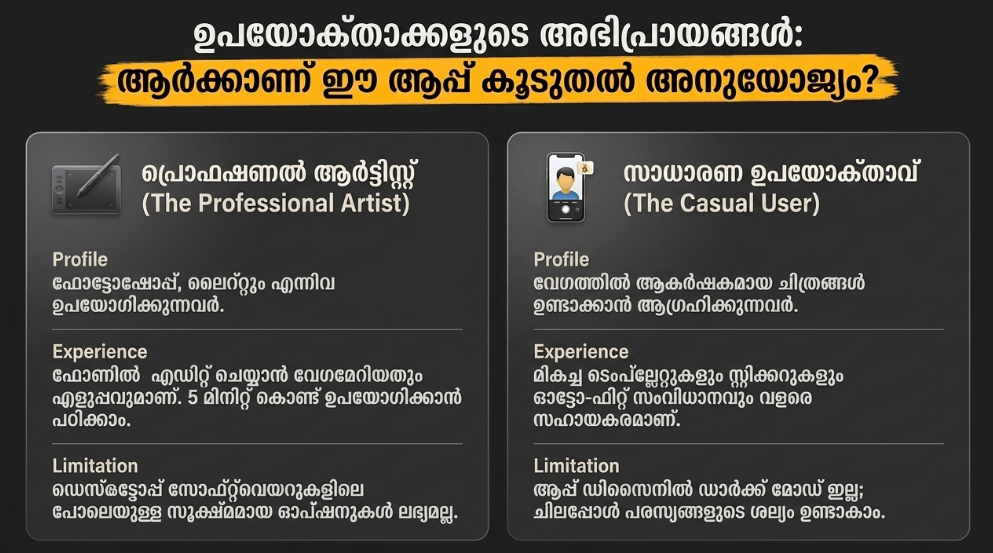
| Onboarding Speed | Immediate (Boasts an accessible interface that enables general users to master curved typography layouts in under 5 minutes) | Slow (Requires a steep learning curve to navigate deep, nested sub-menus, anchor-point configurations, and manual maskings) |
| Typography Focus | Dedicated Engine (Features built-in word-isolation highlighting, rapid path bending, and pre-timed quote templates) | Generalized Toolset (Treats text as a secondary asset layer, forcing you to execute basic curves via tedious vector paths) |
| Asset Portability | Native Template Caching (Allows you to lock in custom configurations locally to apply immediate watermarks to future pictures) | Cloud Account Restrictions (Demands mandatory account profile sync steps and heavy asset libraries to reapply basic vector stamps) |
Best Practices & Safety
- Maintain High Visual Contrast: For optimal readability on dense social media grids, apply a subtle text shadow layer or place a semi-transparent dark backing layer behind light font structures to separate your text from the image.
- Routinely Back Up Your Master Assets: Because mobile memory managers can occasionally terminate background apps unexpectedly to clear system cache, ensure you export your final edits before toggling to external multi-tasking screens.
- Audit Transparency Layers Safely: When designing clear, reusable business brand identifiers or personal watermarks, export your final creation in the uncompressed PNG format to lock in the transparent background elements.
Setup Guide
1.Install the Verified Software Hub:Takes 1 min.
Open the Google Play Store or official iOS App Store, search for “Text Over Photo,” and execute the installation safely to avoid unverified copycat software.
2.Authorize Media Library Permissions:Takes 30 seconds.
Launch the app and grant it explicit, secure permission to read your internal device storage and device camera roll when prompted by the operating system.
3.Establish a Base Project Canvas:Takes 1 min.
Tap the prominent “Gallery” or “Camera” node on the clean main home screen to pull in your desired background photo or select a solid color background mesh.
4.Layer Typography and Tweak Filters:Instant.
Double-tap the canvas to spawn your primary text block, pick a custom typeface from the scrolling font wheel, adjust your perspective paths, and hit export.
Common Questions (FAQ)
Q: Can I import my own custom downloaded font files (.TTF / .OTF) directly into this application?
A: Yes! The advanced typographic engine features full support for external typeface importing. Simply move your personal .ttf or .otf font assets into the app’s local document directory via your device’s native file explorer to access them on your text canvas.
Q: Will the app alter or compress the original pixel resolution of my master photograph during export?
A: Not at all. The editing workspace functions as a non-destructive multi-layer composition grid. The app reads your base image asset safely and renders your text layers cleanly on top, allowing you to export your final masterpiece in its full, crisp resolution without muddy compression blocks.
Q: Is there an easy way to synchronize my saved project templates across separate devices?
A: The mobile application stores your custom canvas configurations, text layers, and custom quote templates locally within your device’s hardware storage to preserve performance and privacy. To duplicate layouts across separate devices, you can manually share your exported project configuration files via a local folder transfer.
Download the Official Version
- Android Users: Download on the Google Play Store
- iOS Users: Download on the Apple App Store
The Aklakstudio Final Verdict
The Text Over Photo mobile application is an outstanding, highly focused design utility that does a phenomenal job of turning the tedious hassle of mobile text formatting into an approachable, rapid science. By discarding overwhelming, desktop-grade layout complexities and replacing them with intuitive path-bending toolsets, quick word-isolation highlights, and lightweight local performance, it respects both your creative vision and your limited time parameters perfectly. It is an absolute must-download asset for content creators crafting fast video thumbnails, micro-influencers building striking social quotes, and local brand owners stamping quick watermarks onto product portfolios on the move. However, professional typographic font designers or enterprise book publishers who require deep vector baseline scripts or automated CMYK print profile separation hooks will eventually outgrow its mobile-first canvas and want to return to heavy desktop publishing suites instead.
Rating Scorecard
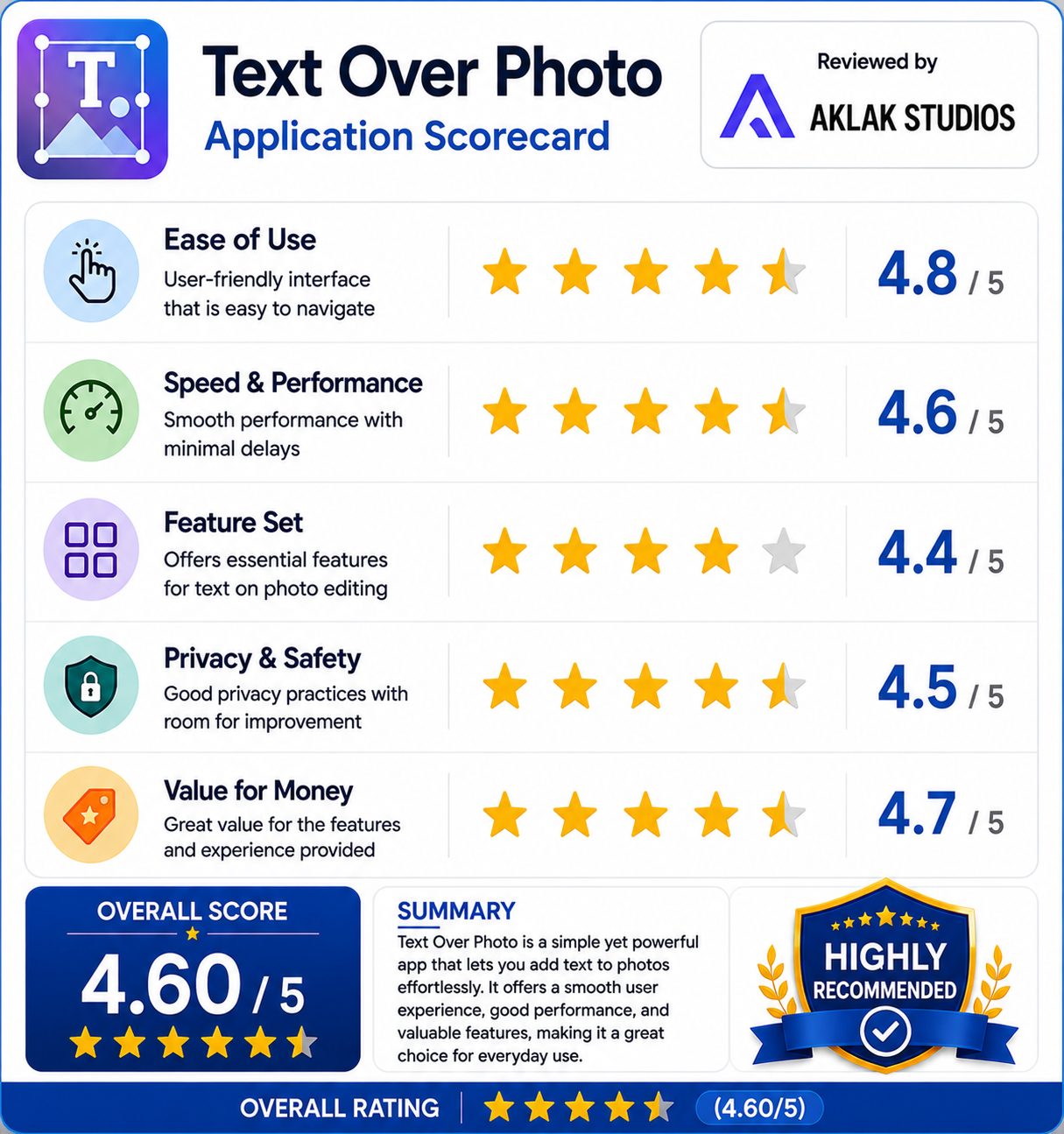
- Ease of Use: 4.8 / 5
- Speed & Performance: 4.6 / 5
- Feature Set: 4.4 / 5
- Privacy & Safety: 4.5 / 5
- Value for Money: 4.7 / 5