The Problem & Solution
Have you ever handed your smartphone to a friend, family member, or colleague to show them a specific vacation photo, only to watch in sheer panic as they begin mindlessly swiping left and right through your entire personal gallery? In our highly collaborative digital lives, our mobile devices store everything from private financial screenshots and sensitive work documents to personal memories. Leaving these files exposed in a stock gallery app means risking awkward privacy intrusions every time your phone changes hands. Safe Gallery (Media Lock) beautifully resolves this baseline anxiety by deploying a highly secure, encrypted digital vault on your local device, transforming vulnerable camera rolls into a completely private repository with a single passcode.
App Overview & Market Position
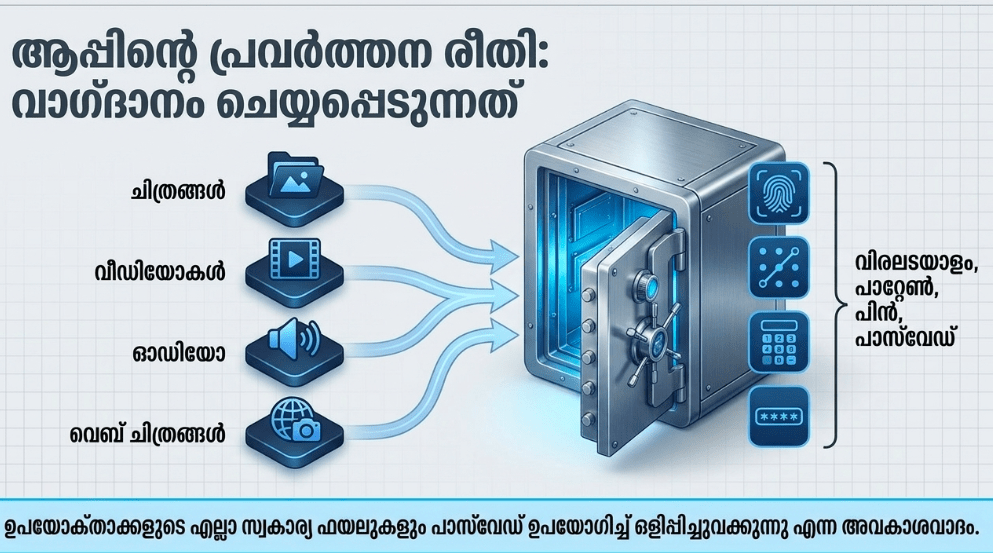
Safe Gallery (Media Lock) is a dedicated mobile utility engineered explicitly for media isolation, file concealment, and localized privacy management. Developed by independent utility studio ukzzang (operating across major Android and global software indexing repositories), the platform serves as a hidden software partition for your phone’s storage. It automatically scours and indexes your local device directories, allowing you to seamlessly migrate sensitive images, video files, and audio recordings out of your visible public gallery and lock them behind an auxiliary security barrier.
What secures Safe Gallery’s enduring position in the system utilities sector is its pure focus on local-first data isolation. While mainstream cloud-storage providers or social apps constantly push you to upload your sensitive media to external corporate servers—introducing the threat of data leaks and recurring cloud storage subscription fees—Safe Gallery keeps your files entirely on your physical hardware. Its distinctive unique selling point is its Decoy “Fake Vault” Architecture paired with Local File Carving. If a curious friend or family member forces you to open the application, entering a pre-configured secondary “fake password” opens an entirely empty, decoy vault interface. This completely masks your true hidden file repository, giving you an elite layer of protection that standard gallery frameworks completely lack.
Key Features at a Glance
- Decoy Fake Vault Interface: Configure a secondary, alternative passcode that launches a completely empty duplicate vault panel to successfully misdirect unauthorized snoopers.
- Universal Multi-Media Hiding: Conceal and isolate diverse local file extensions, including JPG images, large video clips, private audio memos, and fully animated GIFs.
- Biometric Authentication Integration: Access your secure media repository instantly by linking the app’s lock mechanism directly into your smartphone’s native fingerprint scanner or face unlock framework.
- In-App Media Reproduction Deck: Review your hidden images, stream your private videos, or listen to audio files directly inside the secure vault environment using a built-in player.
User Data & Market Reach
| Platform | Star Rating | Total Reviews | Downloads |
| iOS App Store | N/A | N/A | Platform Exclusive (Available strictly across Android and ChromeOS devices) |
| Google Play Store | 4.6 / 5 | ~391,000 | 10 Million+ Global Installs |
Note on Availability: While the developer distributes cross-platform tools, the authentic “Safe Gallery (Media Lock)” architecture remains a specialized asset of the Android ecosystem.
Technical Performance Review
- Storage: Remarkably streamlined and lightweight on your drive, requiring an initial download size of roughly 21MB, ensuring it won’t crowd out your storage space.
- Data Usage: Exceptionally low and data-friendly; because the core encryption, file relocation, and rendering engines operate 100% locally on your phone hardware, it runs beautifully with zero data connectivity.
- Battery/Efficiency: Highly stable and passive in the background; file encryption and shifting protocols run entirely on-demand when moving files, ensuring zero permanent battery drain or notification tray lag.
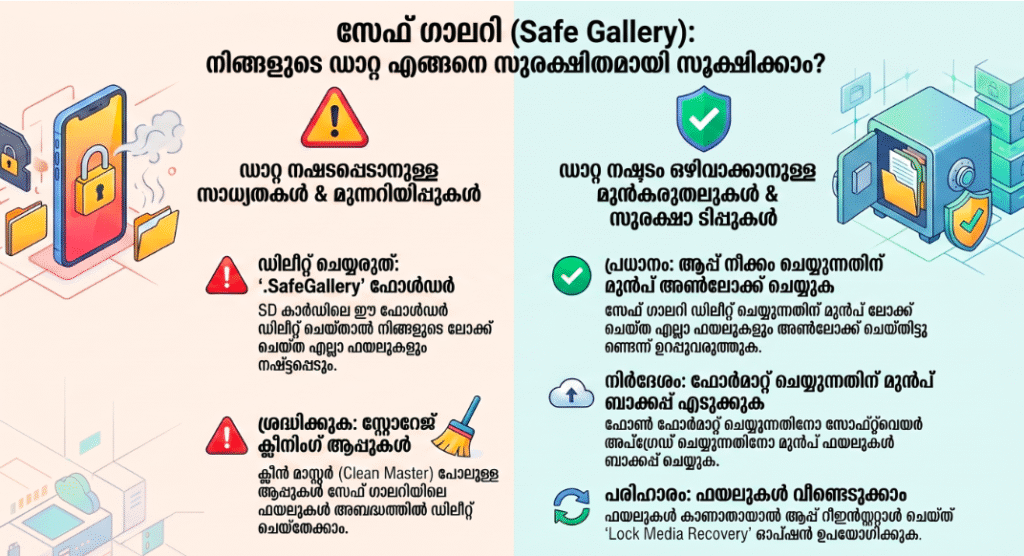
Aklakstudio Advice: Because Safe Gallery works by storing your hidden assets inside a secure, hidden structural folder on your device’s directory tree, make sure to add the app to your phone’s native file-cleaning whitelist so external automatic storage cleaners don’t delete your hidden cache folders.
Head-to-Head Comparison
| Attribute | Safe Gallery (Media Lock) | Stock Device “Secure Folders” |
| Decoy Counter-Measures | High (Features a dedicated “Fake Vault” password track built to show an empty visual interface to snoopers) | Zero (Presents a standard lock screen that clearly signals you are hiding sensitive assets when closed) |
| Hardware Portability | Universal Android Scale (Maintains smooth compatibility across budget phones running older operating systems) | Brand Locked (Restricted exclusively to premium corporate hardware models or specific software builds) |
| Network Autonomy | 100% Offline (Guarantees local database retention with absolutely no background cloud syncing requirements) | High Cloud Reliance (Frequently forces background synchronization loops into centralized cloud storage) |
Best Practices & Safety
- Unlock Media Before App Uninstallation: If you ever need to upgrade your phone, execute a hard device format, or delete the app, ensure you manually unhide and unlock all your hidden photos before uninstalling the software to prevent permanent file loss.
- Set Up the Security Question Honestly: Take two minutes during your very first configuration setup to register an accurate recovery security question; this serves as your only safety net to bypass forgotten passcodes without wiping your data.
- Isolate Your Social App Downloads: Make it an absolute routine to run a targeted media scan right after backing up messaging folders or downloading file sharing links, immediately routing private documents into the secure locker space.
Setup Guide
1.Install the Verified App Bundle:Takes 1 min.
Open the Google Play Store, type in “Safe Gallery (Gallery Lock)” published by ukzzang, and download the application safely to avoid unverified copycat utilities.
2.Authorize Directory Storage Access:Takes 30 seconds.
Launch the app and grant it explicit, system-level master storage permissions when prompted by your operating system so it can locate and shift media files.
3.Establish Your Master Access Method:Takes 1 min.
Select your preferred secure unlocking method (PIN, complex alpha-numeric password, pattern, or biometric fingerprint mapping) and set up your recovery security question.
4.Select Your Public Media and Lock:Instant.
Browse through your newly indexed file grid, check the boxes over the sensitive images or videos you intend to isolate, and tap the lock icon to migrate them instantly.
Common Questions (FAQ)
Q: Does Safe Gallery upload my private photos and locked videos to an online cloud backup server?
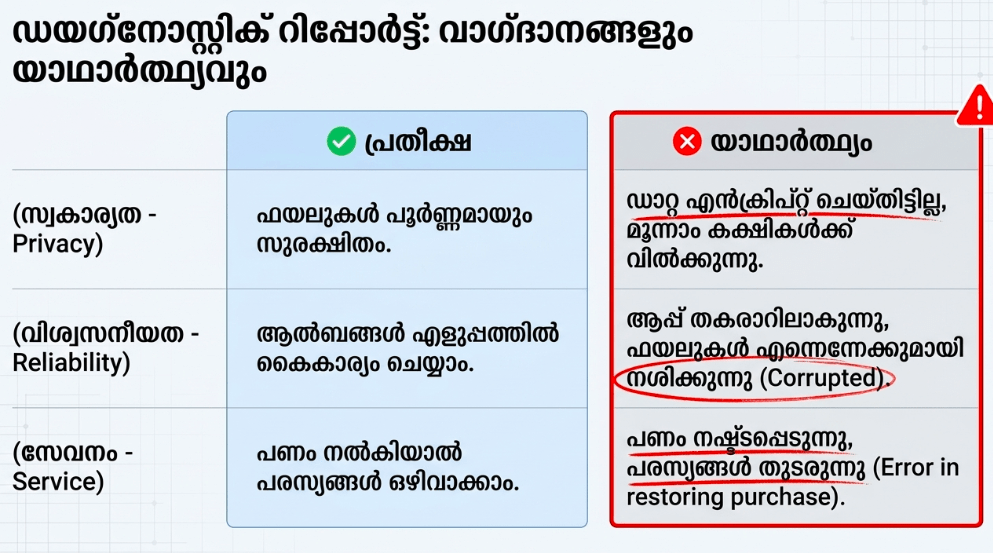
A: No. Safe Gallery operates on an uncompromised local privacy framework. Every photo, video clip, and audio record you choose to lock stays saved strictly on your physical phone hardware or external memory card, keeping your personal details completely hidden from external web servers.
Q: What happens if I forget my master passcode and lose my unlock pattern?
A: If your passcode details slip your mind, you can answer the custom recovery question you set up during your initial profile creation to reset your access parameters. If that layer also fails, you can perform a fresh reinstallation of the app and trigger the “Lock Media Recovery” function inside settings.
Q: Will running an automatic storage booster or phone cleaner utility delete my locked photos?
A: Yes, this is a serious technical risk. Aggressive third-party cache sweepers or storage boosters can occasionally misidentify hidden application folders as redundant system clutter and delete them. To ensure your media stays safe, make sure to add the local folder pathway titled .SafeGallery to your cleaning tool’s ignore or whitelist settings.
Download the Official Version
- Android Users: Download on the Google Play Store
The Aklakstudio Final Verdict
The Safe Gallery (Media Lock) application by ukzzang is an outstanding, highly reliable security utility that does a phenomenal job of turning mobile privacy management into an effortless, localized science. By rejecting mandatory cloud syncing requirements and packing advanced counter-snooping tools like the decoy “Fake Vault” framework into an ultra-lean 21MB installation package, it honors your digital privacy and system resources perfectly. It is an indispensable daily helper for parents sharing their tablets with children, professionals managing sensitive documents on the go, and everyday smartphone users looking to protect their personal space from casual snoopers. However, individuals who depend on real-time automated cloud web sync arrays or automatic background cross-device replication will find its strict local-storage approach slightly manual for their setup.
Rating Scorecard
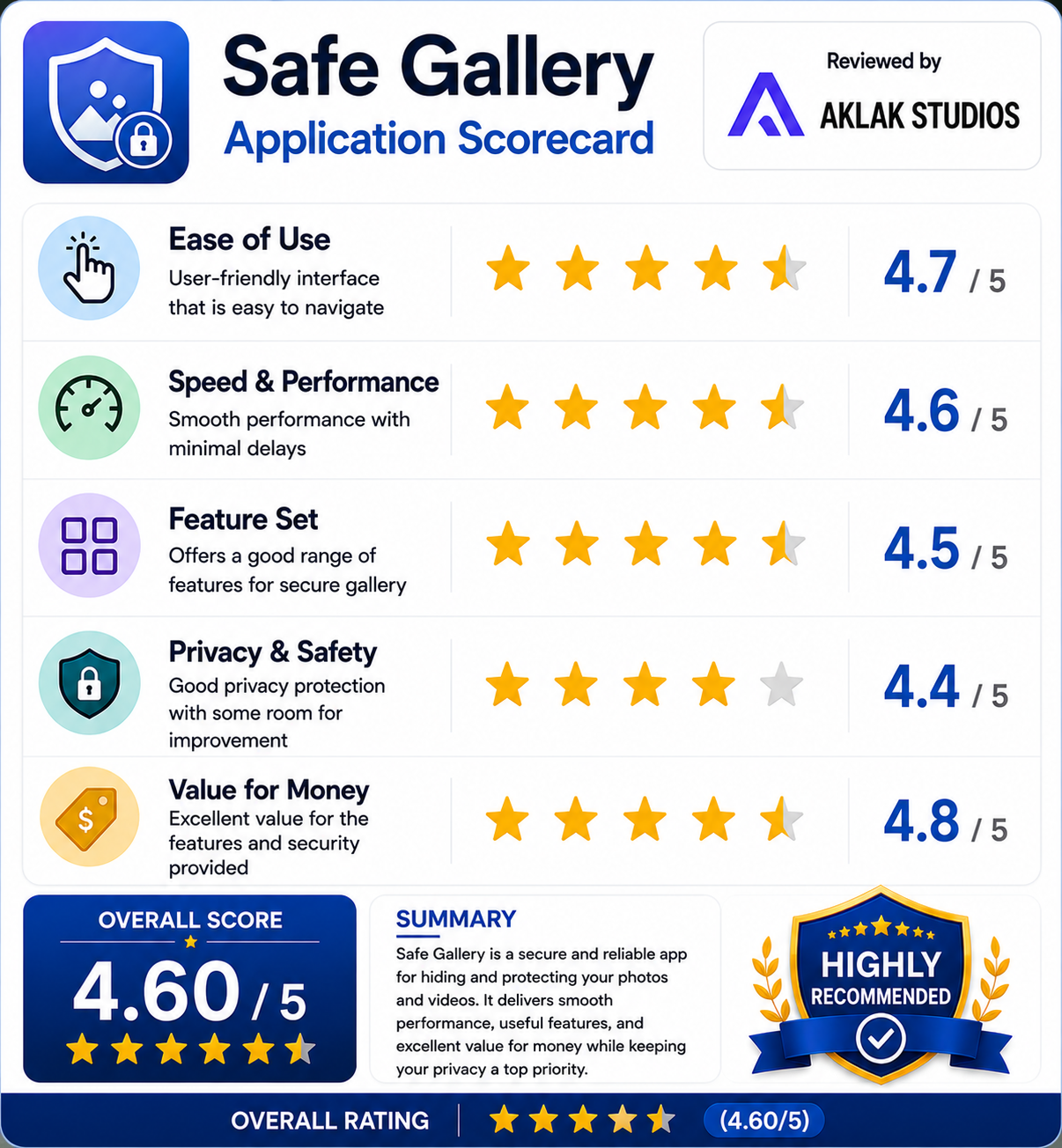
- Ease of Use: 4.7 / 5
- Speed & Performance: 4.6 / 5
- Feature Set: 4.5 / 5
- Privacy & Safety: 4.4 / 5
- Value for Money: 4.8 / 5