
Mullvad VPN is a privacy-focused VPN service that creates an encrypted connection between your device and the internet. Instead of connecting directly to websites through your normal internet connection, your traffic passes through a Mullvad VPN server. This can make it harder for your internet provider and other third parties to see which websites you visit.
The Android app is designed for people who want more control over their online privacy. It allows users to connect to a VPN server, change their connection location, and manage several privacy and connection settings from the app. Mullvad also provides features such as split tunneling, multihop, DNS content blocking, and anti-censorship options.
Mullvad takes a different approach to accounts. The company says it does not require personal information such as an email address to create an account. It also says it does not log users’ activity.
The Android version currently supports Android 9.0 and later.
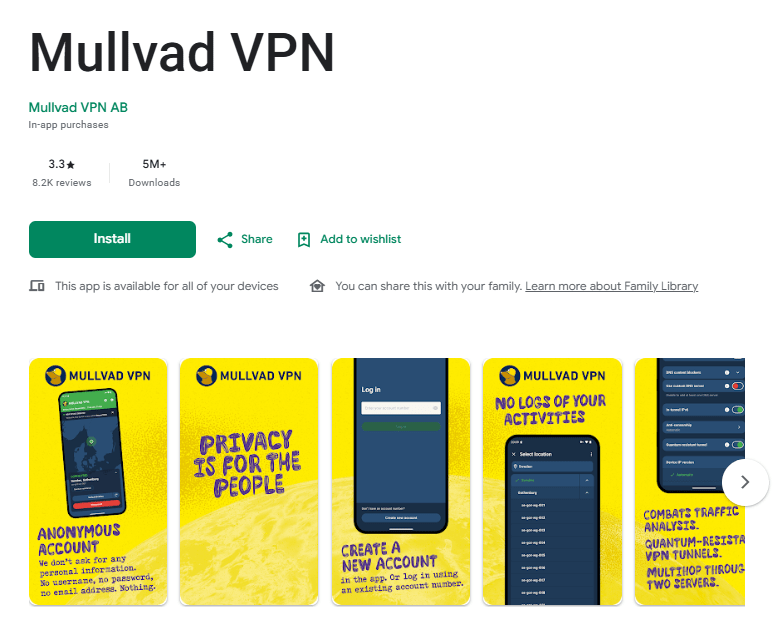
Mullvad VPN on Google Play Store
Key Features
VPN connection and server selection
Mullvad lets users connect to its VPN service and select a location or server. The Android app is designed to make connecting and changing locations straightforward.
Split tunneling
Split tunneling lets you exclude selected apps from the VPN connection. This can be useful when you want some apps to use the normal internet connection while other apps continue through Mullvad.
Multihop
Multihop sends traffic through one Mullvad server and then another before reaching the internet. Mullvad says this can provide an additional layer of anonymity when network traffic is being monitored. The trade-off is that multihop can increase latency and reduce connection speed.
Kill switch
The app includes a built-in kill switch. Mullvad says it can stop network traffic if the VPN connection is lost, helping prevent traffic from continuing outside the VPN tunnel.
DNS content blockers
The Android app includes DNS-based content blocking options. These can be used to block categories such as ads, trackers, malware, adult content, gambling, and social media.
Anti-censorship settings
Mullvad provides several connection options for situations where VPN traffic may be blocked or restricted. These include WireGuard port options, Shadowsocks, QUIC, Lightweight WireGuard Obfuscation, and UDP-over-TCP.
Testing Experience
The Android app keeps the basic VPN connection process fairly simple. Mullvad’s Android documentation says the app can be installed and used to get a VPN tunnel running in a few clicks. Changing the location or server is also available directly in the app.
The experience becomes more detailed when you open the settings. There are options for split tunneling, multihop, DNS settings, anti-censorship, auto-connect, lockdown mode, and other connection controls. These settings give experienced users more control, although beginners may need some time to understand what each option does.
Performance can also depend on the settings selected. Mullvad specifically notes that multihop can cause slower speeds and higher latency. DAITA can increase network traffic and battery usage, while some anti-censorship and obfuscation options can also increase system use and battery consumption.
Battery behavior can also depend on Android’s own battery-management settings. Mullvad notes that some Android devices may kill or disconnect the app while the phone is locked or sleeping.
The app has continued to receive security and stability work. Mullvad’s Android download page lists a February 2026 security assessment, while the company’s recent information also mentions improvements and fixes to the Android app.
Overall, the app is better suited to users who want privacy controls rather than a very basic VPN with only a connect button.
Privacy & Safety
Privacy is one of Mullvad’s main areas of focus. The company says it does not require personal information such as an email address for an account and follows a no-logging policy for user activity.
Mullvad also says its apps and infrastructure are independently audited. Its Android download page lists a February 2026 security assessment and a November 2024 app audit.
The app includes DNS leak protection and a built-in kill switch. However, Mullvad also documents some Android-specific limitations and known issues, including certain traffic that Android may allow outside the VPN tunnel.
For privacy-conscious users, these details are important. A VPN can improve privacy, but it does not make every type of online activity anonymous.
Storage & Data Usage
Mullvad’s Android app requires Android 9.0 or later. The app itself is designed around an active VPN connection, so normal VPN use requires an internet connection.
Some optional features can use additional data or battery. Mullvad says DAITA increases network traffic and battery usage. Multihop and anti-censorship features can also affect connection performance and system use.
The available information does not provide a specific cache limit or offline mode, so those areas should not be assumed.
What I Liked
- Privacy-focused account approach.
- Built-in kill switch.
- Split tunneling is available on Android.
- Several connection and anti-censorship options.
- Independent security assessments are published.
What Could Be Better
- Some advanced settings may be confusing for beginners.
- Multihop can reduce speed and increase latency.
- Some optional features can increase battery and data usage.
- Android-specific limitations can affect VPN protection in certain situations.
Frequently Asked Questions
What is Mullvad VPN used for?
Mullvad VPN is used to create an encrypted VPN connection and help reduce the ability of internet providers and other third parties to see your online destinations.
Does Mullvad keep activity logs?
Mullvad says it does not log users’ activity. Its no-logging policy explains what limited technical information is handled by the app, such as app and operating-system version checks.
Does Mullvad have a kill switch?
Yes. Mullvad has a built-in kill switch designed to block network traffic if the VPN connection is lost.
Does Mullvad support split tunneling on Android?
Yes. The Android app allows selected apps to be excluded from the VPN connection through split tunneling.
Does Mullvad work on older Android phones?
The current Android version supports Android 9.0 and later.
Aklak Studio Verdict
Mullvad VPN is a good option for users who care about privacy and want more control over their VPN connection. Its Android app combines a simple connection process with advanced options such as split tunneling, multihop, DNS content blocking, and anti-censorship settings.
The privacy approach is also an important part of the service. Mullvad says it does not require an email address and does not log user activity. Independent security assessments add useful transparency.
However, this is not necessarily the best choice for someone who wants the simplest possible VPN experience. Some features require more understanding, and options such as multihop and DAITA can affect speed, battery, or data usage. For privacy-focused users who are comfortable with these trade-offs, Mullvad is worth considering.
Final Scorecard
- Ease of Use: ★★★★☆ (4.2/5)
- Performance: ★★★★☆ (4.2/5)
- Features: ★★★★★ (4.6/5)
- Privacy & Safety: ★★★★★ (4.7/5)
- Value for Money: ★★★★☆ (4.3/5)
Overall Rating: ★★★★☆ (4.4/5)