
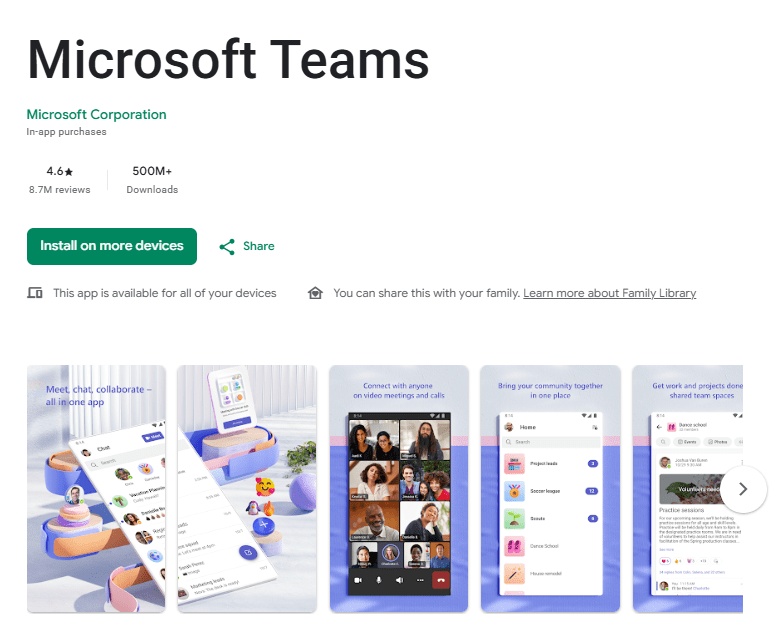
Microsoft Teams is a unified communication and collaboration application built to connect individuals, remote workgroups, and enterprise organizations in a central digital space. The app functions as a workplace hub that brings together instant chat messaging, structured video calls, document sharing, and calendar scheduling into a single mobile platform. It is designed for corporate employees, remote workers, students, community groups, and family members who need an organized environment to manage projects and hold virtual meetings.
People use Microsoft Teams on mobile devices to stay connected with colleagues and project partners without being tied to a desktop computer. The application helps eliminate scattered email threads by housing conversations inside dedicated channels or direct message threads. Whether you are coordinating a quick team catch-up, managing event tasks, or sharing project files on the go, the app keeps all communications accessible in one place. It serves as a practical, scalable communication platform for structured business environments and personal group projects alike.
Key Features
Microsoft Teams includes a versatile set of collaboration tools designed to keep communication structured and team operations efficient on mobile devices.
- Channels and Workspaces: The app allows users to create dedicated teams with separate channels for specific topics or projects. This structural organization keeps group conversations, links, and shared files neatly separated rather than cluttered in one general feed.
- Video and Audio Meetings: Users can host or join virtual meetings directly from their mobile phones. It supports screen sharing, digital whiteboards, breakout rooms, and custom background settings to facilitate interactive discussions.
- Instant Messaging and Group Chat: The platform offers persistent 1-1 and group chat capabilities. Messages support rich text formatting, file attachments, reactions, mentions, and threaded replies to maintain clear conversation flows.
- Document and Cloud Collaboration: Integrated deeply with cloud storage, the application enables users to view, share, and collaborate on shared documents right inside the mobile interface without switching external tools.
- Task Management and Scheduling: The built-in calendar and task integration help users schedule meetings, track project deadlines, assign duties, and sync events with personal or work schedules effortlessly. The app also supports guest access to collaborate easily with external project partners.
Testing Experience
Testing the Microsoft Teams application on mobile devices reveals a functional, feature-rich workspace that prioritizes utility over complex animations. The user interface features standard navigation tabs along the bottom of the screen, allowing quick jumps between activity notifications, active chats, teams channels, virtual calendar events, and audio calls. Navigation feels familiar and structured, making it easy to check incoming announcements or join scheduled video meetings with a single tap.
The app performs reliably during standard text messaging and voice calls, maintaining clear audio over stable mobile networks. Video calling quality is solid, though switching between camera feeds or viewing shared presentation slides on smaller mobile screens can occasionally feel slightly cramped. The application handles real-time message syncing quickly across devices, so notifications arrive without noticeable delays.
When running long video conference sessions, the application demands significant system resources. Extended video calls can lead to moderate phone heating and accelerated battery consumption. Additionally, users managing multiple large teams may encounter brief loading pauses when switching between busy channels or fetching heavy document previews. Despite these demands, the app maintains strong stability without frequent crashes or unexpected logouts during regular daily use.
Privacy & Safety
Using Microsoft Teams requires signing in with a personal Microsoft account or an organizational work or school account. The app requests standard mobile device permissions, including access to your microphone, camera, storage, and contacts to enable video conferencing and file sharing.
According to Play Store Data Safety information, Microsoft Teams encrypts user data both in transit and while stored in cloud servers. Personal and corporate data can be managed by account administrators, allowing strict control over access permissions and data retention policies. The app allows users to request data deletion depending on account management rules. Enterprise accounts benefit from multi-factor authentication and compliance protections, ensuring sensitive organizational communications remain guarded against unauthorized external access.
Storage & Data Usage
The initial download size for Microsoft Teams on Android typically ranges between 100MB and 200MB, depending on your phone model. However, local storage consumption grows as the app caches chat history, shared media files, and document previews over continuous use.
Microsoft Teams requires a continuous internet connection to send messages, load team channels, and host live video calls. High-definition video calling consumes substantial mobile data, making Wi-Fi preferable. The app offers very limited offline functionality, allowing users to draft text messages or view cached chats that sync once internet access resumes.
Pros & Cons
What I Liked
- Centralized hub combining chat, channel discussions, and video calls in one app.
- Smooth integration with cloud file sharing and document collaboration.
- Clear structure for organizing project topics into specific channels.
- Reliable notification sync across mobile and desktop devices.
- Strong security standards and administrative controls for data protection.
What Could Be Better
- High resource usage during video calls leads to battery drain and device warming.
- Interface can feel overly complex or cluttered for casual individual users.
- Limited offline features when working without an active internet connection.
- Navigating deep folder structures for shared files can be cumbersome on small screens.
Frequently Asked Questions
Is Microsoft Teams completely free to use on mobile?
Yes, Microsoft Teams offers a free personal version that allows anyone with a Microsoft account to chat, make audio or video calls, and share files. However, accessing advanced enterprise management features, longer meeting limits, and increased cloud storage requires a paid Microsoft 365 business subscription.
Can I use Microsoft Teams without a work or school account?
Yes, you can create a personal account using your personal email address or phone number to connect with friends, family, or community groups. The mobile app allows you to easily switch between personal and work accounts within the same interface.
How do I stop Microsoft Teams from draining my phone battery?
To reduce battery consumption, you can turn off video during long calls, lower screen brightness, and adjust notification settings inside the app. Closing background activity when you are finished using the app also prevents unnecessary background battery usage.
Does Microsoft Teams work without an internet connection?
The app requires an active Wi-Fi or mobile data connection for most functions. While offline, you can view previously loaded messages or draft new responses, but your messages and updates will only send once your device reconnects to the internet.
Aklak Studio Verdict
Microsoft Teams is a powerful, enterprise-grade communication tool that successfully translates desktop workspace management into a mobile platform. It is best suited for corporate teams, remote workers, students, and project groups who need structured channels and seamless document sharing on the go.
Casual users looking for simple text or video messaging with friends might find the app heavier and more complex than standard social platforms. However, for structured collaboration, the app delivers exceptional value. The free version offers plenty of functionality for basic group coordination, while paid tiers provide necessary security and scale for growing organizations. Overall, it remains a highly reliable choice for mobile productivity.
You can download Microsoft Teams on the Google Play Store to get started.

Final Scorecard
Ease of Use: ★★★★☆ (4.0/5)
Performance: ★★★★☆ (4.1/5)
Features: ★★★★★ (4.8/5)
Privacy & Safety: ★★★★★ (4.7/5)
Value for Money: ★★★★☆ (4.4/5)
Overall Rating: ★★★★☆ (4.4/5)