The Problem & Solution
Have you ever stood at a patient’s bedside facing a rare presentation, an ambiguous lab result, or a dangerous drug interaction, wishing you could instantly extract the exact clinical consensus of the world’s leading specialists? In an era where medical literature doubles every few months, the primary challenge for clinicians is overcoming cognitive overload and decision fatigue under tight time constraints. UpToDate elegantly solves this high-stakes point-of-care problem by consolidating thousands of peer-reviewed topics and integrating an advanced, evidence-based generative artificial intelligence engine directly into its mobile workspace.
App Overview & Market Position
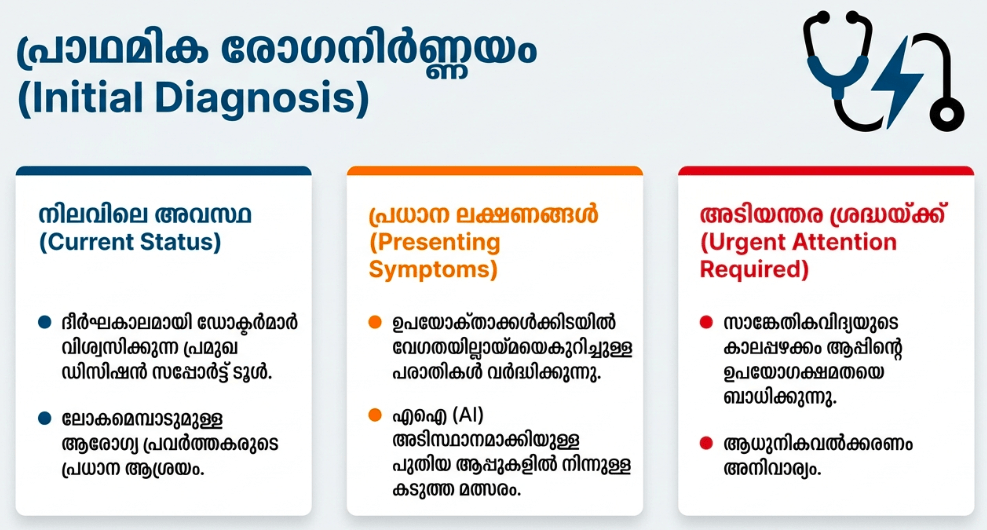
UpToDate is the undisputed industry gold standard for Clinical Decision Support Systems (CDSS) used by medical professionals globally. Developed by Wolters Kluwer Health, the platform aggregates deeply synthesized, evidence-based data across more than 25 specialties. At the point of care, the mobile client untethers physicians, nurses, and residents from crowded desktop terminals, providing a rapid, responsive interface to guide diagnosis and treatment strategies.
What secures UpToDate’s unchallenged market position in 2026 is its newly integrated UpToDate Expert AI functionality. While generic conversational models or cheaper web-scraping alternatives struggle with medical “hallucinations” and unverified sources, UpToDate operates within a strictly governed, closed-loop knowledge domain. Its unique selling point is its Knowledge Integrity Framework. Every response surfaced by its medical AI engine is anchored directly to UpToDate’s peer-reviewed, expert-authored treatise library. It provides clinicians with natural-language synthesis while providing inline, verifiable citations directly to the exact paragraphs, guidelines, and drug entries penned by its medical editorial board.
Key Features at a Glance
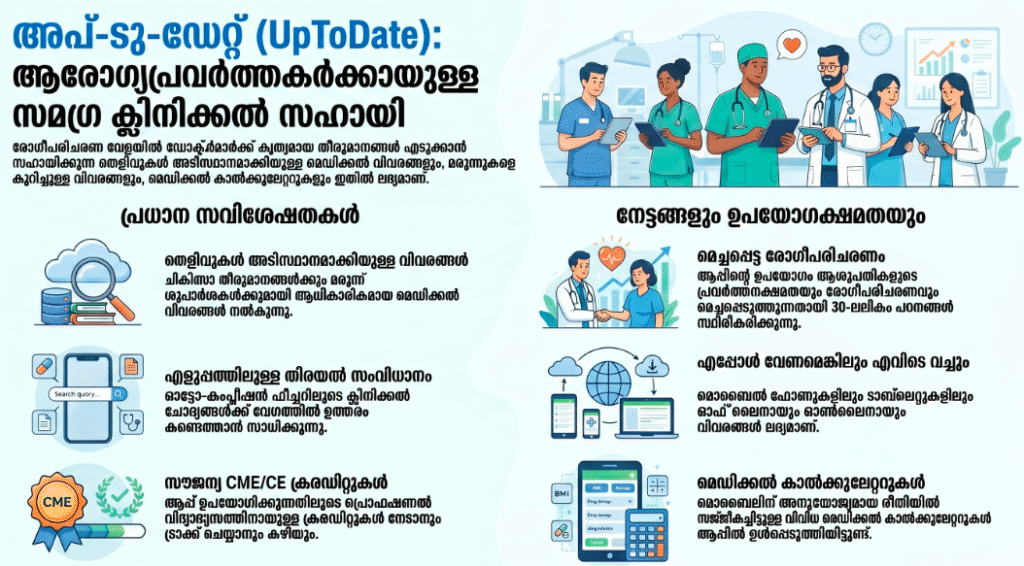
- UpToDate Expert AI Search: Type raw, complex clinical scenarios in natural language to receive an immediate, synthesized summary of evidence-based treatments backed by verified inline citations.
- UpToDate Lexidrug Integration: Run a live, multi-agent drug-to-drug, drug-to-herb, or drug-to-food interaction analysis right at the patient’s bedside.
- Practice-Changing UpDates: Access a dynamically updated feed that filters out minor changes to highlight strictly critical, guidelines-altered transformations within your selected specialty.
- Mobile-Optimized Medical Calculators: Utilize over 185 built-in, pre-formatted clinical formulas, risk scorers (such as CHA2DS2-VASc or MELD), and lab interpreters without switching applications.
User Data & Market Reach
| Platform | Star Rating | Total Reviews | Downloads |
| iOS App Store | 4.6 / 5 | ~11,800 | Institutional Ecosystem (4M+ Global Clinicians) |
| Google Play Store | 4.3 / 5 | ~11,300 | Institutional Ecosystem (1M+ Active Device Syncs) |
Technical Performance Review
- Storage: Exceptionally efficient local architecture requiring roughly 42MB to 60MB of local storage, keeping the footprint light by utilizing cloud streaming for its vast, multi-gigabyte textual library.
- Data Usage: Highly optimized for routine text-based search queries; however, streaming graphic algorithms, medical video demonstrations, or performing heavy Expert AI processing over cellular networks can draw notable data.
- Battery/Efficiency: Standard diagnostic reading runs smoothly without causing processing delay, but running continuous, high-frequency Expert AI conversational threads back-to-back will cause standard device warming.
Aklakstudio Advice: If you are practicing in a rural clinic or deep within thick-walled hospital wings with poor cellular reception, use the settings menu to cache your frequently referenced medical calculators and bookmark folders locally for immediate, uninterrupted access.
Head-to-Head Comparison
| Attribute | UpToDate (with Expert AI) | OpenEvidence / Pure AI Med Bots |
| Information Provenance | Strict internal source verification (Anchored exclusively to peer-reviewed internal expert monographs) | Open internet database retrieval (Prone to picking up unverified clinical forum posts or predatory journals) |
| Ecosystem Depth | Comprehensive (Includes drug registries, interactive graphics, calculators, and patient translation guides) | Narrow (Primarily handles text-based question-and-answer tracking without integrated utility tools) |
| CME Accrual | Automated (Earns and logs verified CME/CE/CPD continuing education credits automatically with every search) | None (Does not provide official accredited professional development recognition) |
Best Practices & Safety
- Maintain Persistent Network Verification: Log into the application via your hospital’s institutional Wi-Fi network at least once every 30 days to ensure your remote individual access token remains verified and active.
- Cross-Reference AI Summaries with Inline Citations: While the Expert AI engine is highly accurate, treat the conversational summary as a shortcut; always tap the integrated hyperlinks to review the underlying source charts before making high-stakes pharmaceutical changes.
- Secure the Device Interface: Because the mobile platform contains clinical utilities and institutional pathways, ensure your biometric lock permissions (Face ID or fingerprint verification) are permanently active to avoid unauthorized usage.
Setup Guide
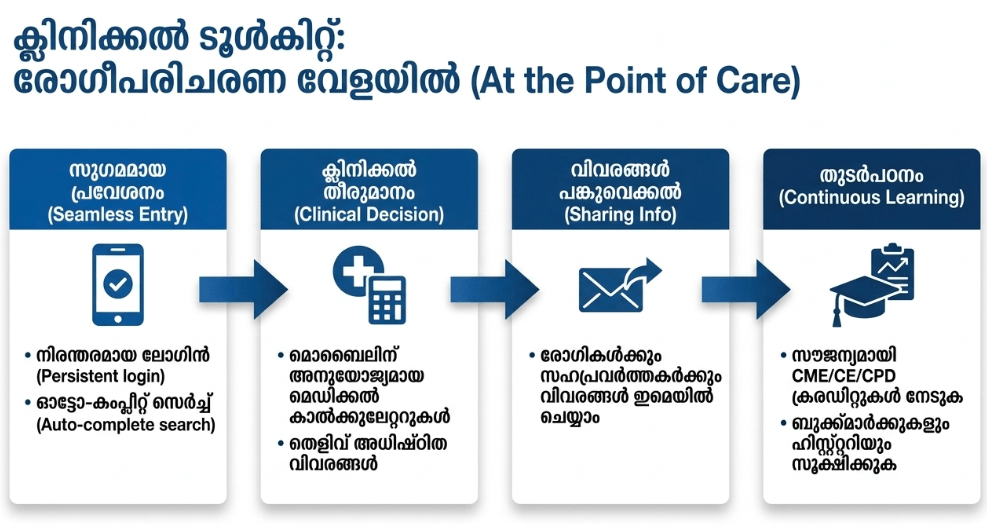
1.Download the Official Client:Takes 1 min.
Navigate directly to the iOS App Store or Google Play Store, search for “UpToDate” by Wolters Kluwer Health, and execute the installation.
2.Register Institutional Credentials:Takes 2 min.
While connected to your hospital or medical school’s localized intranet network, create an individual registration profile to tie your account to the corporate site license.
3.Configure Specialty Preferences:Takes 1 min.
Launch the mobile application, input your newly generated credentials, and select your primary specialty domains to tailor your home feed filters.
4.Engage Point-of-Care Search:Instant.
Tap the primary search bar or select the floating Expert AI icon to input your first clinical query and pull immediate, evidence-based results.
Common Questions (FAQ)
Q: Can I access the UpToDate app when my phone is completely disconnected from the internet?
A: No. Because the system’s medical knowledge framework and Expert AI processing are hosted on highly regulated, secure cloud infrastructure, an active Wi-Fi or cellular data connection is required to fetch real-time clinical responses.
Q: Can I use the time I spend researching topics inside the mobile app toward my official licensing credits?
A: Absolutely. Every search query you conduct while logged into the app automatically registers and tracks official Continuing Medical Education (CME), CE, or CPD credits that you can redeem directly from your phone profile.
Q: Is the new Expert AI feature available to all individual subscribers automatically?
A: The advanced Expert AI module is currently rolled out across enterprise tier licenses and specialized Pro Plus subscriptions; check your institution’s custom tier plan to ensure full mobile chat enablement.
Download the Official Version
- iOS Users: Download on the Apple App Store
- Android Users: Download on the Google Play Store
The Aklakstudio Final Verdict
The UpToDate mobile application with Expert AI is an absolute masterclass in clinical decision support software, seamlessly translating massive volumes of medical research into fast, conversational point-of-care guidance. By grounding advanced generative AI within a strictly verified, expert-authored database, it effectively eliminates the dangerous risk of hallucination that plagues generic chatbots. It is an indispensable, career-saving asset for active physicians, floor nurses, and residents navigating high-pressure clinical environments, though its highly technical vocabulary and premium institutional entry fee mean it is entirely unsuited for casual consumer health tracking.
Rating Scorecard
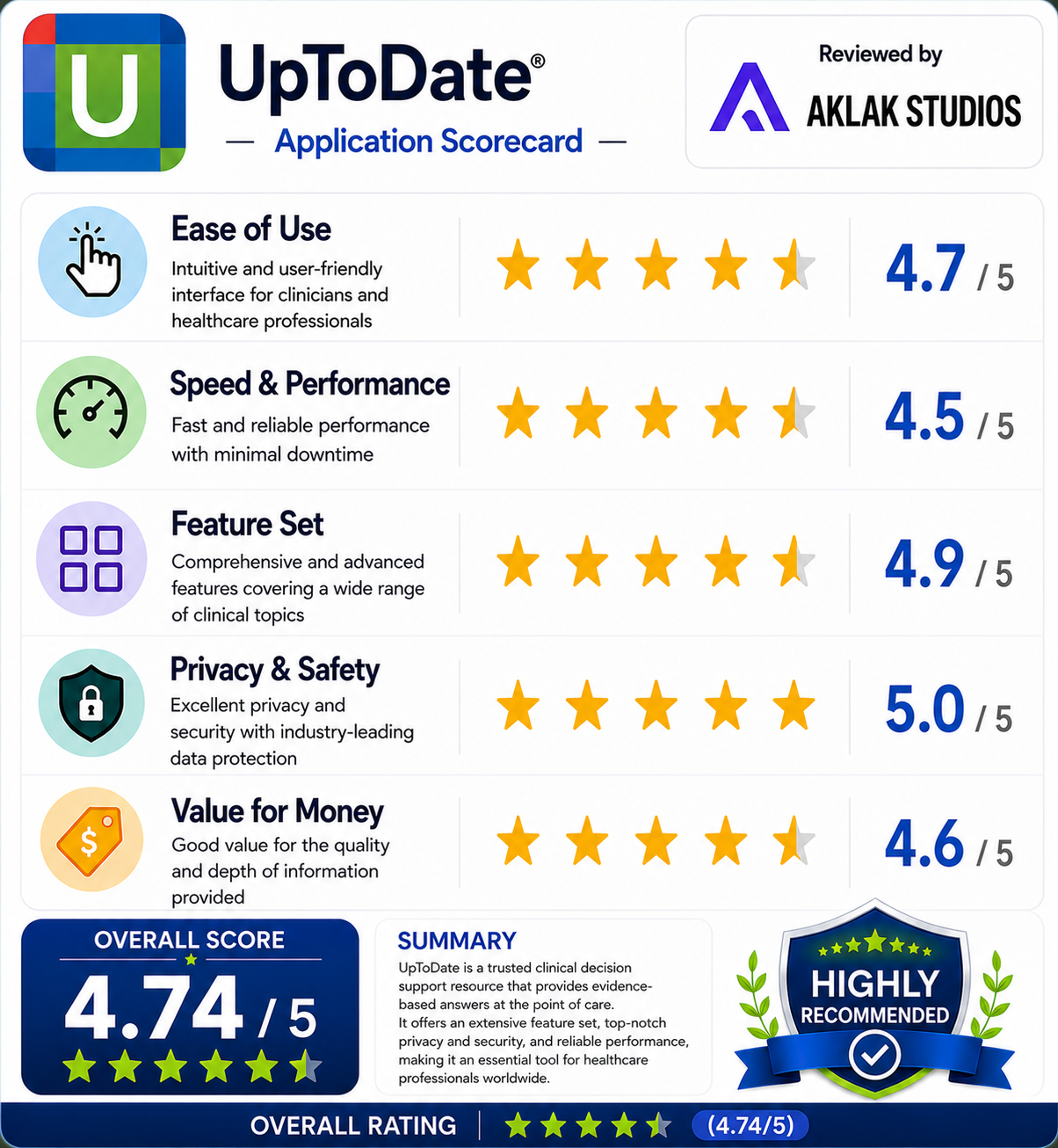
- Ease of Use: 4.7 / 5
- Speed & Performance: 4.5 / 5
- Feature Set: 4.9 / 5
- Privacy & Safety: 5.0 / 5
- Value for Money: 4.6 / 5