The Problem & Solution
Have you ever needed to pull together a professional social media flyer, a presentation slide deck, or a quick video reel for your business, only to end up completely frozen by complex graphic software? For decades, the world of creative production required intensive technical mastery, leaving non-technical individuals reliant on slow corporate design pipelines or expensive agencies. Canva solves this steep learning curve by embedding its powerful “Magic Studio” AI tools directly into an intuitive drag-and-drop mobile ecosystem.
App Overview & Market Position
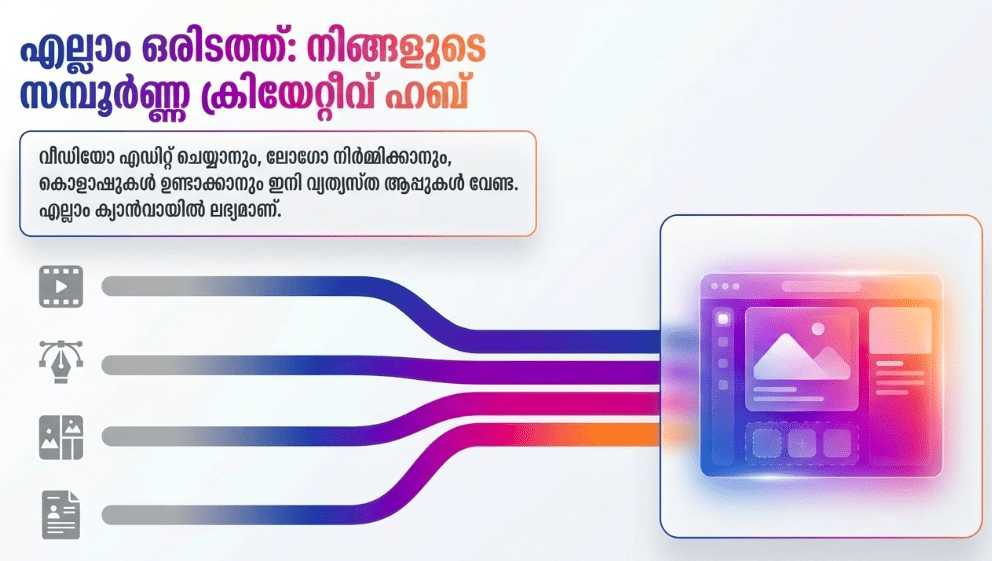
The Canva mobile application is an all-in-one graphic design, video creation, and photo editing platform. Developed by Canva Pty Ltd, it has democratized visual design for hundreds of millions of small business owners, educators, and social media managers globally. Moving through 2026, the application has fully integrated its advanced Canva AI 2.0 suite, taking it from a basic template repository to a full-stack generative content engine you can steer with simple text inputs.
What secures Canva’s dominance in the non-technical market is its specialized approach to artificial intelligence. While pure AI generators like Midjourney or Dall-E produce stunning images that are difficult to isolate or edit, Canva handles AI generation as part of an active workflow. Its unique selling point is the seamless blending of generative AI with manual text, layouts, and brand compliance guidelines. You can generate a custom asset using natural text prompts and instantly manipulate its background, size, and layout without ever exiting your main mobile design canvas.
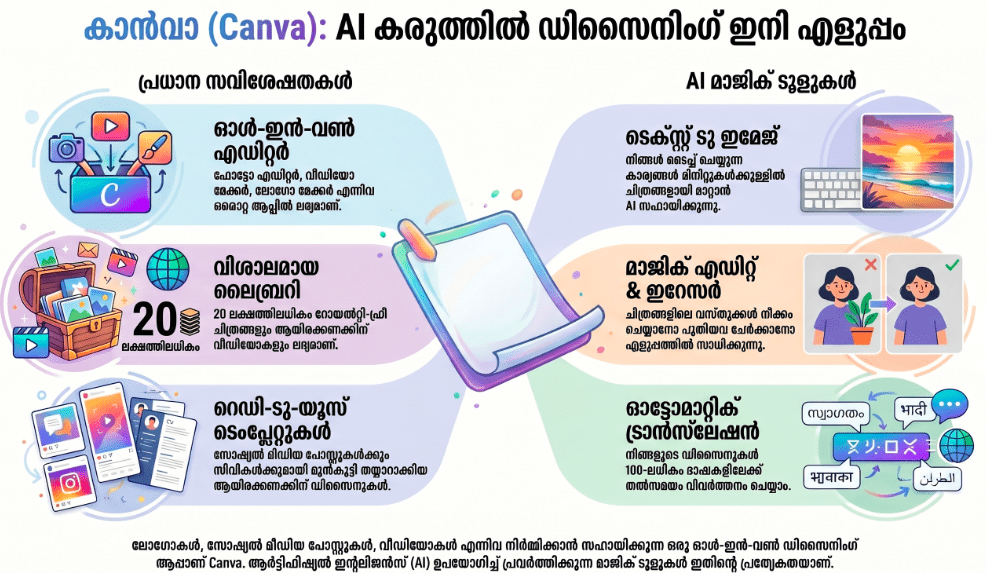
Key Features at a Glance
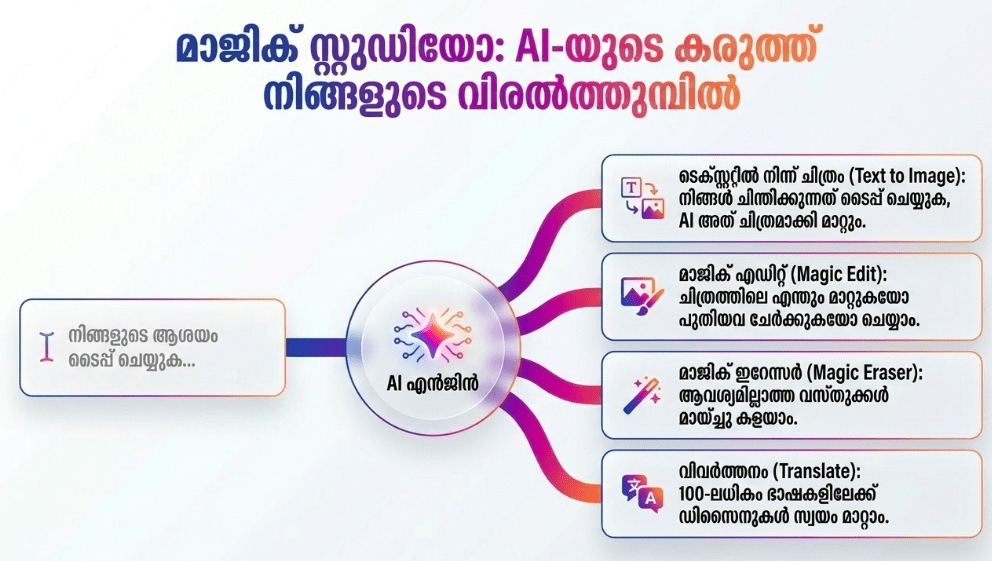
- Magic Expand & Eraser: Use artificial intelligence to scrub out distracting background objects or realistically expand a cropped photo’s borders with a simple finger stroke.
- Text-to-Image Magic Media: Generate bespoke, high-resolution digital illustrations and photorealistic mockups by simply typing what you want into a conversational text box.
- Beat Sync & Automated Video Layout: Automatically clip and align custom mobile video uploads to the rhythm of audio tracks for quick social media content creation.
- Instant Multi-Language Translation: Translate all copy inside flyers, posters, or digital presentations into over 100 distinct languages with a single tap.
User Data & Market Reach
| Platform | Star Rating | Total Reviews | Downloads |
| iOS App Store | 4.8 / 5 | ~3.4 Million | 200M+ Cumulative |
| Google Play Store | 4.8 / 5 | ~25.5 Million | 500M+ Cumulative |
Technical Performance Review
- Storage: Requires roughly 135MB of physical storage upon initial setup, dynamically using cloud synchronization to stream premium template vectors as you design.
- Data Usage: High-intent media rendering and continuous background removal can rapidly inflate mobile data usage, so rendering deep video edits is best saved for unmetered connections.
- Battery/Efficiency: Smooth and highly optimized for standard layout tasks, though using advanced AI generation tools sequentially will cause moderate heat generation and noticeable battery drain.
Aklakstudio Advice: When designing graphic sets on data-limited cellular connections, turn off the real-time “Team Collaboration Tracking” feature within your project settings to reduce steady background telemetry updates.
Head-to-Head Comparison
| Attribute | Canva AI Mobile | Adobe Express Mobile |
| User Interface | Highly simplified, canvas-first drag-and-drop design | Layer-heavy workspace closely mirroring desktop software |
| AI Focus | Comprehensive template manipulation and translation | Deep asset generation powered strictly by Firefly AI models |
| Collaboration | Live, link-sharing multi-user workspace edits | Traditional cloud asset-sharing and folder permissions |
Best Practices & Safety
- Avoid Generating Trademarked Material: Keep text prompts generic and clear, avoiding requested representations of copyrighted cartoon characters or branded corporate intellectual property.
- Secure Your Shared Working Links: When inviting teammates to edit a project file via mobile link, make sure you consciously toggle permissions between “View Only” or “Can Edit” to prevent accidental data changes.
- Review AI Text Outlines Closely: Always proofread copy generated by automated layout tools, as AI can occasionally introduce typos or phrase logic that reads stiffly to human clients.
Setup Guide
1.Install the Verified Mobile App:Takes 1 min.
Locate the official “Canva: AI Video & Photo Editor” application on the iOS App Store or Google Play Store and execute the download.
2.Authenticate and Register Your Profile:Takes 2 min.
Create a new design identity using your active Apple, Google, or corporate email credentials to enable automatic cloud project saving.
3.Select Your Specialized Workflow Theme:Takes 1 min.
Indicate whether you are utilizing Canva for Small Business, Corporate Enterprise, or Education to structure your home screen template feeds.
4.Launch Your Initial AI Project Canvas:Instant.
Tap the circular “+” icon at the foot of the screen, tap the “Magic Media” app icon, and type a simple prompt to generate your first asset.
Common Questions (FAQ)
Q: Do I have to pay to use the Magic Studio AI features in Canva?
A: Many core features offer free daily generation credits, while advanced operations like the one-click background remover and batch resizing require a Canva Pro subscription.
Q: Can I use assets generated by Canva AI for commercial client work?
A: Yes, you generally own the rights to your finished layouts for standard commercial usage, provided your source materials don’t infringe on existing trademarks.
Q: Will my designs lose visual quality when I download them to my phone?
A: No. You can tap the export panel to choose your final format, electing to output high-resolution vector PDFs or uncompressed PNG images directly to your local photo library.
Download the Official Version
- iOS Users: Download on the Apple App Store
- Android Users: Download on the Google Play Store
The Aklakstudio Final Verdict
The Canva mobile application remains an undisputed champion for non-technical individuals looking to build spectacular visual assets. By pairing complex AI tools behind a simple, zero-coding design canvas, it eliminates the traditional friction points of digital creative work. It is perfectly optimized for everyday small business owners and creators running fast-paced operations, though elite graphic artists requiring raw vector control will likely still lean toward heavy desktop design suites.
Rating Scorecard
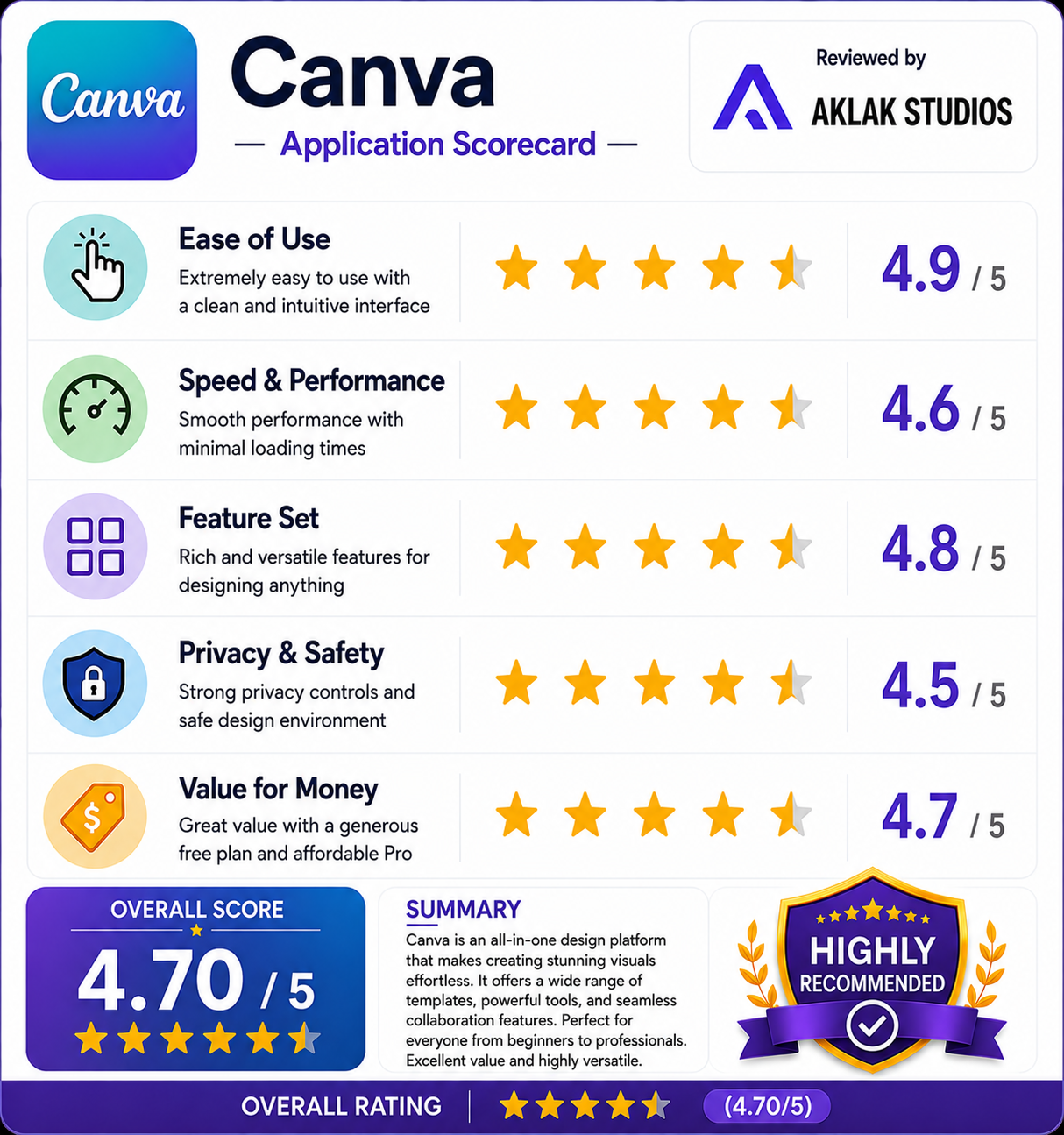
- Ease of Use: 4.9 / 5
- Speed & Performance: 4.6 / 5
- Feature Set: 4.8 / 5
- Privacy & Safety: 4.5 / 5
- Value for Money: 4.7 / 5