
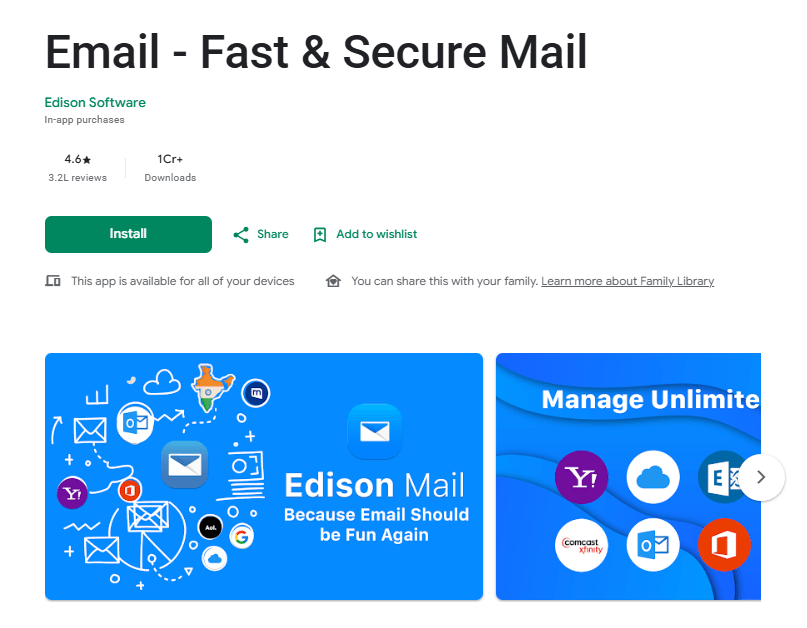
Email – Fast & Secure Mail is a powerful third-party email client developed by Edison Software. Designed to replace standard pre-installed mail apps, it allows users to connect multiple accounts from different providers—such as Gmail, Yahoo, Outlook, and iCloud—into one unified digital workspace.
The main purpose of the application is to help users manage overflowing inboxes quickly. It is built for busy professionals, students, and anyone overwhelmed by daily email clutter and scattered online receipts. Instead of bouncing between different apps for work and personal accounts, users can view everything in a single, streamlined feed.
People use this app because it is exceptionally fast and comes packed with smart organization tools. It automatically identifies flight details and package tracking numbers without requiring manual sorting. If you are tired of annoying newsletters, intrusive advertisements, and slow loading times, this app offers a highly practical solution for taking back control of your digital communication.
Key Features
Email – Fast & Secure Mail includes a versatile set of tools designed to streamline daily communication and eliminate inbox clutter.
- Unified Inbox: Connect an unlimited number of accounts from major providers like Gmail, Outlook, Yahoo, and iCloud to manage all your emails in one combined view.
- Smart Assistant: The built-in assistant automatically categorizes specific types of emails. It pulls out package tracking numbers, travel itineraries, bills, and tickets, placing them in easy-to-access tabs without moving the original messages.
- One-Tap Unsubscribe: Getting rid of unwanted promotional emails is incredibly easy. The app identifies newsletters and subscription lists, allowing you to unsubscribe with a single tap directly from the inbox.
- Undo Send: If you notice a typo or hit send too early, the app gives you a helpful 15-second window to cancel the message before it leaves your outbox.
- Customizable Swipe Actions: Personalize how you manage messages by setting custom swipe gestures. Swiping left or right can be configured to delete, archive, snooze, or mark emails as read, speeding up your review process.
Testing Experience
Testing the Email – Fast & Secure Mail app on mobile devices reveals a highly polished, incredibly fast inbox experience. Setting up accounts is straightforward, requiring just a standard login for major providers. Once configured, the interface is clean, modern, and completely free from the intrusive banner ads commonly found in standard Yahoo or AOL mail apps.
The speed of the application is noticeably impressive. Fetching new messages, searching through years of old emails, and opening large attachments happen almost instantly on a stable internet connection. The customizable swipe gestures make triaging dozens of morning emails feel effortless.
During testing, the Smart Assistant reliably identified Amazon delivery updates and upcoming flight details, placing them neatly in the dedicated assistant menu. The app remains highly stable during heavy use without crashing or freezing.
Because it actively fetches mail and runs smart categorization in the background, users might notice slight battery consumption on older devices. However, for most modern smartphones, it runs smoothly without draining resources. Overall, the app delivers a stress-free, streamlined experience that makes dealing with an overloaded inbox genuinely manageable.
Privacy & Safety
Using the app requires signing in with your existing email credentials. The application requests standard permissions like access to your contacts, storage for attachments, and network access to fetch messages.
Data Safety information on the Google Play Store shows that Edison encrypts your data during transit. The app includes a fantastic built-in privacy feature that automatically blocks invisible tracking pixels, preventing senders from knowing when or if you opened their emails. It is important to note that Edison Software analyzes commercial emails (like e-commerce receipts) to generate anonymized market research. However, users can easily opt out of this data sharing in the privacy settings while keeping all app functions.
Storage & Data Usage
The initial download size for the app is approximately 110MB, though this footprint will expand as the app caches recent emails and attachments for faster loading.
The application requires an active Wi-Fi or mobile data connection to send messages and receive new mail. Offline functionality allows you to read previously downloaded messages and draft new emails that will automatically send once your device reconnects to the internet. Users with limited data plans can adjust sync settings to prevent downloading large attachments over cellular networks.
Pros & Cons
What I Liked
- Lightning-fast email fetching and responsive search tools.
- Unified inbox combines all work and personal accounts cleanly.
- Built-in smart assistant tracks packages and upcoming flights automatically.
- One-tap unsubscribe button easily removes promotional junk.
- Automatically blocks hidden tracking pixels in incoming messages.
What Could Be Better
- Premium subscription is required for advanced security and backup features.
- Commercial data is used for market research unless you manually opt out.
- Initial syncing of massive, years-old inboxes can take some time.
Frequently Asked Questions
Is Email – Fast & Secure Mail completely free?
Yes, the core application is free to download and use without annoying inbox advertisements. While an optional premium subscription exists for advanced security features, the free version includes the smart assistant, one-tap unsubscribe, and multiple account support.
Which email providers work with this app?
The app supports almost all major email providers, including Gmail, Yahoo, Microsoft Outlook, Office 365, iCloud, AOL, and standard IMAP accounts.
Does the app block email trackers?
Yes, the app features built-in privacy protection that blocks invisible tracking pixels. This stops marketers and senders from tracking whether you have opened their emails, clicked their links, or forwarded their messages.
Aklak Studio Verdict
Email – Fast & Secure Mail is one of the best third-party email clients available today. It is ideal for busy professionals, heavy online shoppers, and anyone struggling to manage multiple accounts from different providers.
If you are tired of cluttered inboxes, slow search functions, and intrusive ads in your current mail app, this is a fantastic upgrade. While users should remember to opt out of the market research sharing in the settings if they prefer strict privacy, the app’s speed, package tracking, and tracker-blocking features offer incredible utility. The free version provides everything needed for a cleaner inbox.
You can download Email – Fast & Secure Mail on the Google Play Store to get started.
Final Scorecard
Ease of Use: ★★★★★ (4.8/5)
Performance: ★★★★★ (4.9/5)
Features: ★★★★★ (4.7/5)
Privacy & Safety: ★★★★☆ (4.0/5)
Value for Money: ★★★★★ (4.8/5)
Overall Rating: ★★★★☆ (4.6/5)