Are you tired of “educational” apps that are actually just thinly veiled vehicles for advertisements and constant subscription prompts? In an age where high-quality screen time is hard to find, Khan Academy Kids serves as a comprehensive, ad-free classroom that lives right in your pocket—solving the struggle of finding safe, effective, and free learning tools for your little ones.
App Overview & Market Position
Khan Academy Kids is an award-winning educational platform designed specifically for children aged 2 to 8. Developed by Khan Academy—the same non-profit giant that revolutionized high school and college learning—this app focuses on early literacy, math, and social-emotional development. It features a charming cast of characters like Kodi the Bear and Ollo the Elephant, who guide children through a personalized learning path.
What truly sets Khan Academy Kids apart from competitors like ABCmouse or Duolingo ABC is its 100% Free Philosophy. Unlike almost every other top-tier educational app, there are no subscriptions, no “pro” versions, and zero advertisements. Its unique selling point is the sheer breadth of its content: it integrates science lessons from National Geographic, music from Super Simple Songs, and hundreds of high-quality digital books, all without asking for a credit card.
Key Features at a Glance
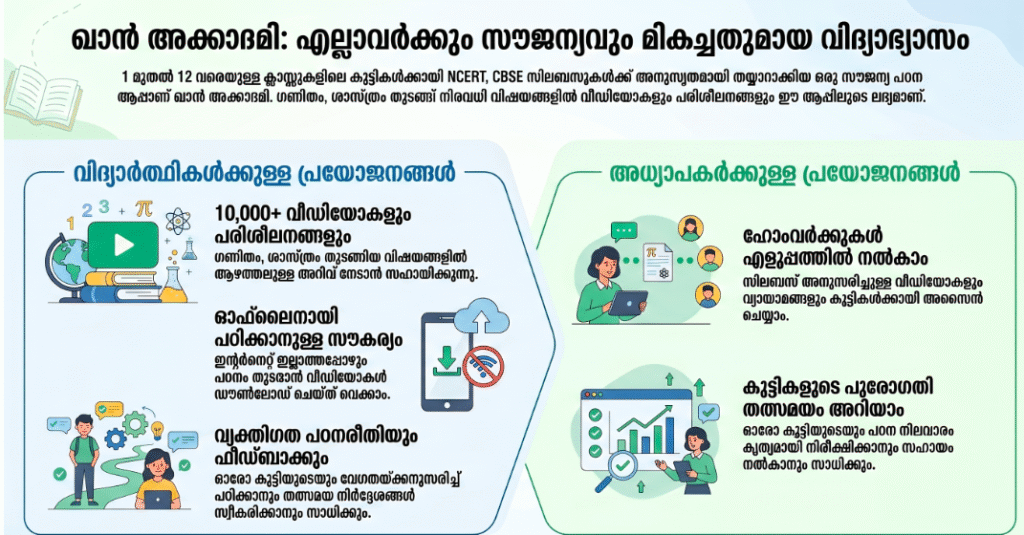
- Adaptive Learning Path: The app intelligently adjusts the difficulty of lessons based on your child’s progress to keep them challenged but not frustrated.
- Expansive Library: Access over 5,000 interactive activities, including math games, phonics lessons, and creative drawing tools.
- Original Storybooks: Enjoy hundreds of non-fiction and fiction books with “Read-to-Me” options that highlight words as they are spoken.
- Social-Emotional Lessons: Includes dedicated modules on sharing, empathy, and following directions to support “whole-child” development.
- Teacher Tools: Educators can set up class accounts to assign specific lessons and track student mastery across various subjects.
User Data & Market Reach
| Platform | Star Rating | Total Reviews | Downloads |
| iOS App Store | 4.8/5 | 125K+ | 10M+ |
| Google Play | 4.6/5 | 180K+ | 21M+ |
Technical Performance Review
- Storage: Moderate to heavy; the app requires roughly 200MB–300MB of space, largely due to the high-resolution animations and offline storybooks.
- Data Usage: Optimized for home use; while it requires an internet connection for the full library, it is efficient at caching recently played games.
- Battery/Efficiency: Fairly resource-intensive; the vibrant animations and interactive elements will drain the battery faster than simpler utility apps.
Aklakstudio Advice: To save on storage, use the “Offline” section in the library to download only your child’s favorite books and songs for travel, then clear the app cache occasionally to free up space.
Head-to-Head Comparison
| Attribute | Khan Academy Kids | ABCmouse |
| Cost | 100% Free | ~$12.99/month |
| Ads/Upsells | None | Frequent Promotions |
| Curriculum Range | Preschool – 2nd Grade | Preschool – 2nd Grade |
Best Practices & Safety
- Use the Parent Dashboard: Check the “Library” tab regularly to see your child’s progress and identify areas where they might need a little extra help.
- Set Time Limits: Use your device’s built-in Screen Time settings to ensure that “meaningful” screen time doesn’t replace active physical play.
- Engagement is Key: Sit with your child during the first few sessions to help them navigate the interface and discuss the stories they are reading.
Setup Guide
- Download: Install Khan Academy Kids from your official app store.
- Create Profile: Enter your child’s name, age, and choose a fun avatar to start their personalized journey.
- Set Grade Level: Select your child’s current school level (Pre-K through 2nd Grade) to align the content correctly.
- Start the Path: Tap the “House” icon to begin the Daily Learning Path, which automatically selects the best lessons for the day.
Common Questions (FAQ)
Is there really no catch? Is it truly free?
Yes. Khan Academy is a non-profit funded by donations; there are no hidden fees or in-app purchases whatsoever.
Does it work without Wi-Fi?
A limited selection of content is available in the “Offline” tab of the library, but the full adaptive path requires an internet connection.
Can multiple children use one account?
Yes, you can create multiple profiles for different children under a single parent account, and the app will track each child’s progress separately.
Download the Official Version
- Android: Download from Google Play Store
The Aklakstudio Final Verdict
Khan Academy Kids is perfect for parents and educators who want a gold-standard educational experience without the financial burden of a monthly subscription. It is the most comprehensive, safe, and engaging learning app for children under eight available today. While the file size is a bit large for older devices, the quality of the content and the total absence of ads make it an essential download for every family.
Rating Scorecard
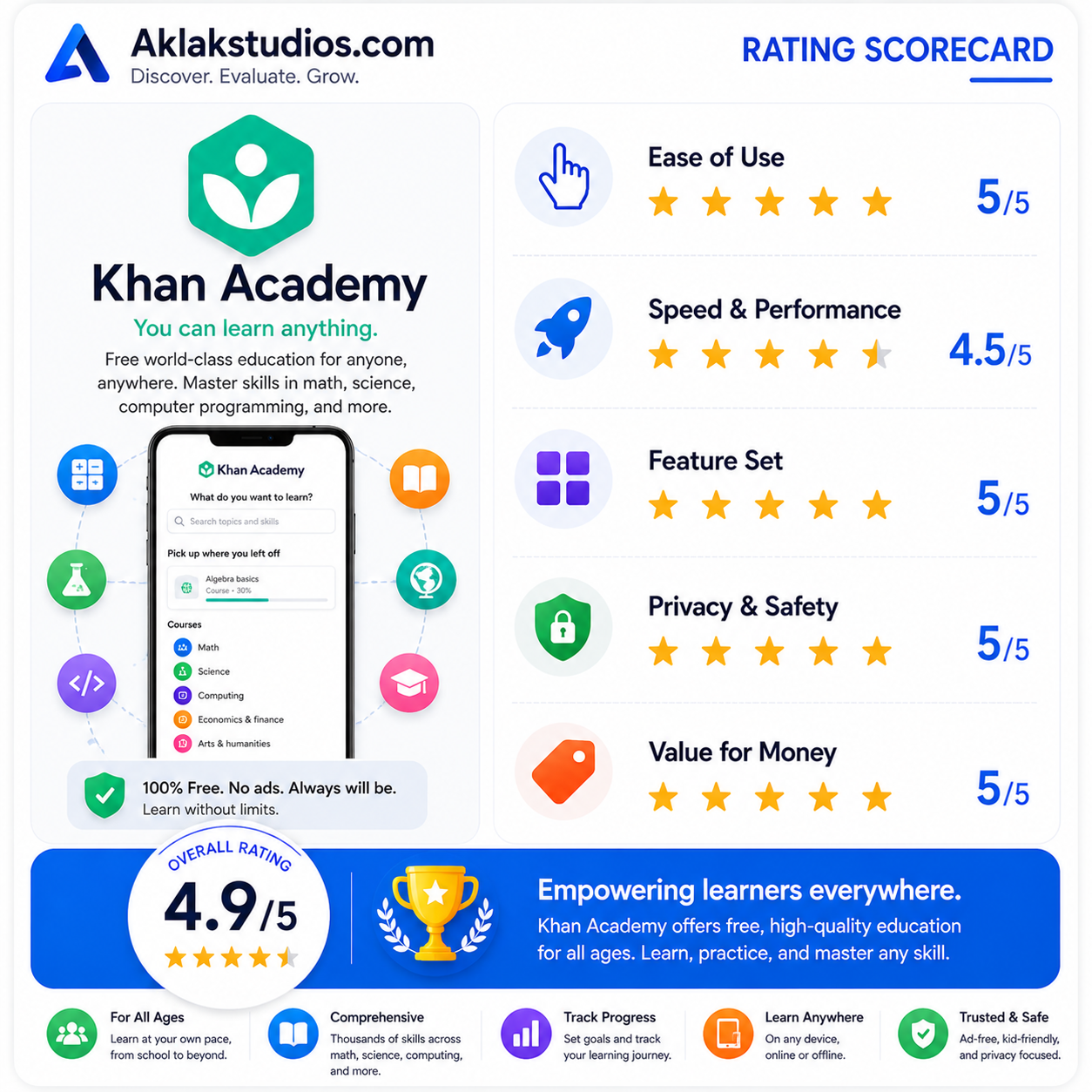
- Ease of Use: 5/5
- Speed & Performance: 4.5/5
- Feature Set: 5/5
- Privacy & Safety: 5/5
- Value for Money: 5/5
Overall Aklakstudio Score: 4.9 / 5