Experiencing slow internet speeds or weak Wi-Fi signals in certain areas of your home or office? WiFi Signal Strength Meter Pro helps users monitor wireless signal strength, identify coverage gaps, and optimize network performance with real-time signal analysis.
App Overview & Market Position
Developed by Network Scanner – WiFi Scanner & Network Monitor, WiFi Signal Strength Meter Pro is a dedicated utility app engineered to turn complex raw data into understandable spatial metrics. The application works by continuously listening to your phone’s wireless network chip, translating background communication signals into a highly responsive visual readout. This lets you map out the specific reach of your router as you move from room to room.
In a market saturated with massive, overly complicated diagnostics tools like Wi-Fi Analyzer or generic web-based speed tests, WiFi Signal Strength Meter Pro carves out its space through a laser-focused unique selling point: lightweight, uninterrupted real-time signal tracking without a confusing technical learning curve. It strips away dense network topology mapping in favor of a clean interface that tells you exactly how much coverage you have at any given coordinate—making it accessible for ordinary homeowners while providing the raw dBm (decibel-milliwatts) precision that advanced IT users expect.
Key Features at a Glance
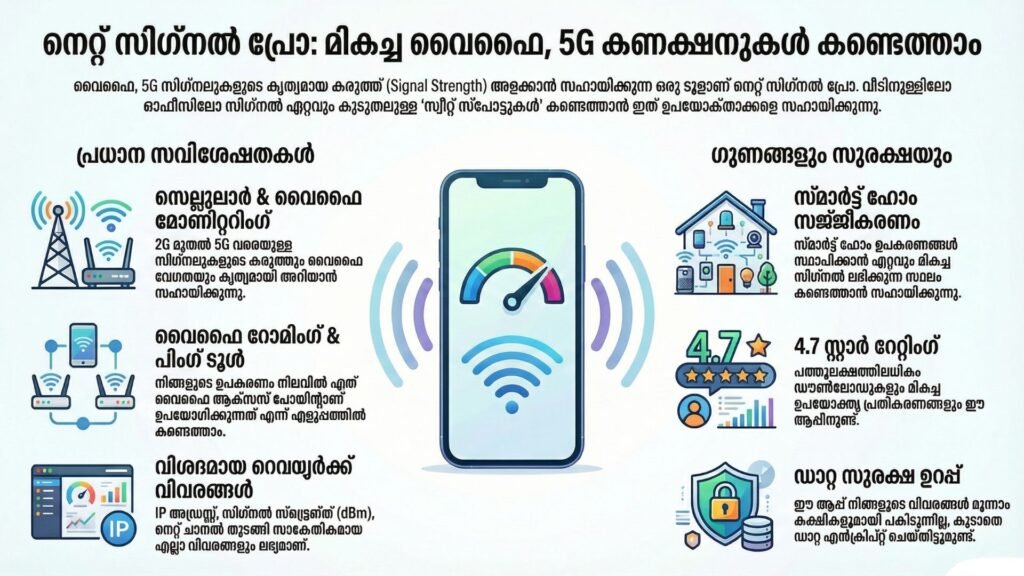
- Real-Time Signal Tracking: The core gauge updates continuously as you walk, allowing you to instantly identify the exact threshold where your connection drops below the critical 60% stability line.
- Integrated WiFi Scanner: This tool analyzes the surrounding airwaves to detect overlapping wireless channels, helping you discover which nearby networks are causing local signal interference.
- Detailed Network Specifications: The interface displays deeply buried router metrics including your current IP address, MAC address, BSSID, and maximum link speed in one clean panel.
- Clean Premium Interface: The paid “Pro” configuration removes the intrusive, full-screen promotional ads that frequently interrupt analysis loops on basic, free network monitors.
- Smart Alert Indicators: The application warns you immediately when your signal dips below 50%, the exact baseline where sudden drops, high latency, and complete disconnections usually triggerUser Data & Market Reach
| Platform | Star Rating | Total Reviews | Downloads |
| iOS App Store | 3.6 / 5 | Over 500 | 50K+ Estimated |
| Google Play Store | 4.9 / 5 | Over 1,600 | 100K+ Verified |
Technical Performance Review
- Storage: The app package is incredibly compact, claiming well under 20MB of physical installation space, meaning it won’t force you to clear out personal media just to download it.
- Data Usage: Because it processes native signal hardware metrics locally on your smartphone, it uses practically zero external cellular data during operation.
- Battery/Efficiency: Constant background network scanning can draw moderate power over extended periods, but the app is optimized well enough to avoid inducing device heat or system lag.
Aklakstudio Advice: To get the most accurate spatial map of your wireless environment, move very slowly—pausing for 3 to 4 seconds at every major spot. Network chips take a moment to refresh and compute changes in local attenuation (signal loss through walls), so running through a room will result in lagged readings.
Head-to-Head Comparison
To understand why a targeted utility like WiFi Signal Strength Meter Pro is necessary, we can contrast its data architecture against a broad communication platform like WhatsApp Messenger.
| Attribute | WiFi Signal Strength Meter Pro | WhatsApp Messenger |
| Primary Utility | Hardware-level wireless signal diagnostics and coverage analysis. | Peer-to-peer data transmission, messaging, and VoIP calling. |
| Network Dependency | Functions entirely locally; does not require active internet data to map a router signal. | Dependent on an active cloud data stream; entirely non-functional without internet. |
| Data Collection | Minimal footprint; reads strictly local network hardware profiles without third-party sharing. | Extensive footprint; requires access to deep contacts, status updates, and usage metadata. |
Best Practices & Safety
- Deny Unnecessary Permissions: The application requires location access strictly because mobile operating systems group Wi-Fi scanning with location data; however, you should deny access to contacts or file storage if prompted.
- Test Under Normal Loads: Run your signal maps while your family or coworkers are using the network normally to see how your connection holds up under real-world stress.
- Disconnect from VPNs Temporarily: Virtual Private Networks can mask or alter local network metrics; disable your active secure proxy while mapping signals to ensure your readings are accurate.
Setup Guide
1.Install the Application:Takes under 30 seconds.
Open your mobile app store, search for “WiFi Signal Strength Meter Pro,” and purchase or install the package directly onto your phone.
2.Grant Location Permissions:Required by system security.
Launch the app and grant “While Using the App” location permissions, which are required by mobile operating systems to read hardware Wi-Fi network IDs.
3.Connect to Your Local Network:Prerequisite for scanning.
Ensure your phone’s native Wi-Fi toggle is enabled and that you are actively logged into the specific access point you want to map out.
4.Launch the Live Tracker:Initialization step.
Open the primary tracking gauge screen and let the interface baseline stabilize for 5 seconds before moving away from your router.
Common Questions (FAQ)
What is a good signal strength number in the app?
The app uses a percentage scale, where anything above 60% is considered safe for normal browsing. For gaming or video calls, you should aim for the “sweet spot” of 80% or higher.
Why does the app need my location turned on just to scan Wi-Fi?
This is a standard security rule enforced by Android and iOS. Because unique Wi-Fi network names (BSSIDs) can sometimes be used to estimate a device’s physical position, mobile operating systems require location permissions before letting any app read them.
Can this app actively boost my internet speed?
No. The app is a diagnostic utility meter, not a signal amplifier. It helps you fix slow connections by showing you exactly where to place your router or your desk for the best possible coverage.
Download the Official Version
- Android Devices: Get it on Google Play
- iOS Devices: Download on the Apple App Store
The Aklakstudio Final Verdict
The WiFi Signal Strength Meter Pro App is a highly effective, single-purpose tool that does exactly what it says on the box without any unnecessary fluff. It is perfect for remote workers setting up a home office, homeowners trying to figure out where to place a wireless range extender, and casual users confused by unexpected buffering. That said, if you are an advanced network administrator looking for deep packet inspection, automated ping plotting, or visual heatmaps, this streamlined app will likely feel a bit too basic for your professional needs.
Rating Scorecard
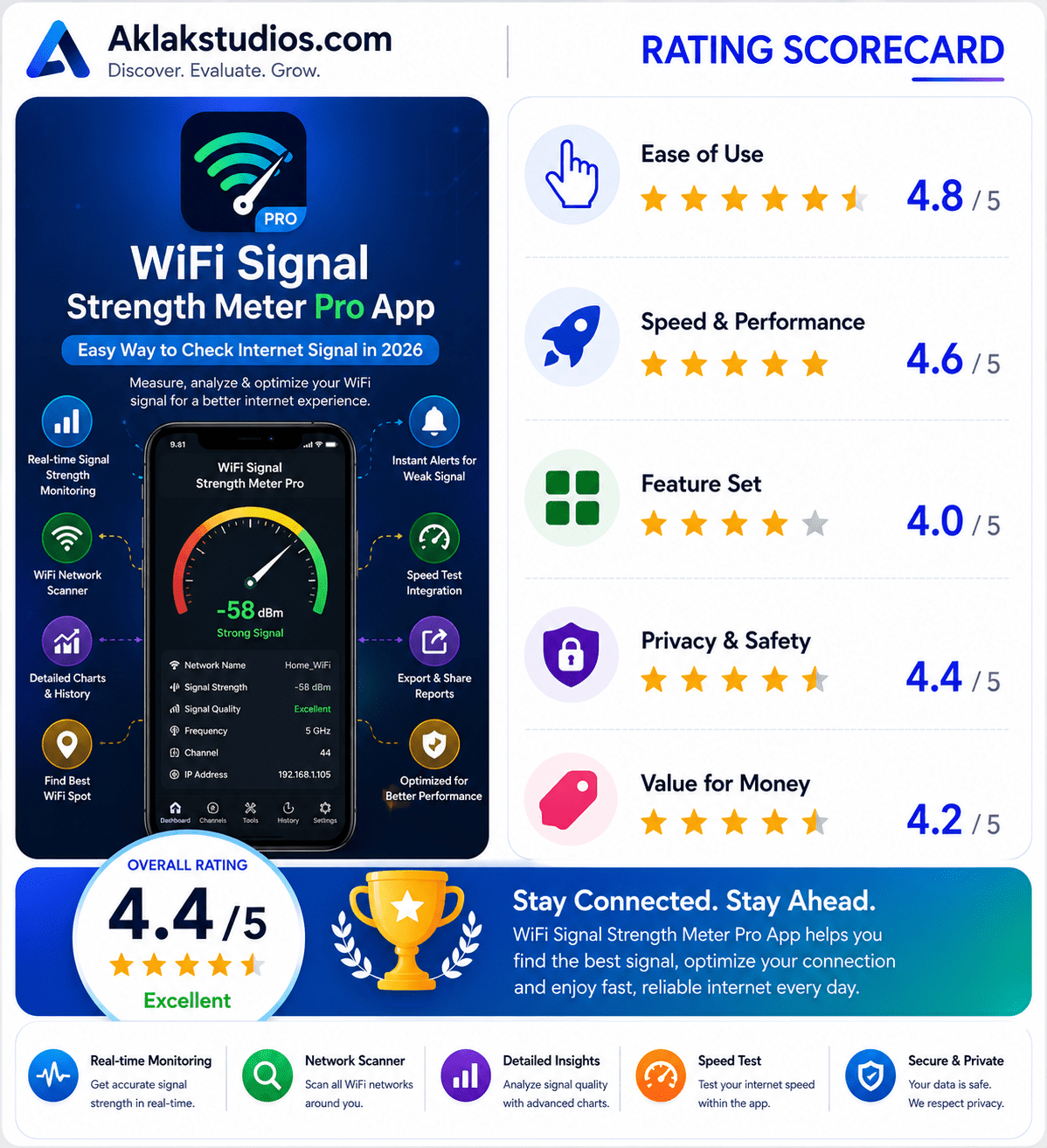
- Ease of Use: 4.8 / 5
- Speed & Performance: 4.6 / 5
- Feature Set: 4.0 / 5
- Privacy & Safety: 4.4 / 5
- Value for Money: 4.2 / 5
Overall Aklakstudio Score: 4.4 / 5