Looking for an easy way to edit videos on your phone? CapCut offers powerful video editing features, creative effects, transitions, and audio tools that help users create high-quality content for social media and personal projects.
App Overview & Market Position
Developed by ByteDance Pte. Ltd. (the powerhouse creative tech company behind TikTok), CapCut is an all-in-one, mobile-first video editing application designed to streamline multimedia creation. The app bridges the gap between raw phone clips and polished, social-ready videos by offering an incredibly approachable visual layout. It provides users with everything from multi-track layering and precise trimming to advanced speed control and a massive library of built-in transitions.
In a competitive market crowded with intricate desktop ports like LumaFusion or basic, restrictive clipping tools, CapCut secures its position through its distinct unique selling point: boundless, hyper-trendy creative templates and effortless, AI-driven asset generation. It stands out as the ultimate playground for casual creators and beginners because it completely eliminates the tedious aspects of editing—allowing users to leverage automated smart tools that instantly stylize, subtitle, and sync audio to footage in a single tap.
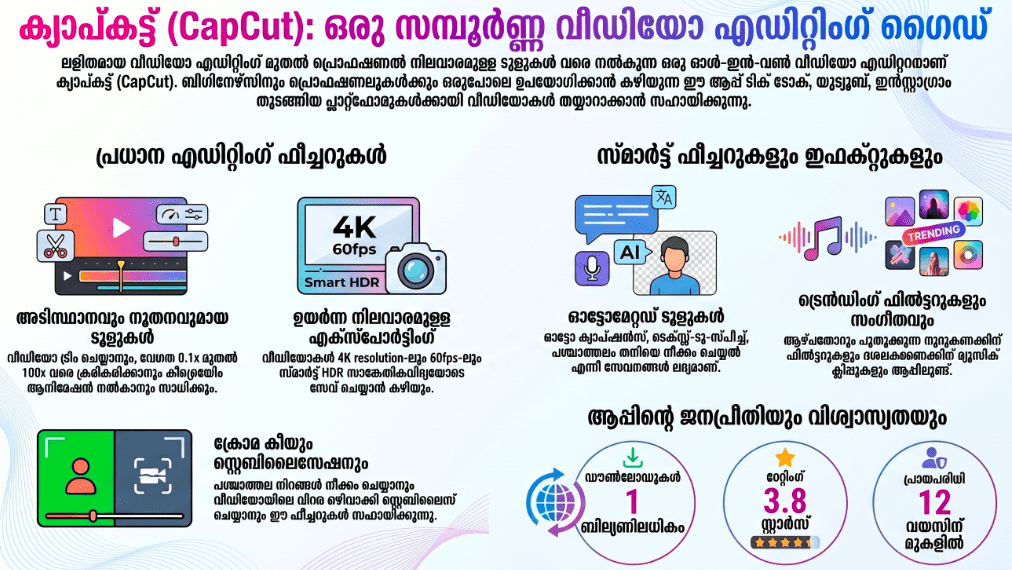
Key Features at a Glance
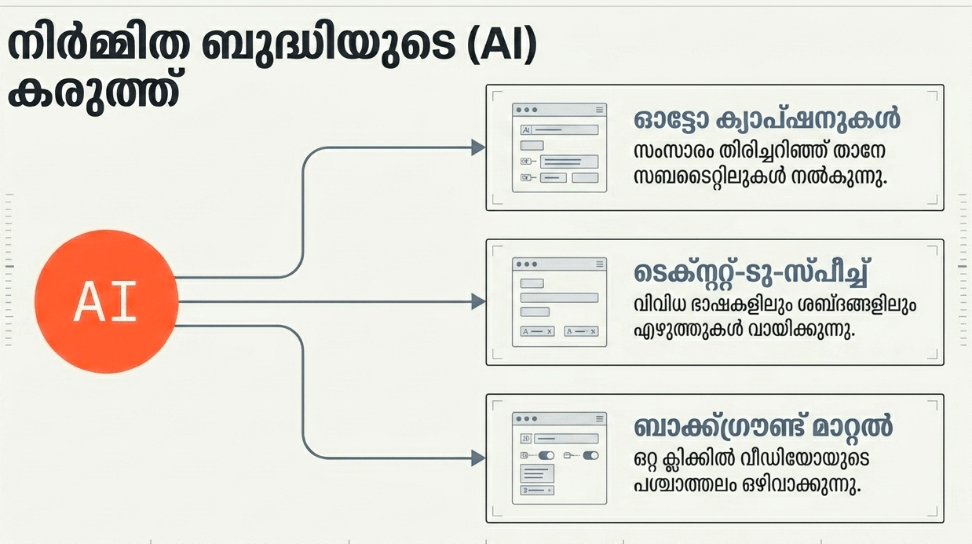
- Automated Smart Captions: This AI feature automatically converts speech into fully animated, highly accurate on-screen text subtitles within seconds.
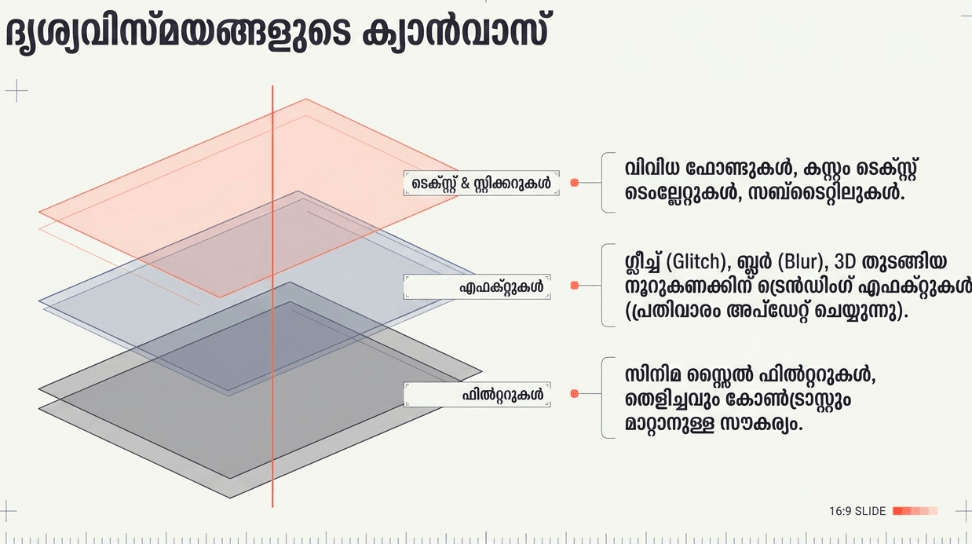
- One-Tap Creator Templates: Beginners can drop their raw media directly into thousands of trending pre-made templates that instantly handle timing, music, and complex transitions.
- Optical Flow Slow-Motion: The app uses intelligent interpolation to generate incredibly smooth, cinematic slow-motion effects from standard-framerate mobile footage.
- Multi-Track Editing Workspace: You can easily stack and rearrange independent video tracks, audio clips, sound effects, and text layers on a clean, scrollable timeline.
- Instant Background Removal: The integrated chroma key and automated cutout tools allow you to isolate subjects and swap background environments with a single tap.
User Data & Market Reach
| Platform | Star Rating | Total Reviews | Downloads |
|---|---|---|---|
| iOS App Store | 4.6 / 5 | Over 1.1 Million | 100M+ Estimated |
| Google Play Store | 4.4 / 5 | Over 8.5 Million | 500M+ Verified |
Technical Performance Review
- Storage: The base app installation requires roughly 200MB to 300MB, but its overall footprint expands rapidly into several gigabytes as temporary raw footage, background assets, and audio effects cache locally.
- Data Usage: Downloading high-resolution templates, tracking trending sound effects, and exporting to integrated cloud lockers will consume heavy amounts of mobile cellular data.
- Battery/Efficiency: Rendering multi-track 4K compositions and processing complex AI effects is highly resource-intensive, which can make older smartphones run noticeably hot and drain the battery quickly.
Aklakstudio Advice: Video rendering leaves a heavy trail of temporary system data. To keep your timeline timeline responsive and free of stuttering frames, head to the main menu settings inside CapCut, tap “Clear Cache,” and free up your workspace memory without losing your active project timelines.
Head-to-Head Comparison
To understand how a dedicated multi-layer creation suite like CapCut functions, let’s contrast its media engine directly with an everyday peer-to-peer sharing application like WhatsApp Messenger.
| Attribute | CapCut App | WhatsApp Messenger |
|---|---|---|
| Primary Utility | Multi-track timeline visual assembly and creative asset editing. | Real-time cross-platform text communication and media distribution. |
| Asset Export Quality | High-fidelity control; allows raw multi-track exports up to 4K resolution at 60 frames per second. | High data compression; significantly drops video bitrate and framing details to optimize network transfer. |
| AI Capabilities | Advanced; handles real-time speech-to-text formatting, background segmentation, and tracking filters. | Basic; limited to general utility features and simple in-app image doodles. |
Best Practices & Safety
- Disable the Automatic Ending Watermark: Avoid publishing repetitive branding by turning off the default “Add default ending” setting within the primary configuration panel.
- Monitor Local Device Temperature: Give your mobile processor a 2-minute break if your phone begins to warm up during long editing sessions to prevent sudden frame drops or app crashes.
- Check Copyright Content Limits: Before publishing commercial or monetized videos, check that your background sounds are approved for commercial use to avoid content claims.
Setup Guide
- Download the Package: Takes less than 1 minute.
Open your device’s native application storefront, search for “CapCut – Video Editor,” and initialize the download. - Create or Sync Your Profile: Required for project persistence.
Launch the platform and establish a profile using a secure email, TikTok link, or Apple/Google account to secure your cloud backup space. - Authorize Media Library Permissions: Critical first-run prompt.
Grant the application access to your local smartphone gallery so the multi-track timeline can load and edit your recorded clips. - Initialize a New Project: Ready to create.
Tap the “New Project” button on the dashboard, select your raw starter clips from your camera roll, and begin assembling your timeline.
Common Questions (FAQ)
Is CapCut completely free to use?
The app operates on a freemium model. Core cutting tools, text overlays, and basic transitions are entirely free, but premium filters, cloud sync expansions, and advanced AI features require a CapCut Pro subscription.
Can I edit video clips when my phone is offline?
Yes. You can cut, trim, and mix locally stored videos without an internet connection. However, cloud templates, automated voice transcriptions, and online asset searches will be unavailable until you reconnect.
How do I remove the CapCut logo at the end of my edited videos?
On the editing timeline, scroll to the very end of your clip sequence to locate the small placeholder black block labeled “Ending.” Tap on it and hit the delete trashcan icon to completely remove the watermark from your final video file.
Download the Official Version
- Android Devices: Get it on Google Play
- iOS Devices: Download on the Apple App Store
The Aklakstudio Final Verdict
The CapCut App is an absolute triumph of accessibility, packing an incredibly robust, multi-layer video engine into an interface that almost anyone can master in an afternoon. It is perfect for busy students, social media newcomers, and budding content creators who need to generate snappy, engaging vertical videos without spending weeks learning complex desktop suites. However, while its automated templates and AI additions are fantastic time-savers, advanced studio professionals may find its mobile timeline layout a bit restrictive for deep color grading or highly nuanced audio mastering.
Rating Scorecard
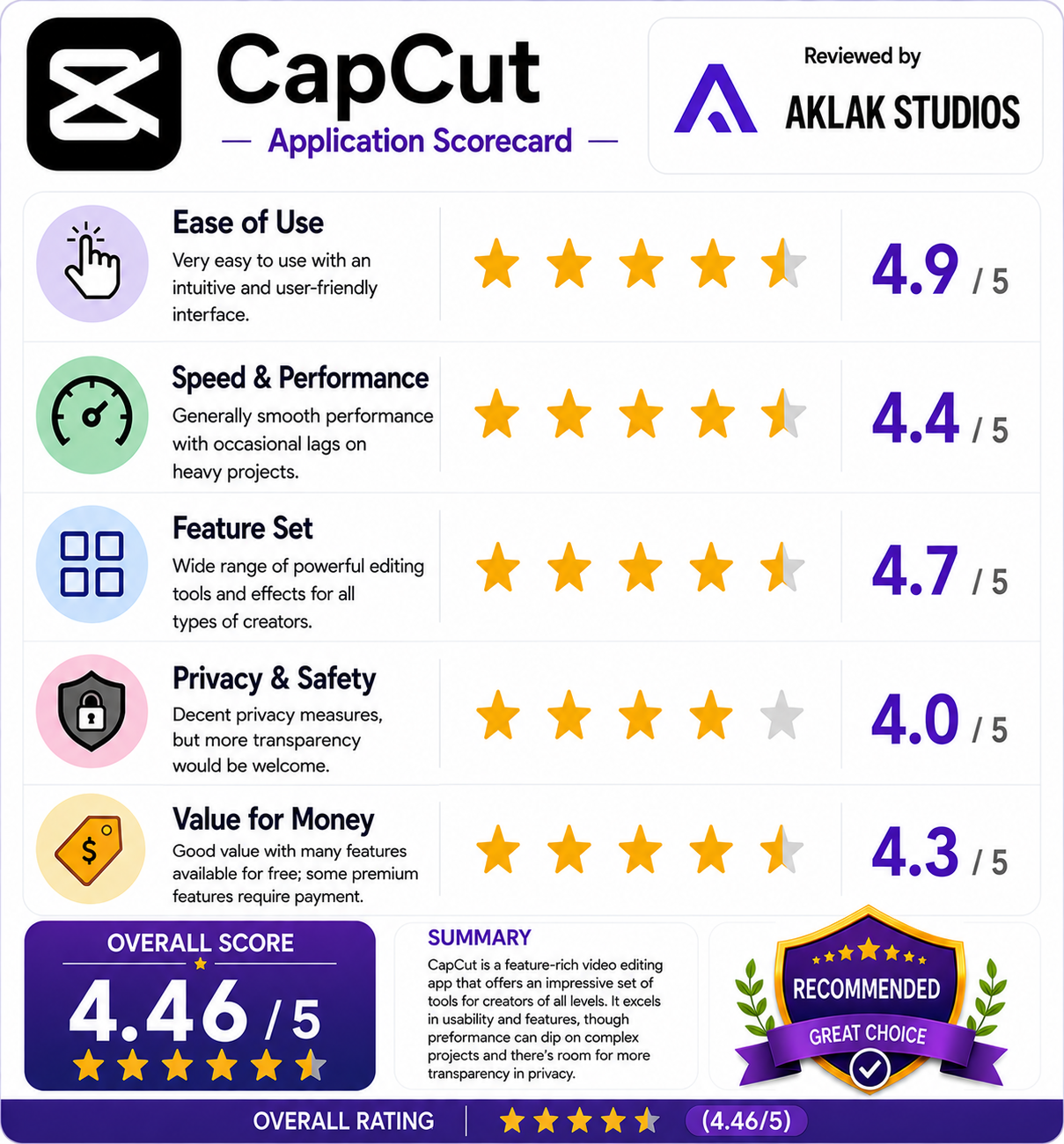
- Ease of Use: 4.9 / 5
- Speed & Performance: 4.4 / 5
- Feature Set: 4.7 / 5
- Privacy & Safety: 4.0 / 5
- Value for Money: 4.3 / 5
Overall Aklakstudio Score: 4.5 / 5