The Problem & Solution
Have you ever captured an outdoor photo with great framing, only to realize the dull, overcast sky or flat lighting completely washed away the magic of the scene? For mobile photographers and everyday travelers, capturing breathtaking, professional-grade scenery usually requires carrying heavy DSLR gear or spending hours tuning complex desktop exposure layers. Lensa AI beautifully resolves this daily creative barrier by putting cloud-connected neural network engines right into your camera roll, letting you dynamically rebuild backgrounds, swap flat skylines, and transform basic snapshots into spectacular scenic visuals with a single tap.
App Overview & Market Position
Lensa AI is an advanced mobile multimedia editing platform driven entirely by automated computer vision. Developed by Prisma Labs, Inc.—the team famous for pioneering deep-style neural art algorithms—Lensa has evolved from a simple portrait retoucher into a comprehensive generative image studio. Available across both iOS and Android, the app provides a highly responsive workspace designed to break down sophisticated studio edits into accessible, slider-based mobile commands.
While most editing apps target basic exposure adjustments or force you to cut background pixels manually, Lensa stands out through its precise, layer-aware spatial identification. Its unique selling point is its Semantic Scene Isolation Engine. When you upload a travel photo, the built-in AI instantly separates the primary foreground subjects from middle-ground geography and background elements. This specialized division allows non-technical creators to alter weather patterns, apply painterly art styles, or activate dramatic sky replacements behind complex skylines or natural foliage without causing artificial edge artifacts or messy color bleeding.
Key Features at a Glance
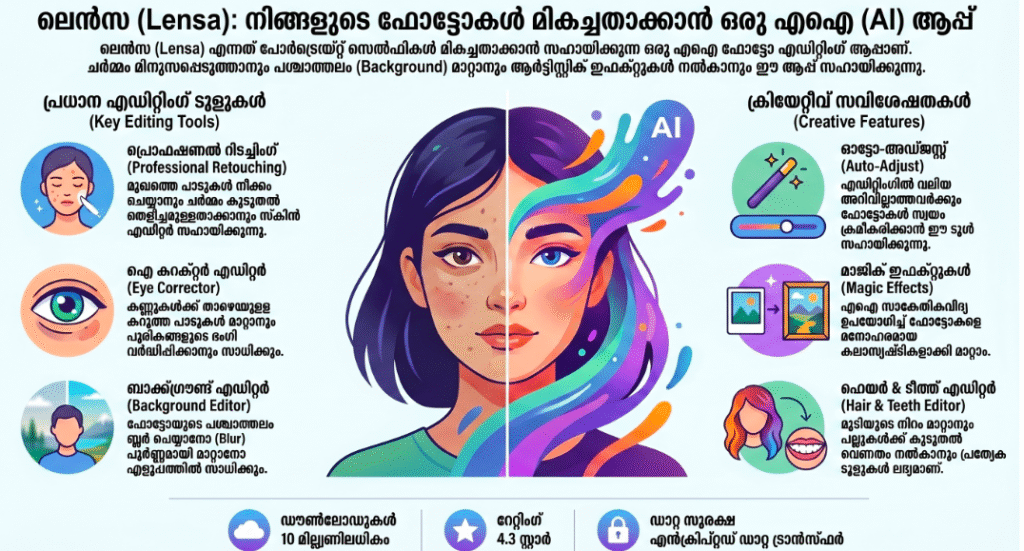
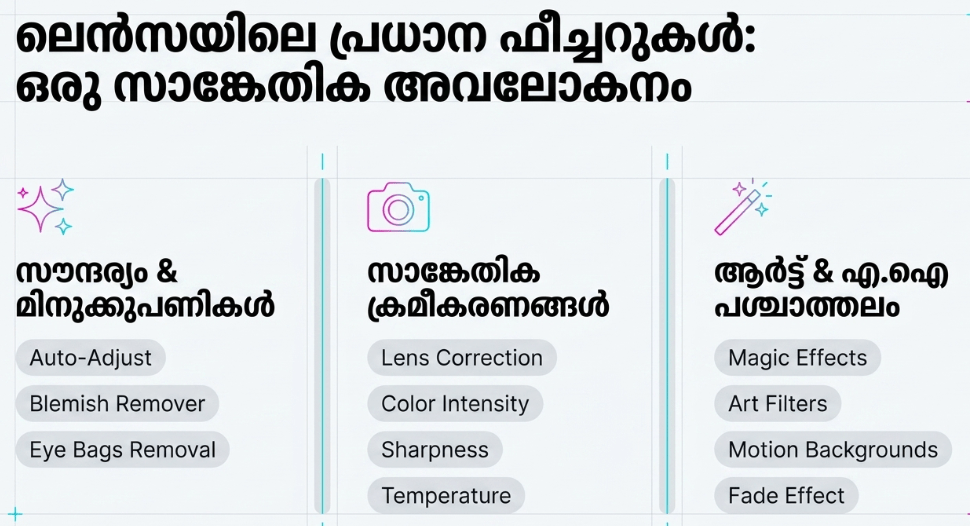
- Smart AI Sky Replacement: Automatically replaces dull gray clouds with realistic sunsets, clear blue horizons, or stellar night skies while adjusting the image’s overall lighting to match.
- Algorithmic Landscape Styling: Transforms raw natural scenery into distinct artistic mediums like oil paintings, vintage film stocks, or vivid contemporary illustrations instantly.
- One-Tap Magic Correction: Analyzes complex landscape lighting inconsistencies to balance overexposed areas and boost shadow details using automated tone mapping.
- Context-Aware Object Eraser: Eliminates unwanted tourists, power lines, or stray garbage from your pristine nature shots by painting over them with generative-fill textures.
User Data & Market Reach
| Platform | Star Rating | Total Reviews | Downloads |
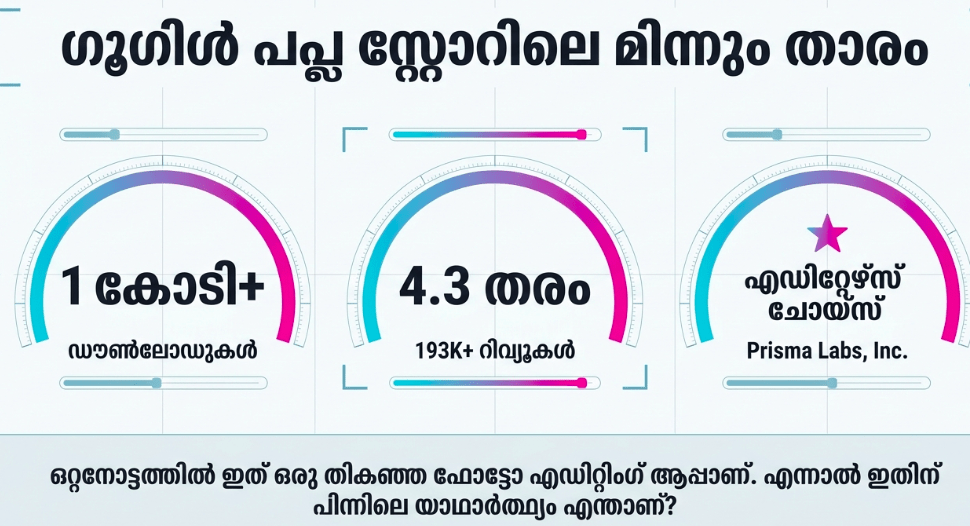
| iOS App Store | 4.6 / 5 | ~7,500 | 10 Million+ |
| Google Play Store | 4.1 / 5 | ~196,000 | 10 Million+ |
Technical Performance Review
- Storage: Demands a relatively heavy initial footprint of roughly 130MB to 160MB on device, steadily accumulating cache files locally as you apply custom asset packs.
- Data Usage: Highly data-dependent; while local color tuning uses minimal resources, processing high-end features like generative art filters streams heavy visual files to Prisma Labs’ cloud servers, requiring a steady data footprint.
- Battery/Efficiency: Standard landscape adjustments run cleanly, but running several heavy cloud-rendering loops back-to-back will trigger moderate device warming and faster battery consumption.
Aklakstudio Advice: To save battery and prevent app lag on older devices during long editing sessions, toggle off the “Real-Time Processing Previews” in the settings panel and apply your filter changes in batches instead.
Head-to-Head Comparison
| Attribute | Lensa AI Mobile | Picsart AI Photo Editor |
| Scene Isolation | Highly accurate (Cleanly separates skies, trees, and subjects into independent layers) | Moderate (Prone to minor edge masking issues around delicate trees and mountain ridges) |
| Artistic Output | Rich, painterly, and cohesive aesthetic finishes driven by Prisma’s original style models | Graphic-focused template overlays mixed with general community sticker layers |
| Workspace Feel | Clean, minimalist, and tool-focused layout free of distracting public social feeds | Complex, social-first platform with active community feeds and heavy ad prompts |
Best Practices & Safety
- Match the Foreground Lighting: When utilizing the AI Sky Replacement tool, remember to adjust the “Warmth” or “Tint” sliders on your foreground subject so the environmental lighting looks entirely cohesive.
- Be Mindful of Cloud Uploads: Generative art conversions require your images to be processed securely on external cloud servers, so review the privacy permissions in your account menu if you are handling highly private photos.
- Maintain Your Base Image Backups: Always export your completed designs as new individual project files rather than overwriting your original camera files, giving you a safe way to start over if needed.
Setup Guide
1.Download the Official Client:Takes 1 min.
Navigate directly to the iOS App Store or Google Play Store, search for “Lensa AI: Photo Editor,” and download the official app by Prisma Labs to avoid copycats.
2.Grant Media Access Permissions:Takes 1 min.
Launch the app and grant it secure access to your local media library, selecting either full device access or a specific group of photos you intend to edit.
3.Configure Subscription or Trial Tier:Takes 2 min.
Choose your preferred tier on the subscription intro screen—you can select the standard plan, opt into a 7-day free trial, or bypass it to stick with the limited free tools.
4.Import and Transform Your Landscape:Instant.
Tap the “+” button on your workspace feed, select a landscape photo from your camera roll, and open the “Background” or “Sky” panels to apply your first transformation.
Common Questions (FAQ)
Q: Does Lensa AI require a paid subscription to export basic photos?
A: No. Lensa features a functional free tier that allows up to three image exports per day using standard editing tools, while advanced features like unlimited cloud art styles require a Pro subscription.
Q: Can I use the landscape images modified by Lensa AI for commercial products?
A: Yes. Under the terms of service, you retain ownership rights to the final stylized creations you export, making them safe to use for commercial web design, print designs, or marketing material.
Q: Will the application function smoothly if my device goes offline?
A: Only partially. Basic corrections like contrast, brightness, and structure parameters are handled entirely on your phone’s processor, but advanced sky replacements and artistic stylings require a live internet connection to connect with cloud servers.
Download the Official Version
- iOS Users: Download on the Apple App Store
- Android Users: Download on the Google Play Store
The Aklakstudio Final Verdict
Lensa AI is an exceptional mobile application that does a fantastic job of bringing pro-level environmental photo editing to everyday users. By hiding complex layer masking, sky replacements, and fine artistic styling behind simple, approachable sliders, it allows anyone to fix flat lighting and rescue ruined travel photos. It is an indispensable creative companion for social media creators, casual travelers, and hobbyist photographers. However, seasoned professional photographers who need raw, uncompressed vector data and complete manual brush manipulation will still likely lean toward advanced desktop software suites.
Rating Scorecard
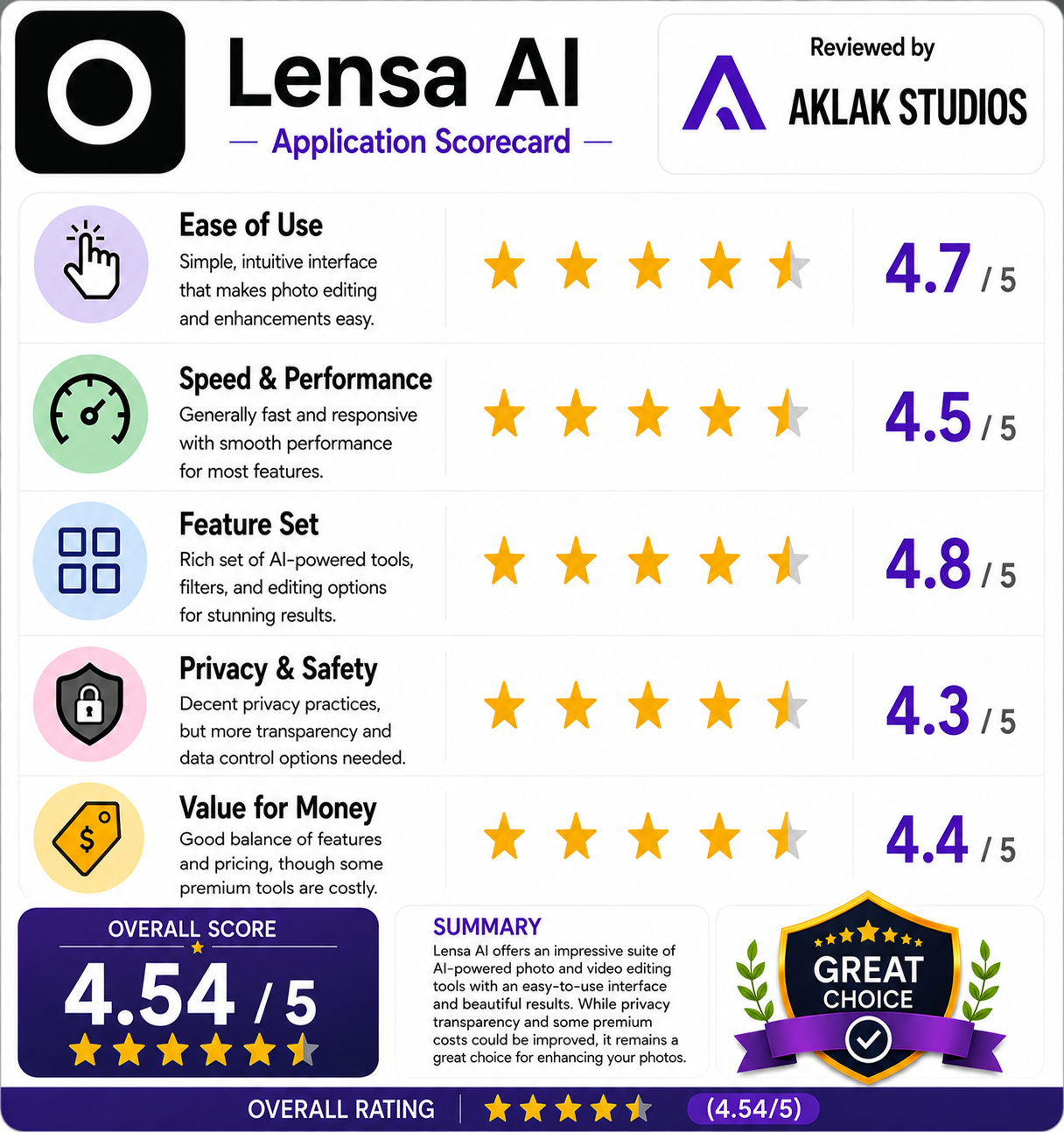
- Ease of Use: 4.7 / 5
- Speed & Performance: 4.5 / 5
- Feature Set: 4.8 / 5
- Privacy & Safety: 4.3 / 5
- Value for Money: 4.4 / 5