The Problem & Solution
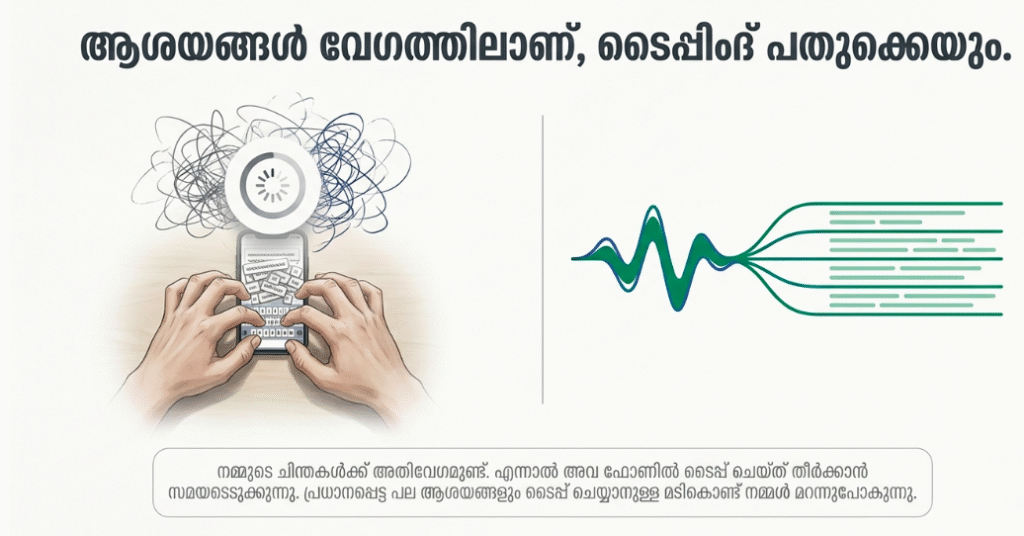
Have you ever been struck by a brilliant creative concept while walking, or tried to capture critical action items during a fast-paced team meeting, only to find that your typing fingers simply couldn’t keep pace with the speed of your thoughts? For professionals, students, and busy creators, traditional manual typing on a cramped smartphone screen remains a clunky, time-consuming hurdle that often causes fleeting ideas to evaporate before they are safely recorded. Voice Notes (widely utilized as Voice Notes – Speech to text on Android and its advanced equivalents across mobile ecosystems) beautifully breaks down this creative friction by deploying a responsive, continuous audio-dictation and transcription desk on your smartphone, transforming spontaneous spoken words into organized, editable text files with a single tap.
App Overview & Market Position
Voice Notes is a highly focused, efficiency-first personal productivity and audio transcription utility. Developed by prominent utility architecture houses like UXAPPS LTD (and heavily mirrored by elite developer teams across global digital app marketplaces), the application functions as a decentralized, voice-activated notepad. It strips away the unnecessary, dense formatting grids of traditional word processors to provide a lightweight workspace centered entirely around rapid speech capture, audio recording management, and text translation.
What solidifies Voice Notes’ robust market position is its deliberate commitment to uncompromised offline capability and simplicity. While heavy, enterprise-grade corporate platforms lock advanced speech tools behind expensive recurring cloud memberships and require high-speed internet links, Voice Notes focuses on local-first processing. Its definitive unique selling point is its Hybrid Offline Dictation Engine paired with Custom In-App Smart Commands. By utilizing specialized local language packages alongside native speech frameworks, users can accurately dictate extensive memos, insert structural punctuation marks simply by saying words like “period” or “comma,” and categorize transcripts with color-coded tags completely independent of a Wi-Fi or cellular network connection.
Key Features at a Glance
- Continuous Hands-Free Dictation: Record lengthy streams of speech without arbitrary time cut-offs or automatic pause blocks cutting into your train of thought.
- Integrated Voice Punctuation Commands: Insert symbols, line breaks, and formatting spacing dynamically into your live text file simply by speaking aloud structural commands.
- Offline Processing Independence: Download specialized local language data packs to safely convert your spoken words to text in areas without cell reception.
- Color-Coded Category Management: Classify and filter your growing collection of audio entries instantly using highly visible, custom-labeled color tags.
User Data & Market Reach
| Platform | Star Rating | Total Reviews | Downloads |
|---|---|---|---|
| iOS App Store (GlassFlag LLC / Alternatives) | 4.9 / 5 | ~34 | 500,000+ Cumulative |
| Google Play Store (UXAPPS LTD) | 4.1 / 5 | ~12,000 | 1 Million+ Active Installs |
Technical Performance Review
- Storage: Remarkably streamlined and non-invasive, requiring a lean initial installation profile of under 40MB on Android platforms, making it highly suitable for budget hardware configurations.
- Data Usage: Highly optimized for minimal network consumption; the application executes its core transcription calculations locally on your physical hardware, saving cellular data strictly for optional external sharing loops.
- Battery/Efficiency: Exceptionally passive and gentle on your device’s battery; because it avoids power-hungry cloud server streaming chains during dictation, your smartphone remains perfectly cool.
Aklakstudio Advice: To achieve near-perfect transcription accuracy when using the app in noisy public environments, navigate to settings and make sure your system’s default speech recognition engine is updated to the latest language model.
Head-to-Head Comparison
| Attribute | Voice Notes App (UXAPPS) | Standard Communication Recording (e.g., WhatsApp / Signal) |
|---|---|---|
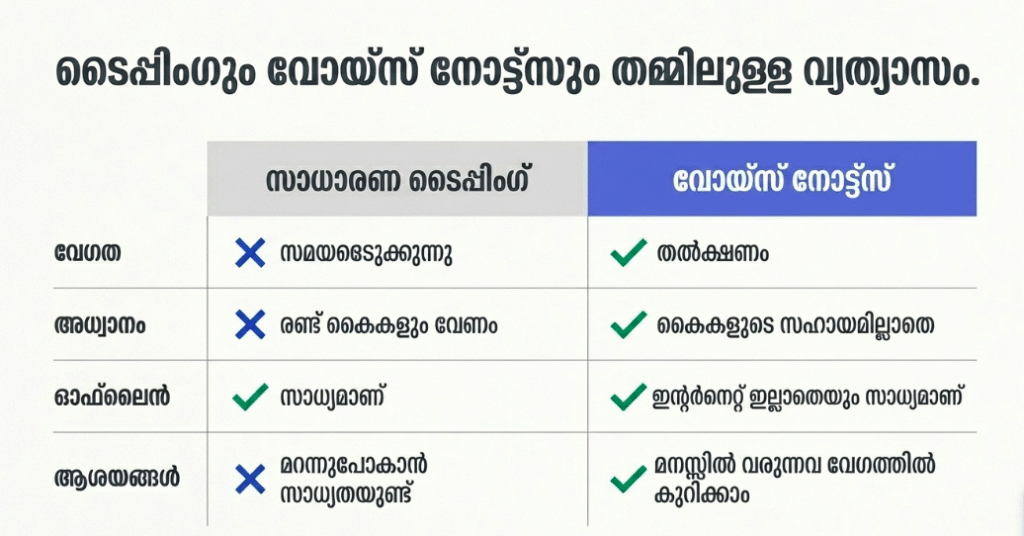
| Data Output | Dual Delivery (Simultaneously generates a fully searchable text transcript alongside a raw audio file link) | Single-Channel Audio (Saves voice notes as flat, compressed audio waveforms that cannot be searched via text strings) |
| Formatting Framework | Structured Notepad (Allows you to manually edit text, apply color tags, set reminders, and dictate punctuation rules) | Ephemeral Messaging (Restricts audio entries to linear chat feeds with zero internal editing or categorization options) |
| Network Autonomy | High Offline Support (Processes speech recognition locally using pre-loaded packages without an internet connection) | Total Dependence (Demands a continuous cellular network connection to transmit, cache, or load audio messages) |
Best Practices & Safety
- Keep an Eye on Auto-Save Functions: Jump into the primary app configuration screen during your initial launch to toggle on the “Autosave” switch to ensure your long dictations are never lost during sudden battery drops.
- Enforce Local Biometric Privacy Locks: If you regularly record sensitive corporate ideas or private diary updates, navigate to the safety panel to lock down the interface with a custom PIN or your device’s native fingerprint scanner.
- Export Large Transcripts Regularly: For ultimate data redundancy, leverage the app’s native sharing node to forward your extensive notes directly to your personal email or secure cloud document folders.’

Setup Guide
- Install the Authorized Utility Package: Takes 1 min.
Open your official Google Play Store or iOS App Store, search for “Voice Notes” by UXAPPS or verified local equivalents, and download the software client safely. - Grant Operating System Hardware Access: Takes 30 seconds.
Launch the app and grant it explicit, system-level permission to access your device Microphone and Storage arrays to allow the app to capture and save files. - Pre-Load Your Offline Language Data: Takes 1 min.
Navigate directly into the application settings hub and tap to download your native language data package to unlock reliable offline translation capabilities. - Tap the Microphone Control and Speak: Instant.
Return to the clean main dashboard, tap the prominent microphone icon to initiate a live session, and watch your spoken words materialize as text in real time.
Common Questions (FAQ)
Q: Can I import existing pre-recorded MP3 or WAV audio files into Voice Notes for text transcription?
A: The base edition of this utility is strictly optimized for real-time live dictation and voice tracking. For heavy file importing pipelines or transcribing old external audio recordings, you will want to utilize premium cloud transcription suites like Otter.ai.
Q: Do I need a live internet or cellular data connection to dictate text inside the application?
A: Not at all. As long as you have downloaded your region’s language data packages inside the app settings panel, the voice recognition algorithms will parse and translate your speech perfectly without any network access.
Q: Are my confidential voice recordings uploaded or shared with external data brokers?
A: No. The application operates on a strict localized data privacy architecture, meaning all of your audio recordings, transcribed texts, and personal search files remain securely saved on your physical smartphone hardware.
Download the Official Version
- Android Users: Download on the Google Play Store
- iOS Users: Download on the Apple App Store
The Aklakstudio Final Verdict
The Voice Notes mobile application is an outstanding, highly reliable productivity utility that does a phenomenal job of turning your spoken ideas into an organized, fully editable text library. By discarding complex, cluttered multi-layer formatting configurations and replacing them with local offline dictation capabilities and intuitive custom voice punctuation commands, it respects your creative workflow and your limited time parameters perfectly. It is the absolute perfect application for busy students capturing lecture highlights, field journalists conducting quick interviews, and content creators tracking spontaneous scripts on the move. However, corporate power users who require automated multi-speaker identification logs, real-time AI summary generation, or deep collaborative workspace sharing hooks will find its minimalist layout a bit too simple and will eventually want to step up to heavy enterprise transcription suites instead.
Rating Scorecard
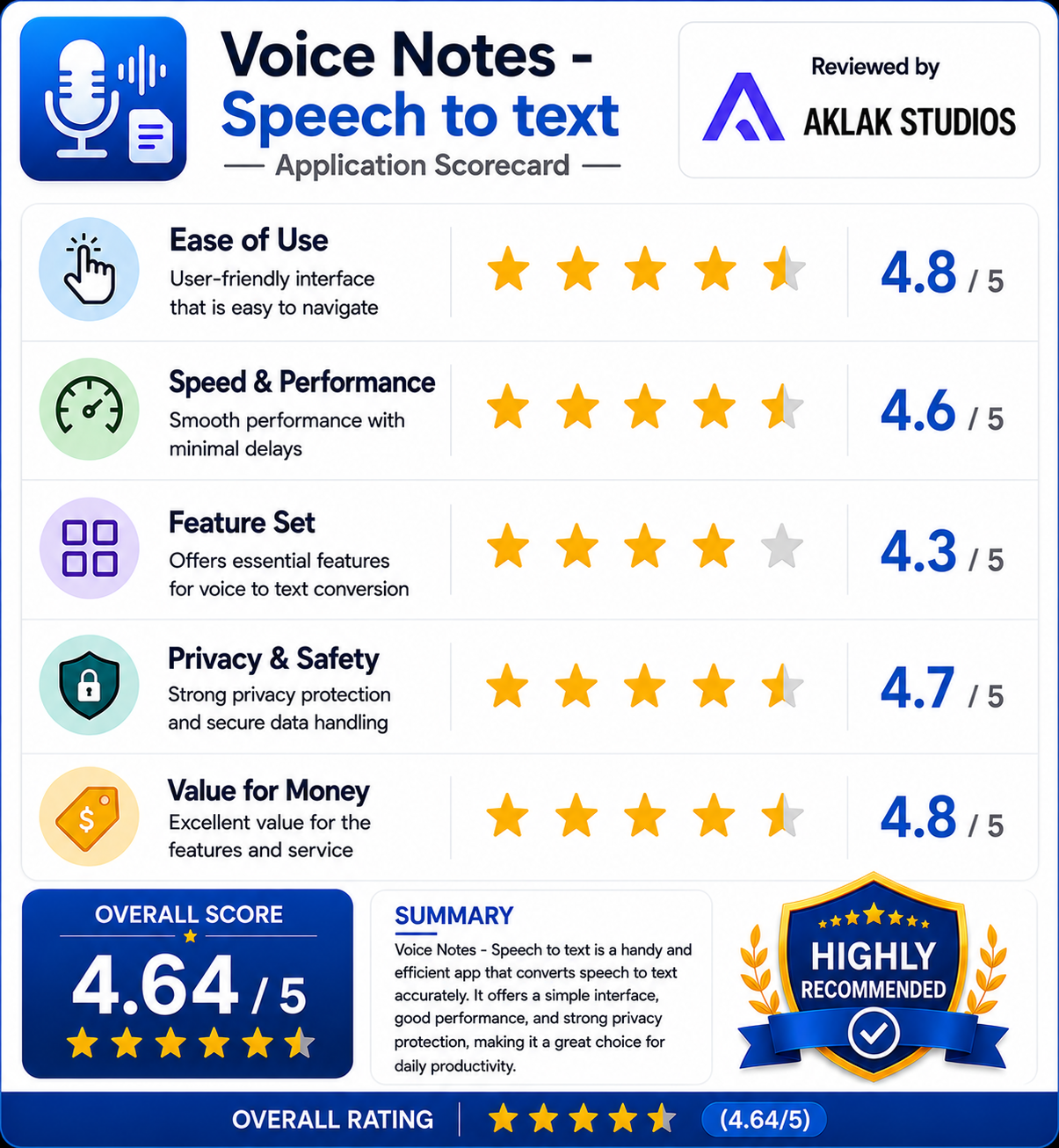
- Ease of Use: 4.8 / 5
- Speed & Performance: 4.6 / 5
- Feature Set: 4.3 / 5
- Privacy & Safety: 4.7 / 5
- Value for Money: 4.8 / 5