Struggling with low storage space on your phone? Storage cleaner and file management apps make it easy to remove unnecessary files, organize data, and create more room for apps, photos, and videos.For most smartphone users, the immediate reaction is to start deleting cherished memories, yet the true culprit hiding in your device is often completely invisible. Over time, downloaded PDF attachments, forwarded WhatsApp videos, and repeated burst-shot photos accumulate massive, hidden hoards of identical data clones. Duplicate Files Fixer and Remover elegantly cuts through this digital clutter by deep-scanning your local storage sectors, pinpointing identical files, and letting you safely reclaim gigabytes of storage space with a single tap.
App Overview & Market Position
Duplicate Files Fixer and Remover is a highly specialized system optimization utility tailored for mobile devices. Developed by Systweak Software—a prominent tech developer recognized globally for its optimization, productivity, and privacy software suites—this application serves as a dedicated digital custodian for your phone’s memory banks. The software categorizes and strips away redundant files that silently slow down your device, operating entirely within local hardware parameters.
What establishes this utility’s robust market position is its uncompromising focus on safe, content-aware scanning. While generic “all-in-one” cache cleaners simply wipe out broad temporary internet data (often accidentally deleting vital app offline configurations or saved login tokens), Duplicate Files Fixer uses advanced cryptographic algorithms to compare files. Its true unique selling point is its Multi-Category Grouped Byte-Comparison engine paired with intelligent Auto-Marking. Instead of forcing you to painstakingly swipe through thousands of generic file strings, the application group-matches exact clones side-by-side. It automatically flags the redundant copies for deletion while keeping your original file entirely safe, ensuring you never accidentally wipe a master document.
Key Features at a Glance
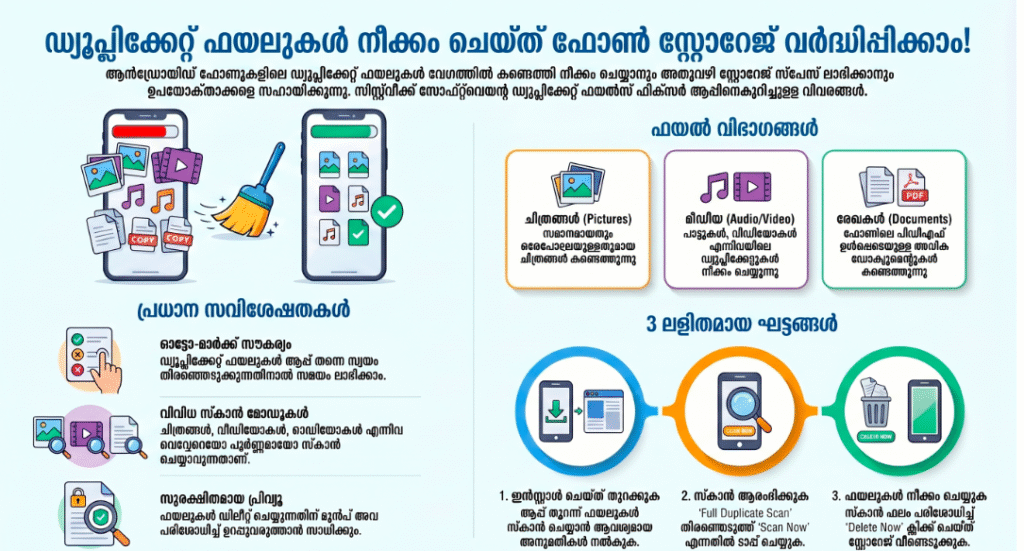
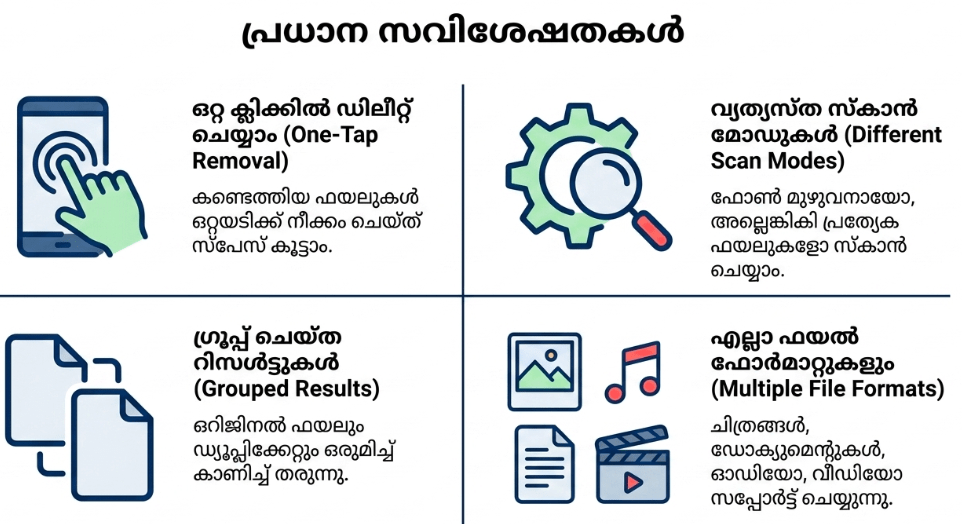
- Comprehensive Full-System Scan: Sweeps your device’s internal directories and expandable SD card blocks simultaneously to map hidden file duplicates.
- Intelligent Byte-Level Matching: Uses precise data comparison rules to ensure files are identical by checking internal file content and sizes rather than just matching file names.
- Instant One-Tap Auto-Marking: Flags all identical copies across your storage automatically, leaving exactly one original master file untouched to save you hours of manual box-checking.
- Granular Scan Segmentation: Allows you to isolate and scan specific file types independently, separating your search into dedicated streams for audio, video, pictures, or documents.
User Data & Market Reach
| Platform | Star Rating | Total Reviews | Downloads |
| iOS App Store | N/A | N/A | Platform Exclusive (Available solely on Android, Windows, and ChromeOS) |
| Google Play Store | 4.3 / 5 | ~45,000 | 5 Million+ Active Installs |
Note on Availability: While Systweak distributes specialized desktop clients for macOS, their comprehensive mobile “Duplicate Files Fixer and Remover” tool remains exclusive to the Android ecosystem.
Technical Performance Review
- Storage: Remarkably compact and lightweight on physical storage assets, requiring a lean baseline installation footprint of under 20MB, making it extremely easy to download even on heavily choked devices.
- Data Usage: Exceptionally data-friendly; because all cryptographic hash checks, folder lookups, and visual rendering tasks execute entirely locally on your phone’s processor, it consumes virtually zero mobile data.
- Battery/Efficiency: Demands significant processing power during active deep sweeps; running real-time matching metrics across a massive 128GB or 256GB file tree shifts your phone’s processor into high gear, causing temporary device warming and brief battery draw.
Aklakstudio Advice: If you are running a comprehensive “Full Duplicate Scan” over a massive library of local files, clear your phone’s background multi-tasking tray beforehand to allocate maximum system RAM memory to the scan engine for blazing-fast indexing.
Head-to-Head Comparison
| Attribute | Duplicate Files Fixer (Systweak) | Generic All-In-One Phone Cleaners |
| Cleaning Precision | Structural Hash Comparison (Scans individual data bytes to confirm files are identical before marking deletion) | Superficial Cache Wiping (Deletes broad system temp files and internet cookies without analyzing individual file clones) |
| Deletion Control | Side-by-Side Group Previews (Places identical copies in clear visual clusters with full resolution file paths) | Blind Bulk Purging (Deletes large batches of files simultaneously based on generalized date limits) |
| Data Retention Safety | Master File Protection (The auto-marking logic locks down one original copy securely, preventing complete file loss) | Variable Risks (Can easily clear out offline app data assets, requiring you to redownload your app settings) |
Best Practices & Safety
- Always Audit Before Hitting Delete: Even though the app’s auto-marking engine is highly precise, take 30 seconds to scroll through the generated visual summary groups to manually verify your files before hitting the final purge command.
- Leverage the Integrated Preview Pane: If you run across identical photo thumbnails or document strings with generic names, tap the file inside the result list to see a live preview of its resolution, size, and folder path.
- Run a Sweep After Bulk Social Media Migrations: Make it an absolute routine to run a targeted “Picture and Video Scan” immediately after backing up chat folders or moving old media cards, as these app shares are notorious for creating duplicate files.
Setup Guide
1.Install the Verified Utility:Takes 1 min.
Open the Google Play Store on your Android phone, search for “Duplicate Files Fixer -Remover” by Systweak Software, and execute the download safely.
2.Authorize System File Access:Takes 30 seconds.
Launch the app and grant it explicit, system-level permission to read your internal media storage folders when prompted by your phone’s operating system.
3.Execute a Targeted or Full Scan:Takes 2 min.
Select the “Full Duplicate Scan” card from the main dashboard, tap the prominent “Scan Now” button, and let the hashing algorithm index your files.
4.Confirm Auto-Marking and Free Space:Instant.
Review the grouped results, tap the three dots to tweak your auto-mark preferences if desired, and hit “Delete Now” to instantly reclaim your open storage.
Common Questions (FAQ)
Q: Does the application completely wipe out all copies of a song or document, leaving me with nothing?
A: Absolutely not. The core logic of the app is engineered to locate duplicates, meaning it identifies copies. The smart auto-marking engine will selectively flag the duplicate files ($2nd$, $3rd$, or $4th$ copies) for deletion while ensuring exactly one original master file is left completely untouched in its native directory.
Q: Can this tool scan and clean up duplicate files stored inside my cloud services like Google Drive?
A: While the specialized desktop version of Systweak’s software can sync with cloud servers, the mobile app is optimized strictly as a hardware system utility. It focuses entirely on cleaning up files physically saved onto your local memory chips or SD cards.
Q: Is Duplicate Files Fixer safe to use, or will it log and upload my private photos to external servers?
A: The app is completely secure. Systweak enforces a strict local privacy framework, meaning all indexing, comparison, and cleaning tasks happen directly on your physical smartphone hardware. The app never uploads, monitors, or saves your personal files or user data to external cloud networks.
Download the Official Version
- Android Users: Download on the Google Play Store
The Aklakstudio Final Verdict
The Duplicate Files Fixer and Remover application by Systweak Software is an outstanding, highly reliable system utility that does an exceptional job of turning storage management into a completely automated science. By combining precise byte-level data matching with an effortless auto-marking engine and an incredibly lean application footprint, it respects both your device resources and your file safety perfectly. It is the absolute perfect tool for content creators, remote workers, students, and budget-smartphone owners who frequently run out of storage space and need to safely declutter their storage. However, power users searching for automatic real-time background duplicate blocking or complex automated file-shredding tools will find its manual scan workflow a bit basic for their scripting needs.
Rating Scorecard
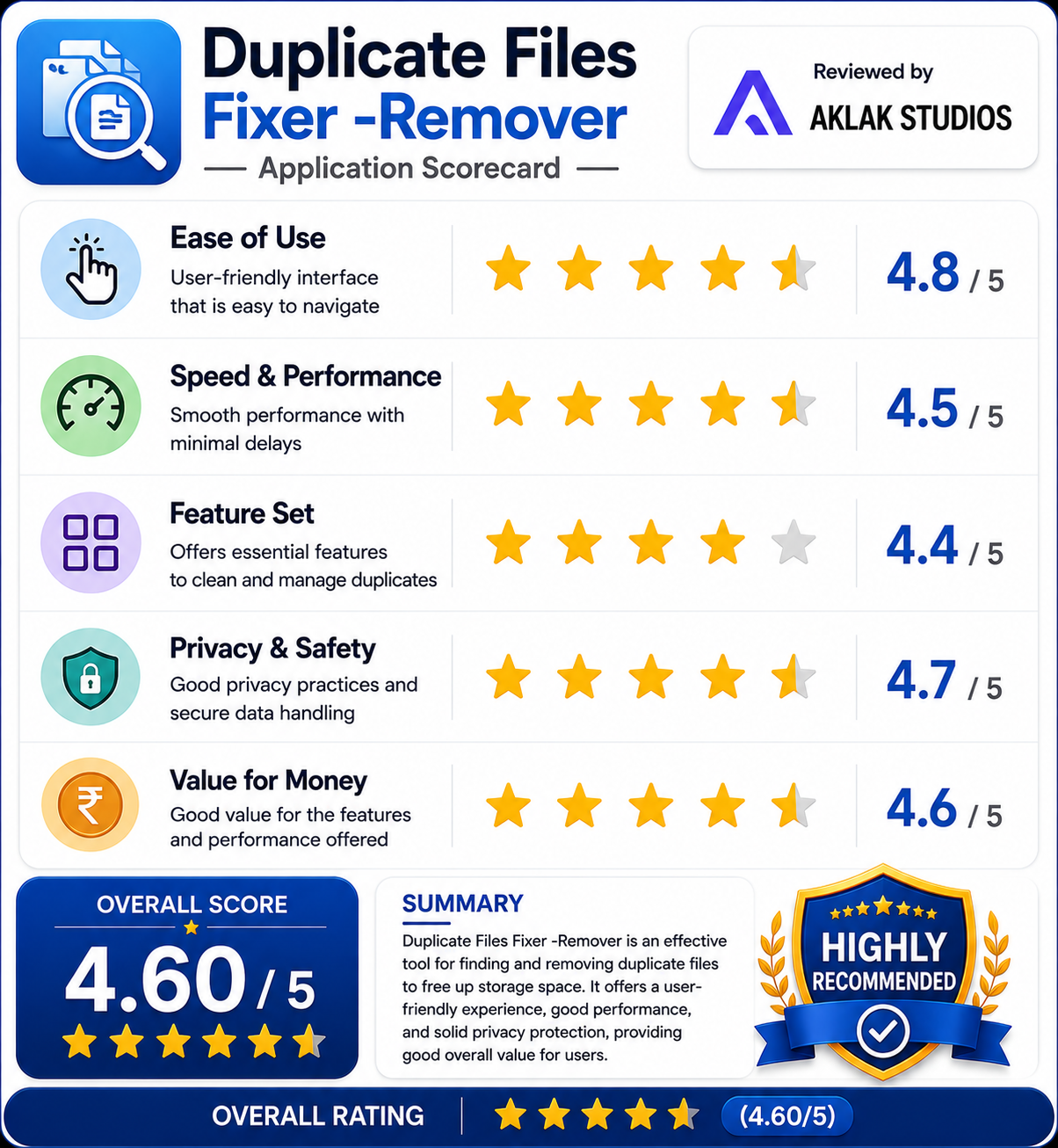
- Ease of Use: 4.8 / 5
- Speed & Performance: 4.5 / 5
- Feature Set: 4.4 / 5
- Privacy & Safety: 4.7 / 5
- Value for Money: 4.6 / 5