
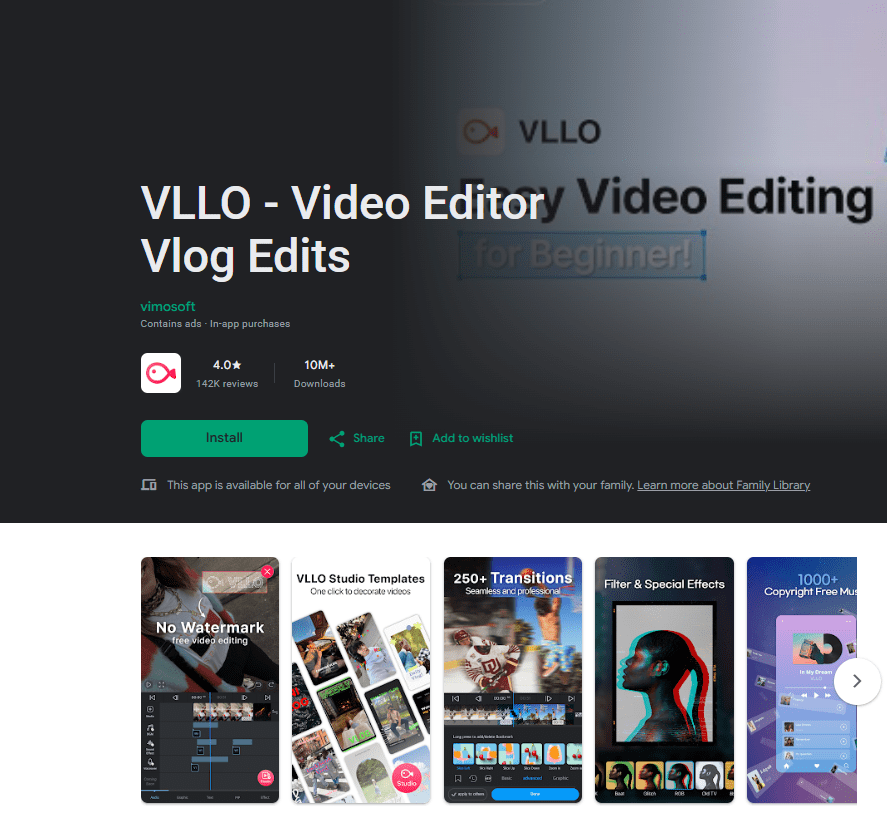
VLLO is a mobile video editing app designed for creating and editing videos on a smartphone. It is aimed at people who want to edit everyday videos, vlogs, short-form content, and personal projects without using a computer.
The app brings common editing tools into one mobile workspace. Users can work with video clips, add text, music, stickers, transitions, and other elements while building a finished video.
VLLO is especially suitable for users who want a straightforward editing experience. Instead of focusing only on basic trimming, it provides several tools for adding creative elements to a project.
The app can be useful for beginners who are learning mobile video editing as well as users who already have some experience. Its range of tools gives users room to make more detailed edits, although new users may need some time to become familiar with the interface.
For someone looking for a mobile editor for vlogs, social media videos, or personal clips, VLLO is worth considering.
Overview
VLLO focuses on making video editing possible directly from a mobile device. Its main purpose is to help users turn video clips into finished projects by combining editing tools with creative elements.
The app can be used for different types of videos, including vlogs, short clips, and everyday recordings. Users can arrange clips, make cuts, add music, place text on the screen, and use transitions between sections.
One useful part of a mobile editor is convenience. You can work with footage already stored on your phone instead of moving everything to a computer before starting an edit.
VLLO also provides additional creative tools for users who want to do more than simple trimming. This makes it suitable for people who want to experiment with the appearance and style of their videos.
Beginners may find the number of options slightly overwhelming at first. However, users who spend some time learning the main controls can use the app for both simple and more detailed video projects.
Key Features
Video Editing
VLLO provides the basic tools needed to work with video clips. Users can arrange footage and make changes to create a complete video.
This is useful when you have several recordings that need to be combined into one finished project.
Text and Titles
The app allows users to add text to videos. Text can be used for titles, labels, explanations, or other information that needs to appear during a video.
This is helpful when the video needs context that cannot be provided through visuals alone.
Music and Audio
VLLO includes audio-related editing tools that let users add music and other sound elements to their projects.
Adding audio can help complete a video and is particularly useful for vlog and social media content.
Transitions
Transitions can be placed between clips to create smoother changes from one section to another.
This is useful when a project contains several different recordings and you want to avoid simple cuts between every clip.
Stickers and Creative Elements
VLLO includes creative elements such as stickers that can be added to videos.
These options give users another way to personalize their projects and add visual details without changing the original footage.
Effects and Filters
The app provides visual editing options that can change the appearance of video clips.
These tools can be useful when users want to give their footage a particular look or add visual interest to a project.
Testing Experience
VLLO is designed for touch-screen editing, so the overall experience is based around selecting clips and adjusting them directly on the phone.
For basic projects, the workflow is familiar. Users can select their footage, arrange clips, make edits, and then add elements such as text, music, transitions, and visual effects.
The range of tools makes VLLO more flexible than a simple video trimming application. At the same time, having several options can make the first few editing sessions feel less straightforward for someone who has never used a video editor before.
Once the main controls are understood, the editing process becomes easier to follow. Users can gradually add more tools instead of trying to use every feature at once.
Video editing performance can vary depending on the phone, the size of the project, the number of clips, and the type of effects being used. Larger projects can naturally place more demands on the device.
The available source information does not provide controlled testing results for battery usage, phone temperature, export speed, crash frequency, or long-term stability. It would therefore not be accurate to provide specific claims about those areas without testing a particular version on a particular device.
Overall, VLLO provides a practical mobile editing workspace. It is suitable for everyday video projects, while users who want to make more complicated edits may need some time to become comfortable with the available controls.
Privacy & Safety
VLLO needs access to media files so users can select videos and other content for editing. This type of access is connected to the app’s main purpose.
Users should check the current Google Play Data Safety section and permission information before installing because these details can change with app updates.
The available information does not provide enough evidence to make specific claims about every type of data the app may collect or share. It is therefore better to rely on the current app listing for those details.
Users should also review any advertising or paid features shown in the current version if they prefer an editing app with fewer restrictions.
Storage & Data Usage
Video editing requires storage for original footage, project files, and exported videos. The amount of space used will depend mainly on the size and number of videos being edited.
Longer and higher-quality videos can require more storage. Exporting a finished project may also create another video file on the device.
Users working with several projects should keep enough free storage available on their phone.
The available information does not provide a specific cache size or exact storage requirement, so an exact number should not be assumed.
What I Liked
- Designed for mobile video editing.
- Suitable for vlogs and everyday video projects.
- Includes text and audio tools.
- Provides transitions and creative elements.
- Offers more options than a basic video trimming app.
What Could Be Better
- Beginners may need time to learn the editing controls.
- The number of tools can feel busy for simple projects.
- Larger video projects can require significant storage.
- Performance can vary depending on the phone and project size.
Frequently Asked Questions
What is VLLO used for?
VLLO is a mobile video editing app that can be used to create and edit vlogs, short videos, and personal video projects.
Can I add music to videos in VLLO?
Yes. VLLO includes audio and music editing options for video projects.
Can I add text to a video?
Yes. The app provides tools for adding text and titles to videos.
Does VLLO have transitions?
Yes. Transitions can be used between clips to connect different parts of a video.
Is VLLO suitable for beginners?
VLLO can be used by beginners, although new users may need some time to become familiar with the available editing tools.
Aklak Studio Verdict
VLLO is a good option for Android users who want to edit videos directly on their phones. It covers the basic editing tasks while also providing tools for text, music, transitions, stickers, and visual effects.
The app is a better fit for people creating vlogs, short videos, and personal projects than for users who only need to trim a clip occasionally. Beginners can use it, but the range of tools means there is a small learning curve.
If you want a mobile editor that gives you more control than a basic trimming app, VLLO is worth considering. Users working on larger or more complicated projects should also consider their phone’s available storage and performance.
Final Scorecard
Ease of Use: ★★★★☆ (4.3/5)
Performance: ★★★★☆ (4.1/5)
Features: ★★★★☆ (4.5/5)
Privacy & Safety: ★★★★☆ (4.0/5)
Value for Money: ★★★★☆ (4.2/5)
Overall Rating: ★★★★☆ (4.2/5)
SEO Keyphrase: VLLO Video Editor
Category: Video Players & Editors / Video Editing